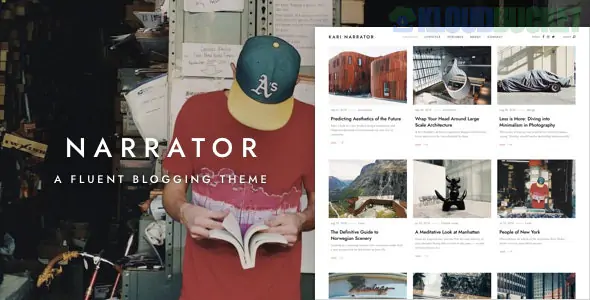
Narrator is a refined, minimalist WordPress theme built specifically for storytellers, authors, and "long-form" bloggers. Developed by Themeton, it focuses on a "fluent" reading experience—meaning the design is intended to flow seamlessly from one paragraph to the next without the typical visual clutter of traditional news or magazine sites.
It is the digital equivalent of a high-end, heavy-paper literary journal.
Typography-First Design: Narrator is built around high-readability fonts and perfect line spacing ($line-height$), ensuring that readers don't experience eye strain during long articles.
AJAX "Load More" & Infinite Scroll: Keeps readers immersed in your content by loading new posts or the next article without a full page refresh.
Hidden Sidebars & Menus: Uses a "Slide-out" or "Hamburger" menu system to keep the focus entirely on the text, revealing navigation only when the reader needs it.
Multiple Post Format Support: Cleanly handles Standard, Gallery, Video, and Audio posts, making it a great fit for podcasters who also write detailed show notes.
Fullscreen Galleries: For travel or lifestyle bloggers, it includes beautiful lightbox and masonry gallery options that expand to fill the screen.
Narrator is highly optimized and lightweight, making it exceptionally fast:
PHP Version: 7.4 or higher.
Memory Limit: 128MB (standard); it doesn't require heavy resources.
Required Plugins: Narrator Core (bundled) and Contact Form 7.
Page Builder: While it is Gutenberg-ready, it often utilizes WPBakery or a specialized version of Elementor for its unique layouts.
Category
Style / Options
Blog Layouts
Classic Column, 2-Column Grid, Masonry, and Minimalist List
Post Styles
Narrow (for focus), Full-width (for impact), and Split-screen (Text/Image)
Header Types
Transparent, Sticky, or Static with a focus on author branding
Social
Integrated "Share" buttons that appear at the end of the narrative
The "Author Persona": Since Narrator is for personal storytelling, use the Custom Author Widget. Readers connect with who is writing. Include a high-quality headshot and a short, evocative bio.
Focus on the "Drop Cap": The theme supports "Drop Caps" (the large first letter of a paragraph). Using this at the start of your articles gives your blog an immediate "professional book" aesthetic.
Use High-Contrast Images: Because the theme is so clean and often uses a lot of white space, use high-contrast or moody featured images to act as a "visual anchor" for your stories.
Optimizing for Reading Time: Use a "Reading Time" plugin or widget. For long-form content, letting a reader know an article is a "6-minute read" helps set expectations and increases completion rates.
Writing Tip: Narrator works best when you don't use too many ads or pop-ups. If you must monetize, use the Inline Ad spots between paragraphs to maintain the "flow" of the story without interrupting the reader's journey.
Would you like me to show you how to configure the "Infinite Scroll" for your articles, or do you need help selecting a typography pair that matches your writing style?
Subscribe to access unlimited downloads of themes, videos, graphics, plugins, and more premium assets for your creative needs.
.jpg) Help Us to Buy More New Theme/Plugin
Help Us to Buy More New Theme/Plugin
Published:
Feb 01, 2026 13:46 PM
Version:
v1.3.4
Category:
Developer:
ThemeforestLicense:
GPL v2 or Later