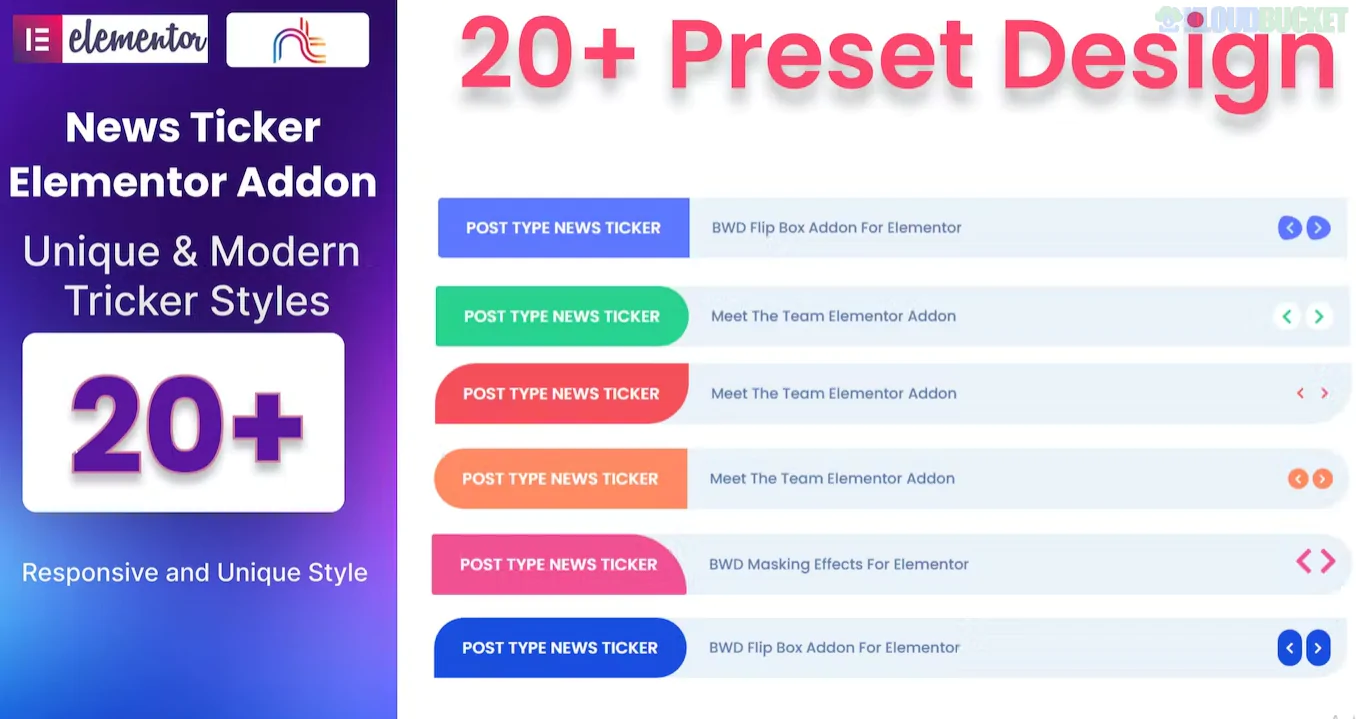
A News Ticker Addon for Elementor is a dynamic widget designed to display breaking news, trending posts, or important announcements in a scrolling or "typing" banner. It is a highly effective way to save screen space while keeping visitors engaged with real-time updates.
Unlike standard static text, these addons often pull data dynamically from your latest blog posts, WooCommerce products, or custom RSS feeds.
Most popular Elementor addon packs include a news ticker, but here are the best-in-class options:
Addon Name
Key Strength
Price
Premium Addons
Offers 4 unique layouts and high-performance ticker title styling.
Free / Pro
Essential Addons
Known for the "Typing Effect" and easy dynamic post filtering.
Free / Pro
ElementsKit
Includes a "Content Ticker" that handles images and icons alongside text.
Free / Pro
Ditty (formerly Ditty News Ticker)
The most advanced; can pull from Twitter (X), RSS, or Instagram.
Free / Pro
PowerPack Addons
Excellent "Fade" and "Slide" transitions with mobile-responsive controls.
Pro
Dynamic Source Selection: Automatically show your 5 most recent posts or specific items from a chosen category (e.g., "Urgent Updates").
Animation Styles:
Scrolling (Marquee): Classic horizontal movement.
Typing: Simulates someone typing the headline in real-time.
Fade/Slide: Smooth transitions between headlines.
Pause on Hover: Allows users to stop the ticker by mousing over it so they can read a long headline or click a link.
Static vs. Dynamic: You can manually type in custom "Ticks" (e.g., "Free shipping on orders over $50!") or let the plugin fetch your blog content.
Ticker Labels: Add a fixed "Tag" at the beginning, like "BREAKING" or "HOT NEWS," with its own unique background color to grab attention.
E-commerce: Show live discount codes or "Just purchased" notifications.
News/Magazines: Display the latest headlines at the top of the header (just like CNN or BBC).
LMS/Education: Notify students of upcoming live classes or new course drops.
Financial Sites: Display live stock prices or crypto rates (often requires an API integration).
Drag & Drop: Search for "Ticker" in your Elementor sidebar and drag the widget into a narrow section (usually at the very top of your page).
Select Source: Under the Content Tab, choose whether you want to use "Custom Text" or "Posts."
Configure Query: If using posts, filter by category or tag to ensure only relevant news appears.
Style: Go to the Style Tab to set the speed, typography, and the "Label" color (e.g., a bright red background for "Breaking News").
Would you like me to help you find a specific CSS trick to make your news ticker look like a stock market "Ticker Tape," or do you need a recommendation for a free standalone ticker plugin?
Subscribe to access unlimited downloads of themes, videos, graphics, plugins, and more premium assets for your creative needs.
.jpg) Help Us to Buy More New Theme/Plugin
Help Us to Buy More New Theme/Plugin
Published:
Jan 19, 2026 16:23 PM
Category:
Author:
OtherLicense:
GPL v2 or LaterTags: