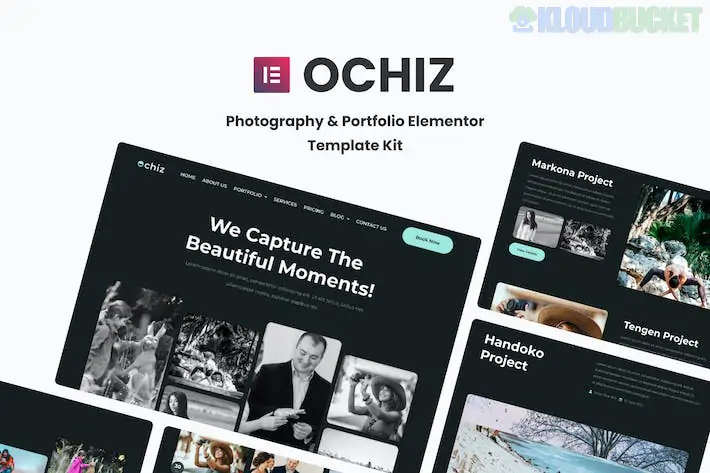
**Ochiz** is a premium-feel Elementor Template Kit designed specifically for professional photographers, visual artists, and creative studios. Its design philosophy centers on "Minimalist Elegance"—using thin lines, sophisticated typography, and expansive image containers to ensure your photography remains the undisputed star of the site.
Unlike general portfolio kits, Ochiz is optimized for high-resolution galleries and fluid storytelling.
---
## 📸 What’s Inside the Ochiz Kit?
Ochiz offers a comprehensive set of **15+ templates** that cater to various photography niches (Wedding, Fashion, Portrait, or Travel):
* **3 Homepage Variations:** Options ranging from a full-screen hero slider to a split-screen or masonry grid entrance.
* **Diverse Gallery Layouts:** Includes Masonry, Metro, and Grid styles to showcase different types of shoots.
* **Proofing/Service Pages:** Specialized layouts to explain your photography packages and "How it Works."
* **About & Experience:** A storytelling-focused layout for your biography and gear list.
* **Interactive Elements:** Custom headers, footers, and "Contact Me" sections designed to maximize inquiries.
---
## 🛠️ Technical Requirements
Ochiz is a "Free Version Friendly" kit, meaning you can achieve its high-end look without needing Elementor Pro. It utilizes these free extensions:
* **Elementor (Free Version):** The core engine.
* **Jeg Elementor Kit:** This is essential for the advanced image grids and "Hover Effects" that make the portfolio look dynamic.
* **MetForm:** Powering the booking and inquiry forms.
* **Hello Elementor Theme:** The recommended lightweight base.
---
## 🚀 The Ochiz Setup Strategy
Since photography kits are visually sensitive, follow this exact sequence to ensure your images don't look distorted or misaligned:
1. **Preparation:** Install **Hello Elementor** and the **Envato Elements** plugin.
2. **Upload:** Go to `Elements > Installed Kits` and upload your `ochiz-kit.zip`.
3. **Install Requirements:** Click the **orange "Install Requirements"** banner. This will automatically pull in Jeg Elementor Kit and MetForm.
4. **Global Styles First:** **Import the Global Kit Styles first.** Ochiz uses specific "Letter Spacing" and "Line Heights" to achieve its editorial look; without this, the site will look cluttered.
5. **Build Your Page:** Create a new page, set the layout to **Elementor Full Width**, and import your chosen Homepage template.
---
## 💡 Pro Tips for a Professional Portfolio
* **Image Compression is Vital:** Because Ochiz uses large image containers, unoptimized files will slow your site down. Use **WebP** format or a tool like TinyPNG before uploading to keep your site snappy.
* **The "Whitespace" Rule:** Ochiz relies on white space (padding) to look premium. Resist the urge to "fill the gaps" with more text; let the images breathe.
* **Personal Branding:** Photography is a personal service. Replace the stock "About" images with a high-quality photo of yourself *holding your camera* to instantly build a connection with potential clients.
* **Gallery Selection:** Use the **Masonry** layout for street or lifestyle photography, and the **Grid** layout for more formal corporate or architecture work.
---
**Would you like me to help you configure a "Client Proofing" page for your private sessions, or are you having trouble getting the image hover effects to display correctly?**
Subscribe to access unlimited downloads of themes, videos, graphics, plugins, and more premium assets for your creative needs.
.jpg) Help Us to Buy More New Theme/Plugin
Help Us to Buy More New Theme/Plugin
Published:
Feb 02, 2026 10:24 AM
Category:
Author:
All In One PluginLicense:
GPL v2 or Later