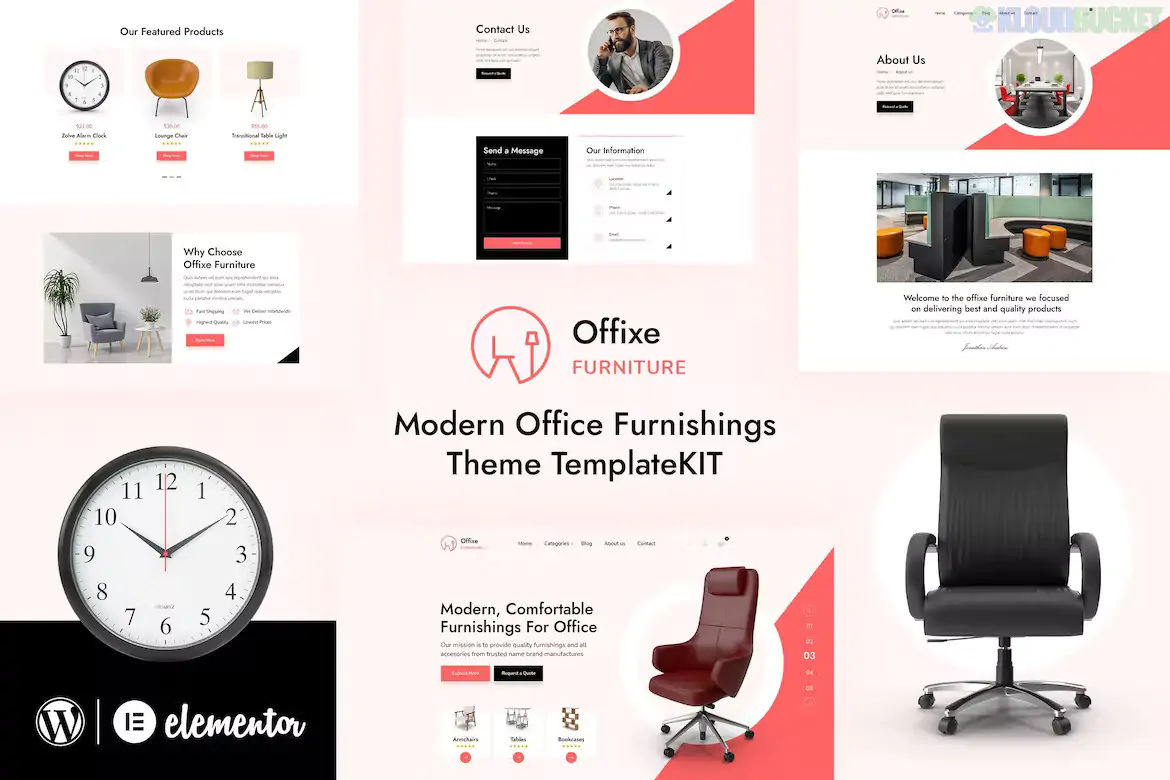
The Offixe - Furniture Elementor Template Kit is an elegant and modern design collection specifically created for office furnishing companies, interior designers, and furniture showrooms. Developed by designingmedia, it features a sleek, professional look that focuses on high-quality product presentation and clean layouts.
This kit is optimized for the free Hello Elementor theme and is a collection of pre-designed templates rather than a standalone WordPress theme.
Modern Office Aesthetic: Clean lines and a professional color palette suitable for corporate and boutique office furniture brands.
No-Code Customization: Fully editable using the Elementor drag-and-drop visual builder.
Optimized for Performance: Lightweight templates designed to load quickly.
Fully Responsive: Tested across desktops, tablets, and mobile devices to ensure a seamless shopping or browsing experience.
Global Style Control: Update your brand’s fonts and colors in one central location to apply them site-wide.
The kit typically includes 10+ templates to build a complete business website:
Homepage: A high-impact hero area with sections for featured collections and brand storytelling.
About Us: For sharing your company’s vision and design expertise.
Services: Layouts to showcase custom furnishing, planning, or delivery services.
Portfolio/Gallery: Showcase completed office design projects or furniture installations.
Pricing/Plans: If applicable for service packages or standard furnishing rates.
Contact Us: Includes integrated form sections and location maps.
Header & Footer: Global templates for consistent site navigation.
To make the site look like the demo, you will need to install these free plugins:
Elementor: The core builder.
ElementsKit Lite: Used for advanced header/footer building and additional widgets.
MetForm: For the contact and inquiry forms.
Envato Elements: Required for the initial import of the template kit.
Theme: Install and activate the Hello Elementor theme.
Import: Use the Envato Elements plugin to upload the kit Zip file via Elements > Installed Kits.
Install Requirements: Click the orange banner at the top to install and activate all required plugins automatically.
Global Styles: Import the Global Kit Styles before any individual pages to ensure branding is applied.
Headers/Footers: Use the ElementsKit menu in your WordPress dashboard to set up the Header and Footer templates.
Pro Tip: This kit uses demo images from Envato Elements. If you are building a real store, ensure you replace these placeholders with high-resolution photos of your actual inventory to build credibility with customers.
Would you like me to help you draft a "Why Choose Us" section for an office furniture website, or should I explain how to set up a product gallery using this kit?
Subscribe to access unlimited downloads of themes, videos, graphics, plugins, and more premium assets for your creative needs.
.jpg) Help Us to Buy More New Theme/Plugin
Help Us to Buy More New Theme/Plugin
Published:
Jan 23, 2026 14:04 PM
Category:
Author:
OtherLicense:
GPL v2 or Later