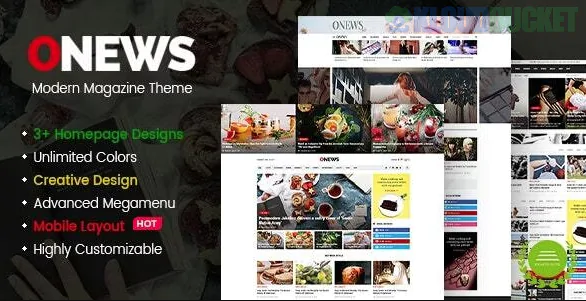
**ONews** is a high-performance WordPress theme designed for the fast-paced world of digital journalism. While themes like *Striped* or *Insight* focus on selling a service, **ONews** is built for **content consumption and ad revenue.**
Its standout claim is being "Mobile Layout Ready"—meaning it doesn't just "shrink" for phones; it often uses a dedicated mobile UI approach to ensure your readers can browse headlines with their thumbs as easily as they do on a desktop.
---
### Core Editorial Features
* **Smart Content Blocks:** ONews uses a modular system that allows you to drag and drop "Trending," "Recent," and "Category-Specific" blocks onto your homepage.
* **Ad Management System:** It features "Hot Spots" for advertisements (Google AdSense or direct banners) in high-visibility areas like the header, sidebar, and within the article body without breaking the layout.
* **Infinite Scroll & Reading Progress:** To keep users on the site longer (increasing "Time on Page"), ONews supports loading the next article automatically as the reader reaches the bottom of the current one.
* **Review System:** Built-in support for "star ratings" or "breakdown scores," making it excellent for tech, movie, or gaming news sites.
### The "Mobile Layout Ready" Advantage
Most themes are "Responsive," but a "Mobile Layout" usually implies a more app-like experience. This is crucial because **over 60% of news traffic** typically comes from mobile devices.
| Mobile Feature | Benefit |
| --- | --- |
| **Sticky Navigation** | Keeps the menu and "Breaking News" ticker visible as the user scrolls. |
| **Touch-Friendly Sliders** | Readers can swipe through the "Top Stories" gallery. |
| **Optimized Loading** | Prioritizes text and small thumbnails to ensure articles open instantly on 4G/5G. |
| **Social Sharing Bar** | Floating buttons at the bottom of the screen to encourage clicks to WhatsApp or X. |
---
### Technical Snapshot
* **Page Builder:** Often bundled with **Elementor** or a proprietary light-weight block builder.
* **SEO Mastery:** Structured data (Schema.org) is baked in, which helps your articles appear in the **"Top Stories" carousel** on Google search results.
* **Dark Mode Toggle:** A vital feature for modern magazines, allowing readers to switch to "Night Mode" for a more comfortable reading experience.
* **Google Fonts & Custom Icons:** Allows you to set a distinct "Editorial" voice through professional typography.
### ONews vs. Standard Blog Themes
A standard blog theme treats every post equally. ONews treats posts like **News Assets**. It allows you to tag posts as "Video," "Audio," or "Gallery," and gives "Breaking News" a visual urgency that a standard blog lacks.
---
### Pro-Tip: Managing the "Content Heavy" Site
Because ONews is designed to show *a lot* of information at once, it can easily look cluttered. To maintain a "Modern" feel:
1. **Use High-Quality Featured Images:** Since news layouts are image-heavy, a blurry thumbnail will make the whole site look unprofessional.
2. **Limit Your Categories:** Don't have 50 categories in your menu. Use a **Mega Menu** to organize them into 5-6 main "Hubs" (e.g., Tech, Lifestyle, Politics).
3. **Monitor Your "LCP" (Largest Contentful Paint):** Use a plugin like *WP Rocket* to ensure that big news images don't slow down your site's initial load time.
**Would you like me to help you design a category structure for your magazine, or should we look at the best ways to integrate an email newsletter signup to build your subscriber base?**
Subscribe to access unlimited downloads of themes, videos, graphics, plugins, and more premium assets for your creative needs.
.jpg) Help Us to Buy More New Theme/Plugin
Help Us to Buy More New Theme/Plugin
Published:
Feb 03, 2026 12:00 PM
Version:
v1.1.3
Category:
Developer:
ThemeforestLicense:
GPL v2 or Later