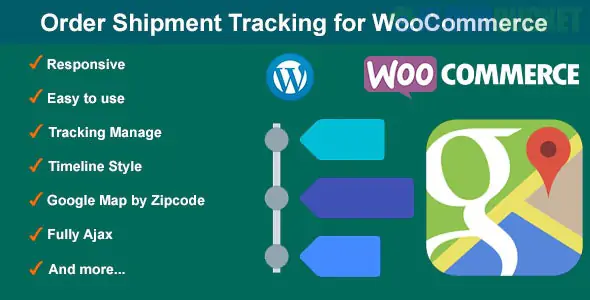
Order Shipment Tracking for WooCommerce is an essential tool for e-commerce stores to provide transparency after a purchase. By default, WooCommerce only offers basic order statuses (Processing, Completed, etc.). A tracking plugin allows you to attach a Carrier Name, Tracking Number, and Tracking Link to an order.
In 2025, providing this information is no longer a luxury but a requirement for customer trust and reducing "Where is my order?" (WISMO) support tickets.
Auto-Link Generation: The plugin should automatically turn a tracking number into a clickable link based on the carrier (e.g., FedEx, UPS, DHL).
Email Integration: Automatically includes tracking details in the "Order Completed" or "Shipped" email sent to the customer.
Bulk Import (CSV): Essential for high-volume stores; allows you to upload a spreadsheet of tracking numbers to update hundreds of orders at once.
"Shipped" Order Status: Many plugins add a custom "Shipped" status so you can distinguish between an order that is simply "finished" and one that is physically with the carrier.
My Account Integration: Adds a "Track" button directly in the customer’s dashboard so they don't have to hunt through their inbox.
This is the gold standard for most users. The free version is extremely generous.
Carrier Support: 800+ global carriers.
Pro Feature: Partially Shipped status (perfect if you send items in multiple boxes).
Fulfillment Dashboard: A centralized place to see the status of all your shipments.
The official extension by the WooCommerce team.
Pros: Guaranteed compatibility with WooCommerce core and official mobile apps.
Cons: It is a Premium-only plugin ($49/year) and has fewer "bells and whistles" than AST.
A rising favorite for its clean interface and built-in WhatsApp/SMS notification support.
Best For: Stores that want to send tracking updates via mobile messaging rather than just email.
Install: Search for "Advanced Shipment Tracking" in Plugins > Add New.
Add Carriers: Go to the plugin settings and select the carriers you use (e.g., USPS, Royal Mail).
Update an Order:
Go to WooCommerce > Orders.
Open an order and look for the Shipment Tracking box on the right.
Enter the tracking number and select the carrier.
Complete Order: When you change the order status to "Completed" (or "Shipped"), the customer automatically receives the tracking link via email.
Feature
AST (Free)
AST (Pro)
Official Woo Plugin
Price
Free
$129/year
$49/year
Carriers
300+
850+
50+ (Expandable)
CSV Import
Yes
Yes (Automated)
No (Manual/API only)
Tracking Page
Standard
Branded / Custom
Standard
API Support
Yes
Yes
Yes
Pro Tip: If you use a third-party shipping service like ShipStation, Pirate Ship, or Stamps.com, they often sync the tracking number back to WooCommerce automatically. Check if your shipping software has a "Sync Tracking" toggle before installing a separate plugin.
Would you like me to show you how to customize the "Track Your Order" email template, or do you need help setting up a bulk CSV import for your tracking numbers?
Subscribe to access unlimited downloads of themes, videos, graphics, plugins, and more premium assets for your creative needs.
.jpg) Help Us to Buy More New Theme/Plugin
Help Us to Buy More New Theme/Plugin
Published:
Dec 27, 2025 16:14 PM
Version:
v1.3
Category:
Author:
OtherLicense:
GPL v2 or LaterTags: