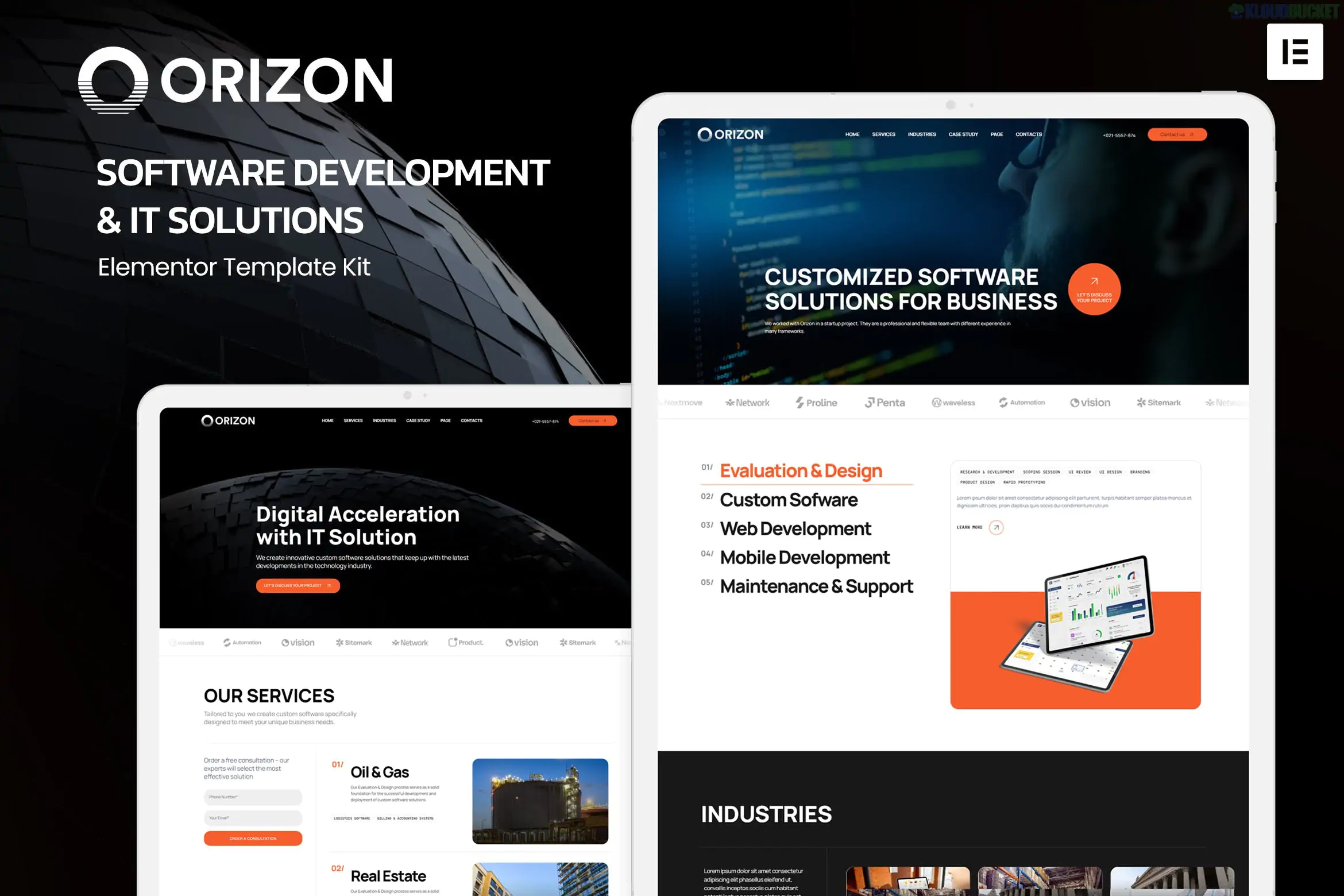
Orizon is a modern and clean Elementor Template Kit specifically designed for Software Development agencies, IT solutions, and SaaS startups. Developed by onecontributor (a high-rated Elite Author), it provides a professional framework for showcasing technical services like mobile app development, web design, and application testing.
As of late 2025, it remains a top choice for tech businesses due to its massive library of 20+ pre-built templates and its clean, professional layout.
20+ Carefully Crafted Templates: Includes multiple versions of Home, Services, Case Studies, and specialized pages like "Industry Detail."
Fully Responsive & Retina Ready: Designed to look sharp on high-resolution displays and mobile devices.
No Code Required: Built entirely with the visual drag-and-drop Elementor editor.
Cross-Browser Compatibility: Optimized for Chrome, Firefox, Safari, and Opera.
Global Style Guide: Manage your brand’s typography and colors from a single central template.
The kit provides a "full-site" solution, covering every page an IT agency might need:
Core Pages: Home (various styles), About, Team, FAQ, and 404.
Service Pages: Services list, Service Detail, Industry, and Industry Detail.
Portfolio: Case Studies and Case Study Detail to showcase technical results.
Conversion: Pricing tables, Testimonials, and Contact pages.
Site Parts: Specialized templates for the Global Header and Footer.
Unlike a WordPress "Theme," Orizon is a collection of layouts. You must have the following installed first:
Component
Requirement
Page Builder
Elementor (Free version).
Required Plugins
ElementsKit Lite, MetForm, and Jeg Elementor Kit.
Base Theme
Highly optimized for the free Hello Elementor theme.
Import Tool
Requires the Envato Elements plugin or Template Kit Import.
PHP Version
Works best on PHP 8.2 or 8.3.
Prepare: Install the Hello Elementor theme and the Envato Elements plugin from the WordPress repository.
Upload: Go to Elements > Installed Kits and upload your Orizon ZIP file.
Requirements: Click the "Install Requirements" banner to automatically install and activate the necessary plugins (like ElementsKit and MetForm).
Import Global Styles: Import the Global Kit Styles template first to establish the site's visual DNA.
Build Pages: Create a new page, set the layout to Elementor Full Width, and use the Elementor library (gray folder icon) to insert your desired Orizon page template.
[!TIP]
MetForm Integration: When importing pages with forms, you must import the specific MetForm block template separately and then "Insert" it into the MetForm widget on your page to make the fields visible.
Customization: Would you like the CSS selectors to change the primary brand color across all 20 templates?
Header Setup: Do you need help setting the display conditions so your header appears on all pages?
Performance: Are you looking for the best way to optimize the SVG icons used in this kit for faster loading?
Orizon Elementor Template Kit Installation Guide
This video provides a step-by-step visual walkthrough on how to import and install Elementor template kits efficiently using the Envato Elements plugin.
Subscribe to access unlimited downloads of themes, videos, graphics, plugins, and more premium assets for your creative needs.
.jpg) Help Us to Buy More New Theme/Plugin
Help Us to Buy More New Theme/Plugin
Published:
Dec 22, 2025 18:07 PM
Category:
Author:
OtherLicense:
GPL v2 or Later