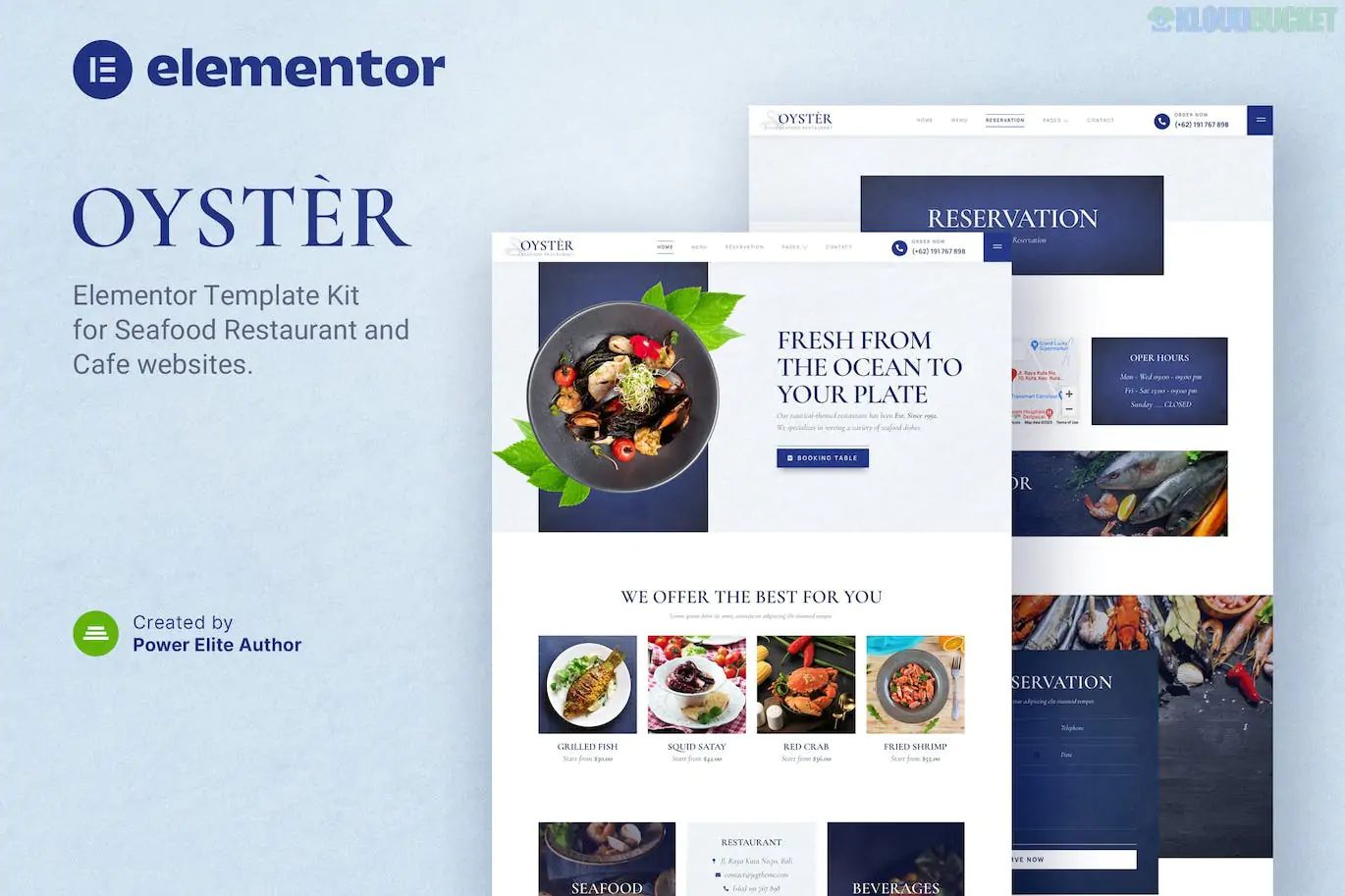
Oyster is a modern and clean Elementor Template Kit specifically designed for seafood restaurants, fine dining establishments, sushi bars, and high-end cafes.1 Developed with a "food-first" philosophy, it uses high-quality imagery and minimalist layouts to create a sophisticated, oceanic atmosphere.
It is a popular choice for restaurant owners because it provides all the essential features—like online reservations and digital menus—without requiring an Elementor Pro subscription.2
Professional Seafood Aesthetic: Features a clean, elegant design with 100% responsive layouts that look stunning on mobile and desktop.3
No Elementor Pro Required:4 All advanced features (Header/Footer/Forms) work with the free version of Elementor.
Ready-to-Use Templates: Includes over 14+ pre-built layouts that can be imported with a single click.5
Retina Ready: Optimized for high-resolution displays to make food photography pop.6
Customization: Fully editable using the drag-and-drop Elementor interface—no coding required.7
Category
Page Templates
Core Pages
Home, About Us, Menu, Gallery, Contact
Booking & Sales
Reservation (Page), MetForm Reservation (Form)
Content
Blog, Single Post, 404 Error Page
System
Header, Footer, Off-canvas Menu, MetForm Contact
Global
Global Theme Styles (Colors & Typography)
To ensure the kit functions exactly like the demo, you must have these free plugins installed:
Elementor (Free Version): The core website builder.
Jeg Elementor Kit: Used for the Header/Footer builder and advanced restaurant widgets.
MetForm: Powering the custom online reservation and contact forms.8
Theme Selection: Install and activate the Hello Elementor theme for the best performance.9
Importing the Kit: Use the Envato Elements plugin or the Template Kit Import plugin. Upload the oyster.zip file.
Global Styles: Import the Global Kit Styles first.10 This sets your site's professional fonts and seafood-themed color palette.
Header & Footer: * Navigate to Jeg Elementor Kit > Header Template.11
Add a new header, set the condition to "Entire Site," and insert the imported Oyster Header template.12
Setting up Reservations: * In the Elementor editor for the Reservation page, click the MetForm widget.
Select "Edit Form" and choose the MetForm Reservation template from your library to enable the booking functionality.13
Pro Tip: For a seafood restaurant, the Menu page is your most important asset. Oyster's menu template is designed to handle high-resolution photos of your signature dishes. Use the Navigator tool in Elementor to quickly swap out demo dish images for your own.
Would you like me to help you set up the MetForm to send booking notifications directly to your email, or do you need help configuring the "Off-canvas" menu for better mobile navigation?
Subscribe to access unlimited downloads of themes, videos, graphics, plugins, and more premium assets for your creative needs.
.jpg) Help Us to Buy More New Theme/Plugin
Help Us to Buy More New Theme/Plugin
Published:
Jan 17, 2026 13:39 PM
Category:
Developer:
ThemeforestLicense:
GPL v2 or Later