The ability to restrict access to Pages by User Role is a common requirement for WordPress websites that need to create exclusive content areas, membership sites, or private client portals. While WordPress has default user roles (Administrator, Editor, Author, Contributor, Subscriber), it does not offer built-in functionality to restrict specific front-end content (like pages or posts) based on those roles.
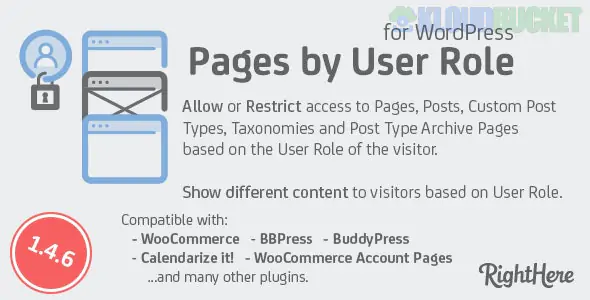
This functionality is achieved using specialized plugins. The plugin "Pages by User Role for WordPress" (by RightHere on CodeCanyon) is one such solution, offering comprehensive access control.
These types of plugins go far beyond just restricting pages, providing granular control over various content types based on the user's assigned role (or custom roles).
Restricted Content Type
Functionality
Pages & Posts
The primary function: restrict the entire page or post to selected user roles (e.g., only "Editors" and "Administrators" can view a specific setup page).
Custom Post Types
Restrict access to content created by other plugins (e.g., restrict "Courses" or "Products" to specific member roles).
Categories & Taxonomies
Restrict access to all content under a specific category or tag.
Menu Items
Automatically hide or show specific menu links based on whether the user is logged in or what role they possess, creating a personalized navigation experience.
Search/Blog Roll
Remove restricted content from the site's search results, blog feeds, and archives to prevent unauthorized users from discovering it.
WooCommerce
Restrict access to Products or even an entire WooCommerce shop area based on the user's role (e.g., for wholesale customers).
When a user tries to access content they are restricted from seeing, the plugin provides options on how to handle the denial of access:
Redirect: Automatically send the unauthorized user to a specific URL, such as a login page, a registration page, or a custom "Access Denied" page.
Forced Login: An advanced option that can make the entire website (or all but a few "whitelisted" pages) private, forcing every user to log in before viewing any content.
Custom Message: Display a custom message (e.g., "This content is for Premium Subscribers only") instead of the actual content.
If you're building a full-scale membership site, you may consider more comprehensive solutions that combine content restriction with subscription and payment management:
Restrict Content Pro
MemberPress
Ultimate Member
Paid Memberships Pro
To learn how to utilize a basic plugin for content restriction without writing any code, you can watch this video. How to Restrict Access to Pages/Posts to Logged-in Users or User Role
Subscribe to access unlimited downloads of themes, videos, graphics, plugins, and more premium assets for your creative needs.
.jpg) Help Us to Buy More New Theme/Plugin
Help Us to Buy More New Theme/Plugin