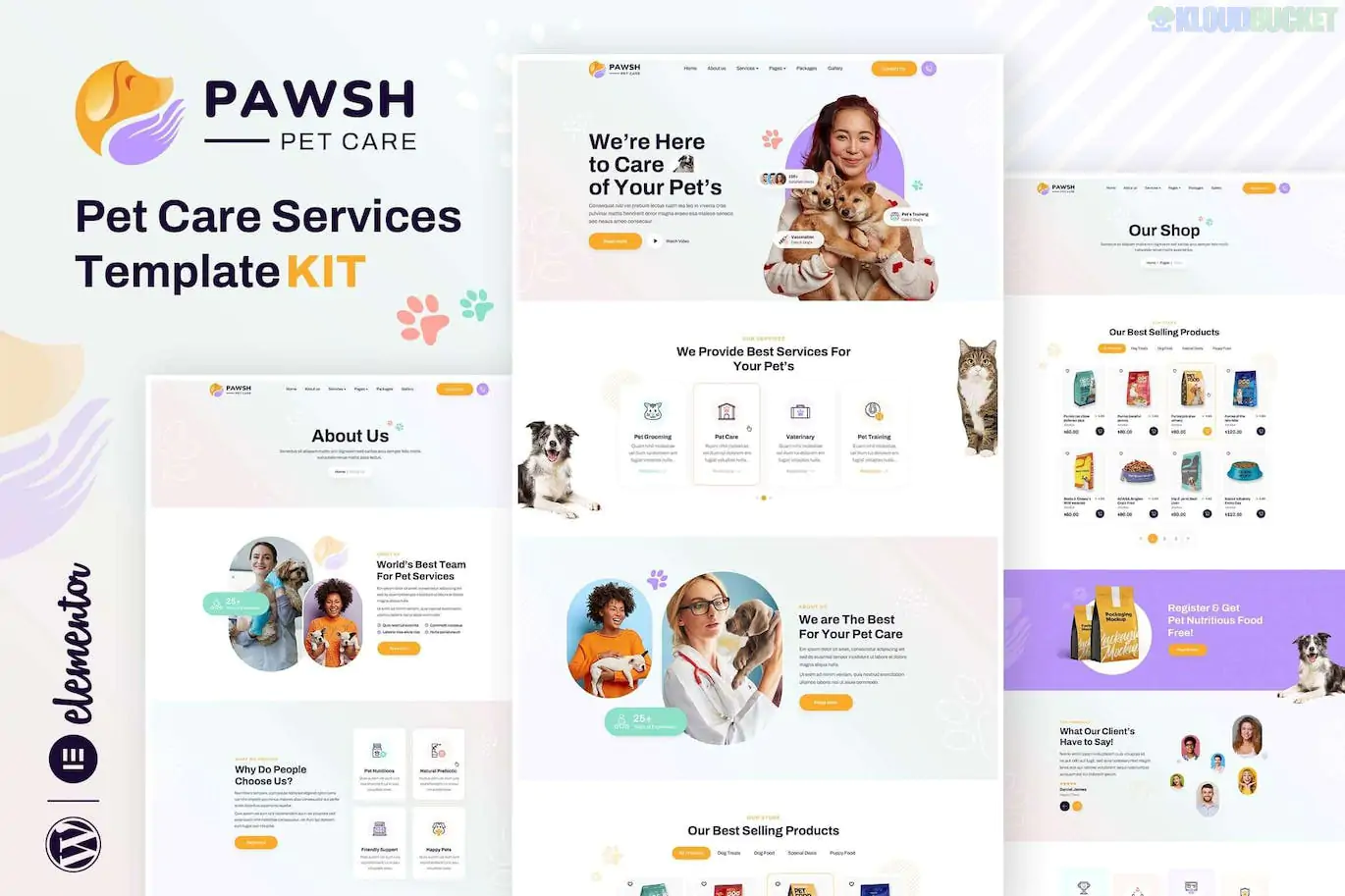
Pawsh is an elegant and minimalist Elementor Template Kit specifically designed for pet care services, grooming salons, animal welfare websites, and pet shops.1 It combines a playful, modern aesthetic with functional business layouts to help you establish a professional online presence for a pet-related business.2
Notably, while many kits try to be "free-only," Pawsh is a hybrid that provides a professional design but requires Elementor Pro for several of its core features.
Niche-Specific Design: Warm color palettes and layouts tailored for pet services like grooming, boarding, and daycare.
WooCommerce Ready: Built-in shop layouts allow you to sell pet products or services directly from your site.
True No-Code Customization: Fully editable using the Elementor drag-and-drop builder—no HTML or CSS knowledge needed.3
Responsive & Fast: Optimized for mobile viewing so pet owners can book services or shop on the go.4
Global Style Kit: Includes a centralized style guide to manage colors and typography across the entire site instantly.
Category
Page Templates
Main Pages
Home, About Us, Services, Pricing, FAQ, Contact
Pet Shop
Shop Page, Single Product, Cart, Checkout
Content
Blog Archive, Single Post, Team/Groomers
System
Header, Footer, 404 Error, Global Style Kit
To ensure Pawsh functions correctly, you need the following active on your WordPress site:
Elementor (Free Version): The core page builder.
Elementor Pro: Required for the Header, Footer, and Shop templates.
WooCommerce: Required if you plan to use the shop functionality.5
Events Addon for Elementor: Often bundled or required to manage pet events or booking displays.6
Hello Elementor Theme: The recommended lightweight theme for the best compatibility.
Plugin Setup: Install the Envato Elements plugin from the WordPress repository.7
Upload Kit: Navigate to Elements > Installed Kits and upload the pawsh.zip file.8
Install Requirements: Click the orange "Install Requirements" banner to automatically install and activate all necessary plugins (like WooCommerce).9
Import Styles First: Import the Global Kit Styles template first.10 This is critical—without this, your buttons and fonts will look generic.
Import Pages: Import your Home and internal pages one by one.11
Theme Builder: Since this is a Pro kit, go to Templates > Theme Builder to set up your Header and Footer conditions (select "Entire Site").12
Important Note: The adorable pet photos in the demo are for preview purposes. You will need to replace them with your own images or license them from Envato Elements for your live site.13
Would you like me to help you configure the WooCommerce shop settings for this kit, or do you need assistance setting up the Header and Footer via Elementor Pro?
Subscribe to access unlimited downloads of themes, videos, graphics, plugins, and more premium assets for your creative needs.
.jpg) Help Us to Buy More New Theme/Plugin
Help Us to Buy More New Theme/Plugin
Published:
Jan 17, 2026 12:32 PM
Category:
Author:
OtherLicense:
GPL v2 or Later