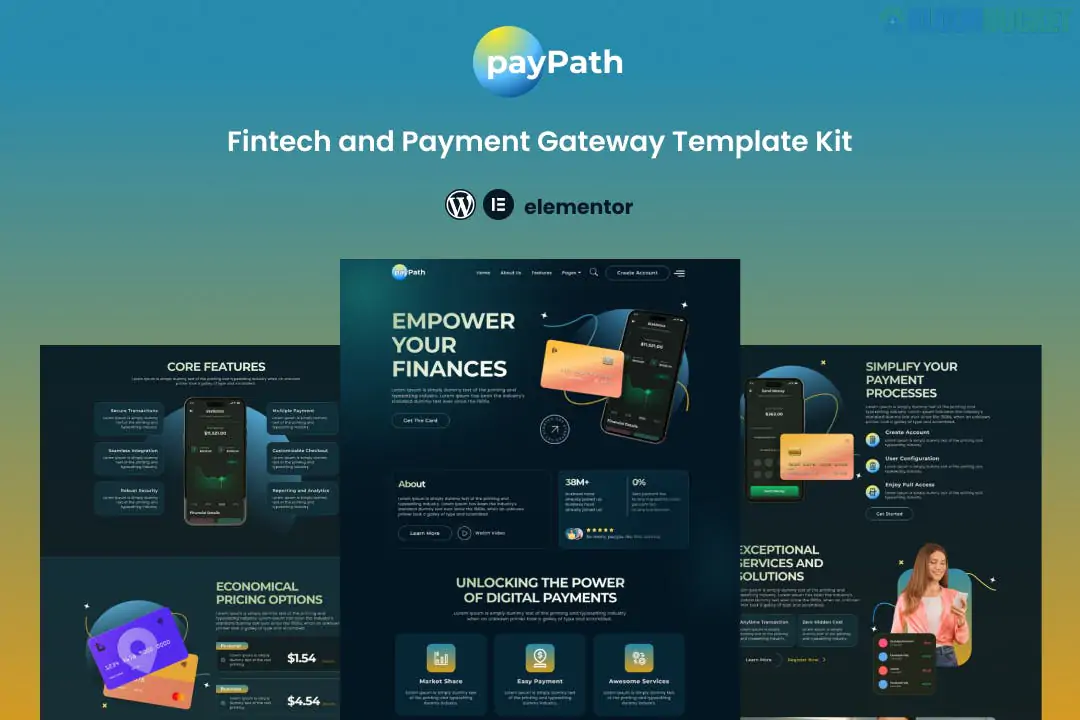
PayPath is a comprehensive Elementor Template Kit specifically designed for fintech startups, payment gateway providers, and e-wallet services. Developed by Evonicmedia, it provides a high-tech, modern aesthetic with all the essential pages needed to build a professional financial service website without writing any code.
The kit features over 12+ pre-designed templates, allowing you to launch a complete site quickly:
Homepage: A conversion-focused layout featuring service highlights and call-to-action sections.
About Us: Dedicated page for your company’s mission, vision, and team.
Features: Detailed layouts to explain your technology, such as "Real-time transfers" or "Secure encryption."
Pricing: Clean tables to display your transaction fees or subscription tiers.
FAQ: Structured accordion-style sections for customer support.
Blog & Single Post: Modern grid layouts for sharing fintech news and updates.
Contact Us: Includes a functional form and contact information blocks.
Site Parts: Custom Header, Footer, and a branded 404 Error page.
To make the site look and function like the demo, you will need to install these plugins. Most are free, but Elementor Pro is recommended for full Theme Builder access.
Elementor (Free): The core page builder.
ElementsKit Lite: Used for headers, footers, and advanced navigation.
Happy Elementor Addons: Adds extra creative widgets like flip boxes and advanced grids.
MetForm: Powering the custom contact and registration forms.
Theme Selection: Install the free Hello Elementor theme for the best compatibility and performance.
Importer Tool: Install the "Envato Elements" plugin from the WordPress repository.
Upload Kit: Go to Elements > Installed Kits, upload your paypath.zip file, and click Install Requirements in the orange banner.
Import Styles: Always import the Global Kit Styles first to ensure your site-wide fonts and colors are correct.
Build Pages: Create a new page, set the layout to Elementor Full Width, and use the gray folder icon to insert your desired PayPath template.
Performance Optimized: Lightweight design and clean code ensure fast loading speeds, which is crucial for building trust in financial services.
Fully Responsive: The layout adjusts perfectly for users on mobile, tablet, and desktop.
Zero Coding: The entire kit is built with a drag-and-drop interface, making it easy to swap colors, fonts, and images.
Would you like me to help you configure the MetForm widget to send email alerts when a user signs up, or do you need help setting up the Sticky Header using ElementsKit?
Subscribe to access unlimited downloads of themes, videos, graphics, plugins, and more premium assets for your creative needs.
.jpg) Help Us to Buy More New Theme/Plugin
Help Us to Buy More New Theme/Plugin
Published:
Dec 27, 2025 16:37 PM
Category:
Author:
OtherLicense:
GPL v2 or Later