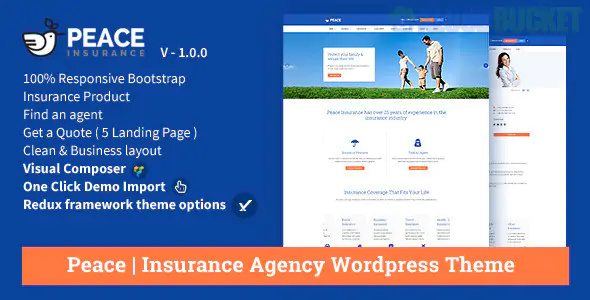
Peace is a clean, professional, and high-trust WordPress theme specifically designed for insurance agencies, financial advisors, and consulting firms. It focuses on "Risk Management" and "Security," using a structured layout that prioritizes clarity and a professional color palette (typically blues and whites) to instill confidence in potential clients.
Peace is built to simplify the complex world of insurance for the average consumer:
Insurance Policy Manager: Specialized templates to display different coverage types (e.g., Life, Health, Auto, Home).
Get a Quote Forms: Integrated call-to-action (CTA) forms designed to capture lead data for specific insurance products.
Agent & Team Profiles: Dedicated sections to showcase authorized agents, including their contact info and areas of expertise.
Claims Center Layouts: Professional pages explaining the step-by-step process for filing a claim.
Visual Composer/WPBakery Support: Allows for drag-and-drop building of corporate landing pages and service blocks.
In the insurance industry, you aren't selling a physical product; you are selling peace of mind. Envira Gallery helps make that intangible promise more concrete through professional visual storytelling.
Insurance is about protecting life's milestones.
The Setup: Use Envira’s Justified Layout to create a gallery of lifestyle images—families in a new home, a safe driver, or a secure retirement.
The Psychology: This layout provides perfect horizontal alignment, which subconsciously signals "stability" and "order" to the user, matching the theme's mission.
Insurance jargon can be overwhelming. You can use Envira to create a "Visual Policy Guide."
Feature: Use the Lightbox with Zoom feature. When a client clicks an infographic showing "What’s Covered vs. What’s Not," they can zoom in to see the fine print in high resolution.
The Pro Tip: Use the PDF Addon to display sample policy documents or coverage checklists that clients can view in the lightbox before downloading.
Nothing builds trust like seeing the agency in action during a crisis.
Strategy: Create a "Community & Support" gallery. Show photos of your agents assisting local clients or participating in community safety events.
The Benefit: Use the Captions Addon to add brief success stories (e.g., "Helping the Smith family recover after the 2024 storms").
Insurance is a relationship business. A static headshot is good, but a video is better.
Feature: Use the Envira Video Addon. Mix short "Intro Videos" for each agent into your team gallery. Hearing an agent's voice and seeing their face helps bridge the trust gap before a client ever picks up the phone.
Match the Corporate Palette: Peace often uses a "Trust Blue." Go to Envira Gallery > Settings and set the Lightbox border or "Active" state colors to match your agency's specific blue hex code.
Enable Image Protection: To maintain a professional look, you may want to prevent competitors from "borrowing" your unique team photos or custom infographics. Enable the Protection Addon to disable right-clicking.
Speed is Reliability: A slow site looks unprofessional. Enable Lazy Loading in Envira so your high-res lifestyle imagery doesn't delay the loading of your "Get a Quote" forms.
Feature
Peace Theme Default
Envira Gallery
Document Viewing
Basic Download Link
Zoomable Lightbox / PDF Viewer
Trust Assets
Static Images
Video Intros & High-Res Certificates
User Experience
Simple Grid
Touch-Optimized & Fast Loading
Organization
Single Gallery
Categorized Tags (Auto, Home, Life)
Would you like me to show you how to set up a "Document Library" in Envira where clients can view coverage infographics directly on your Peace insurance pages?
Subscribe to access unlimited downloads of themes, videos, graphics, plugins, and more premium assets for your creative needs.
.jpg) Help Us to Buy More New Theme/Plugin
Help Us to Buy More New Theme/Plugin
Published:
Dec 29, 2025 12:23 PM
Version:
v2.5.6
Category:
Developer:
ThemeforestLicense:
GPL v2 or Later