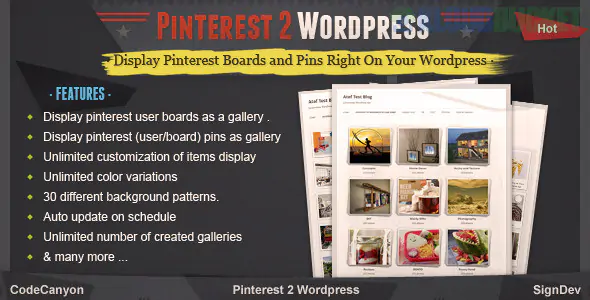
A Pinterest to WordPress plugin typically serves one of two main purposes: it either displays your Pinterest boards on your website (Feed/Gallery) or automatically pulls Pinterest content to create WordPress posts (Auto-blogging).
In 2026, these tools have become more sophisticated, often including AI-driven content generation and deeper API integrations to avoid account shadowbans.
If your goal is to have your Pinterest Pins automatically show up as blog posts or gallery items on your site:
This is the industry standard for auto-blogging from Pinterest.
How it works: It monitors your Pinterest boards or specific categories. When a new Pin is found, it "grabs" the image and description and creates a WordPress post.
2026 Feature: Many versions now include AI-rewriting, where the plugin takes the short Pinterest description and uses a prompt to expand it into a full 300-word blog post.
Bulk Pinning: You can queue up thousands of Pins and schedule them to be posted at intervals (e.g., one post every 4 hours) to keep your site active.
While these are primarily for posting to social media, their advanced "Planner" features allow for syncing back and forth.
Best For: Multi-platform users who want a central dashboard for all social-to-WP workflows.
If you want to showcase your Pinterest lifestyle/inspiration boards to your website visitors:
The most popular "display-only" plugin in 2026.
Layouts: Supports Masonry (the classic Pinterest "uneven" grid), standard Grid, and Slider views.
Gutenberg Ready: Provides a dedicated block where you just paste your Pinterest username or board URL to render the feed.
Performance: Built-in Lazy Loading ensures that having 50 images from Pinterest on one page doesn't slow down your site's load speed.
Part of the famous Smash Balloon social suite, known for being the most "stable" option.
Crawl Prevention: It caches Pinterest data so your site stays fast even if the Pinterest API is temporarily down.
Deep Customization: Allows you to change the "Follow" button style, column count, and image spacing without any CSS knowledge.
If you are a food or lifestyle blogger, you don't just want a feed; you want Pinterest SEO.
Multi-Image Selection: Allows you to hide a "Pinterest-only" vertical image behind your regular blog post images.
Force Pining: You can force a specific description and image to be used when a user clicks the "Pin It" button on your site.
Goal
Recommended Plugin
Key Benefit
Auto-blogging
Pinterest Automatic
Turns Pins into Posts automatically.
Showcase Boards
GS Pinterest Portfolio
Beautiful Masonry grids on your site.
SEO & Traffic
WP Tasty Pins
Optimizes images for "Saves" and viral growth.
Social Proof
Smash Balloon
Highly reliable and looks professional.
Pinterest has become stricter regarding "Auto-blogging." If you use a plugin to pull content from other people's accounts into your WordPress site, ensure you are properly attributing the source and not "scraping" content, as this can lead to your domain being blacklisted by Pinterest.
Would you like me to help you set up an "Auto-Post" rule for a specific board, or are you looking for a custom CSS snippet to make your Pinterest feed look like "Dark Mode"?
Subscribe to access unlimited downloads of themes, videos, graphics, plugins, and more premium assets for your creative needs.
.jpg) Help Us to Buy More New Theme/Plugin
Help Us to Buy More New Theme/Plugin
Published:
Jan 13, 2026 15:07 PM
Version:
v1.1.2
Category:
Author:
OtherLicense:
GPL v2 or Later