For high-end financial sites like Covad, standard news tickers aren't enough—you need real-time data visualization. To display live market prices, currency pairs, and technical charts, you typically need a dedicated Stock Market & Forex Widget plugin that pulls data from APIs (like Yahoo Finance, Alpha Vantage, or TradingView).
If you are looking for professional-grade reliability and deep Elementor integration, these are the leading options:
Stock Market & Forex Charts (by CodeCanyon):
Best for: Clean, interactive charts. It supports thousands of stocks, indices, and currencies.
Key Feature: You can create "Watchlists" that look like premium terminal displays.
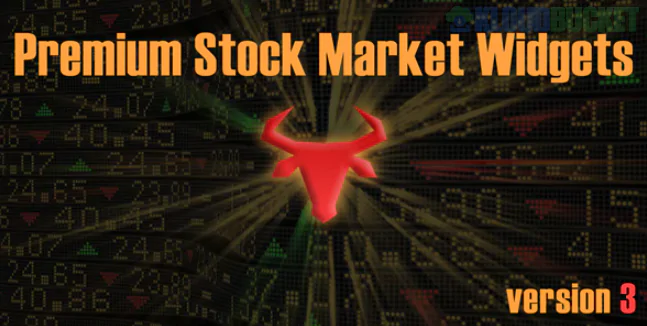
Premium Stock Market Widgets (by FinancialPlugins):
Best for: Variety. It offers 10+ types of widgets, including "Market Overview," "Mini Charts," and "Heatmaps."
Design: Perfectly matches the corporate look of financial consulting kits.
TradingView Widgets (Free/Premium Hybrid):
Best for: Advanced technical analysis. While they offer free embeds, premium versions remove branding and allow more customization.
A complete financial advisory site should utilize different widget formats to keep users engaged:
Widget Type
Best Use Case
Placement
Scrolling Ticker
Live price updates for top 10 stocks/pairs.
Header or top of page.
Market Overview Table
Snapshot of S&P 500, Gold, and Major Currencies.
Homepage (Hero section).
Currency Converter
Real-time Forex conversions.
Sidebar or Contact page.
Technical Chart
Candlestick charts for deep-dive analysis.
Service pages (Investment Audit).
Since you are using Elementor Template Kits, here is how you bridge the data with your design:
Shortcode Embedding: Most premium plugins generate a unique shortcode. Drag the Shortcode Widget into your Elementor column and paste the code.
Z-Index Management: If you place a ticker in the header, ensure its Z-Index is higher than your main content so it stays visible during scrolls.
Custom Styling: Most financial plugins allow you to set "Global Colors." Match these to the hex codes in your Covad Global Style Kit (e.g., matching the specific "Success Green" for upward trends).
To get live data, these plugins usually require an API Key.
Free Tiers: Usually limited to "Delayed Data" (15-minute delay).
Premium Tiers: Required for Real-Time Data. You will need to sign up for a provider like Polygon.io or Twelve Data and paste your key into the plugin settings.
Select Symbols: Enter the pairs you want (e.g., EURUSD, GBPUSD, AAPL, BTCUSD).
Adjust Speed: For financial sites, keep the ticker speed slow ($50$-$60$) to ensure the numbers are legible.
Apply "Sticky" Effect: Use Elementor's Motion Effects to make the ticker stick to the top of the browser as the user scrolls.
Would you like me to find the specific API documentation for a free real-time data provider to get your widgets running today?
Subscribe to access unlimited downloads of themes, videos, graphics, plugins, and more premium assets for your creative needs.
.jpg) Help Us to Buy More New Theme/Plugin
Help Us to Buy More New Theme/Plugin
Published:
Jan 14, 2026 11:20 AM
Version:
v3.3.8
Category:
Author:
OtherLicense:
GPL v2 or Later