In the context of the Elementor Template Kits you've been exploring, a Scripts Dequeuer is a performance-optimization tool (or function) used to stop specific JavaScript and CSS files from loading on pages where they aren't needed.
Many WordPress plugins are "greedy"—they load their code on every single page of your site, even if that page doesn't use the plugin's features. A dequeuer "unplugs" these scripts to reduce HTTP requests and improve your PageSpeed score.
WordPress uses a "Queue" system to manage scripts.
Enqueue: Adds a script to the list of files to load.
Dequeue: Removes a script from that list before the page finishes loading.
If you are using kits like Otoklin (Car Detailing) or PopGlace (Ice Cream), you likely have several plugins installed (Elementor, ElementsKit, MetForm, etc.).
Example: The contact-form-7 script might load on your "Home" and "About" pages, even though the form only exists on your "Contact" page.
The Solution: Use a dequeuer to tell WordPress: "Only load the contact form scripts if the page ID is 'Contact'."
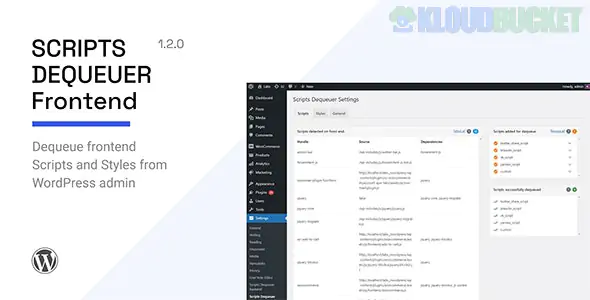
There is a popular plugin specifically called Scripts Dequeuer (available on CodeCanyon/Envato).
Best for: Non-developers.
Function: It scans your site, lists every script being loaded, and gives you a simple "On/Off" toggle to disable them per page.
Safety: It includes a "Dependency Check," meaning it won't let you dequeue a script (like jQuery) if other important parts of your site need it to function.
If you want more than just dequeuing, these plugins are the industry standards for speed:
Asset CleanUp: Free version allows you to unload CSS/JS on specific pages.
Perfmatters: A premium, lightweight plugin that includes a "Script Manager" visual interface.
If you prefer not to use a plugin, you can add a snippet to your functions.php file:
PHP
add_action( 'wp_print_scripts', 'dequeue_unused_scripts', 100 ); function dequeue_unused_scripts() { if ( ! is_page( 'contact' ) ) { wp_dequeue_script( 'contact-form-7' ); } }
When optimizing your Elementor kits, look for these common "bloat" candidates:
Dashicons: Usually only needed for logged-in admins.
WP Embed: Only needed if you are embedding YouTube/Twitter links directly into posts.
Emoji Scripts: WordPress loads extra code to support older browser emojis.
Plugin-Specific JS: Like WooCommerce scripts on your "Blog" pages.
Since your kits rely heavily on Elementor and ElementsKit, be careful not to dequeue:
jquery.js: Most interactions will stop working.
elementor-frontend.js: Your entire layout might collapse.
swiper.js: Your image sliders will stop sliding.
Would you like me to help you identify which specific scripts are slowing down your homepage so you know exactly what to dequeue?
Subscribe to access unlimited downloads of themes, videos, graphics, plugins, and more premium assets for your creative needs.
.jpg) Help Us to Buy More New Theme/Plugin
Help Us to Buy More New Theme/Plugin
Published:
Jan 14, 2026 11:19 AM
Version:
v1.2.0
Category:
Author:
OtherLicense:
GPL v2 or LaterTags: