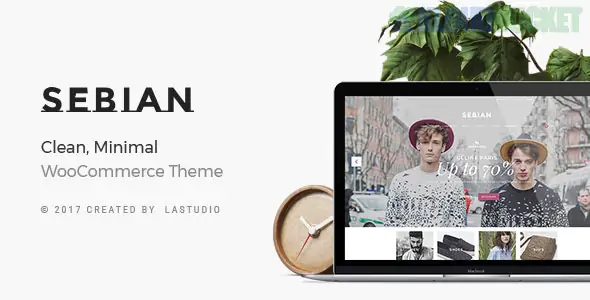
Sebian is a sophisticated, high-fashion Multi-purpose WooCommerce Theme designed for retail environments where visual impact is the top priority. While it is multi-purpose, it is most frequently used for boutique clothing brands, luxury jewelry stores, and high-end cosmetics due to its elegant, "Editorial" style layouts.
Sebian is built to transform a standard store into a high-end digital flagship:
Multiple Header Variants: Dozens of navigation styles, including transparent and "sticky" headers that stay with the user as they scroll through lookbooks.
Product Quick View: Allows customers to see product details and add to cart without ever leaving the main shop page.
Advanced Portfolio Layouts: Sebian includes specialized "Lookbook" templates specifically for the fashion industry.
Visual Composer (WPBakery) & Revolution Slider: Comes bundled with high-end tools to create cinematic homepage banners.
Retina Ready & Responsive: Every pixel is optimized for high-DPI displays (like MacBooks and iPhones), which is essential for luxury retail.
In high-fashion retail, the goal isn't just to show a product; it’s to sell a look. Envira Gallery provides the professional-grade tools to make Sebian’s product pages more interactive.
Sebian has its own lookbooks, but Envira’s Masonry Layout adds more creative flair.
The Setup: Create an "Editorial Gallery" where you mix vertical runway shots with horizontal detail shots.
The Benefit: Use the Zoom Addon so customers can hover over a photo to see the texture of the fabric or the shine of a piece of jewelry in extreme detail.
You can turn any inspiration gallery into a sales funnel.
Strategy: Use Envira’s Custom URLs. If a model in a gallery photo is wearing a dress, a hat, and shoes, you can link that specific image (or use a hotspot) directly to the product category or the specific checkout page in your Sebian store.
Luxury brands thrive on storytelling.
Feature: Use the Envira Video Addon to mix "Making of" videos or catwalk reels into your static image gallery. When a user clicks a thumbnail, the video plays in a clean, branded lightbox that matches Sebian’s minimalist aesthetic.
Fashion is driven by social trends.
Feature: Use the Instagram Addon to pull in photos of real customers wearing your brand (UGC).
The Result: It creates a "Live Gallery" on your Sebian site that updates automatically, showing potential buyers how the clothes look on real people in real-world settings.
Match the "Vogue" Aesthetic: Sebian often uses a monochrome palette (Black, White, and Grey). In Envira Gallery > Settings, select the "Subtle" or "Base" lightbox theme and set the background to 100% white with no borders. This makes your photos feel like they are floating on the page.
Enable "Retina Support": Fashion photography is all about clarity. Ensure this is toggled ON so your images stay crisp on high-end smartphones.
Speed Optimization for Mobile: Shopping happens on the go. Enable Lazy Loading in Envira so your high-resolution "Spring Collection" gallery doesn't slow down the mobile checkout process.
Feature
Sebian Native
Envira Gallery
Grid Control
Basic Grid
Artistic Masonry & Justified
Customer Engagement
View Only
Social Sharing & Pinterest Integration
Media Mix
Images only
Photos + Runway Videos
Sales Conversion
Static Link
Direct "Shop the Look" Deep Linking
Would you like me to show you how to set up an Envira "Shoppable Lookbook" that links your gallery images directly to your Sebian/WooCommerce products?
Subscribe to access unlimited downloads of themes, videos, graphics, plugins, and more premium assets for your creative needs.
.jpg) Help Us to Buy More New Theme/Plugin
Help Us to Buy More New Theme/Plugin
Published:
Dec 29, 2025 12:22 PM
Version:
v1.1.2
Category:
Developer:
ThemeforestLicense:
GPL v2 or Later