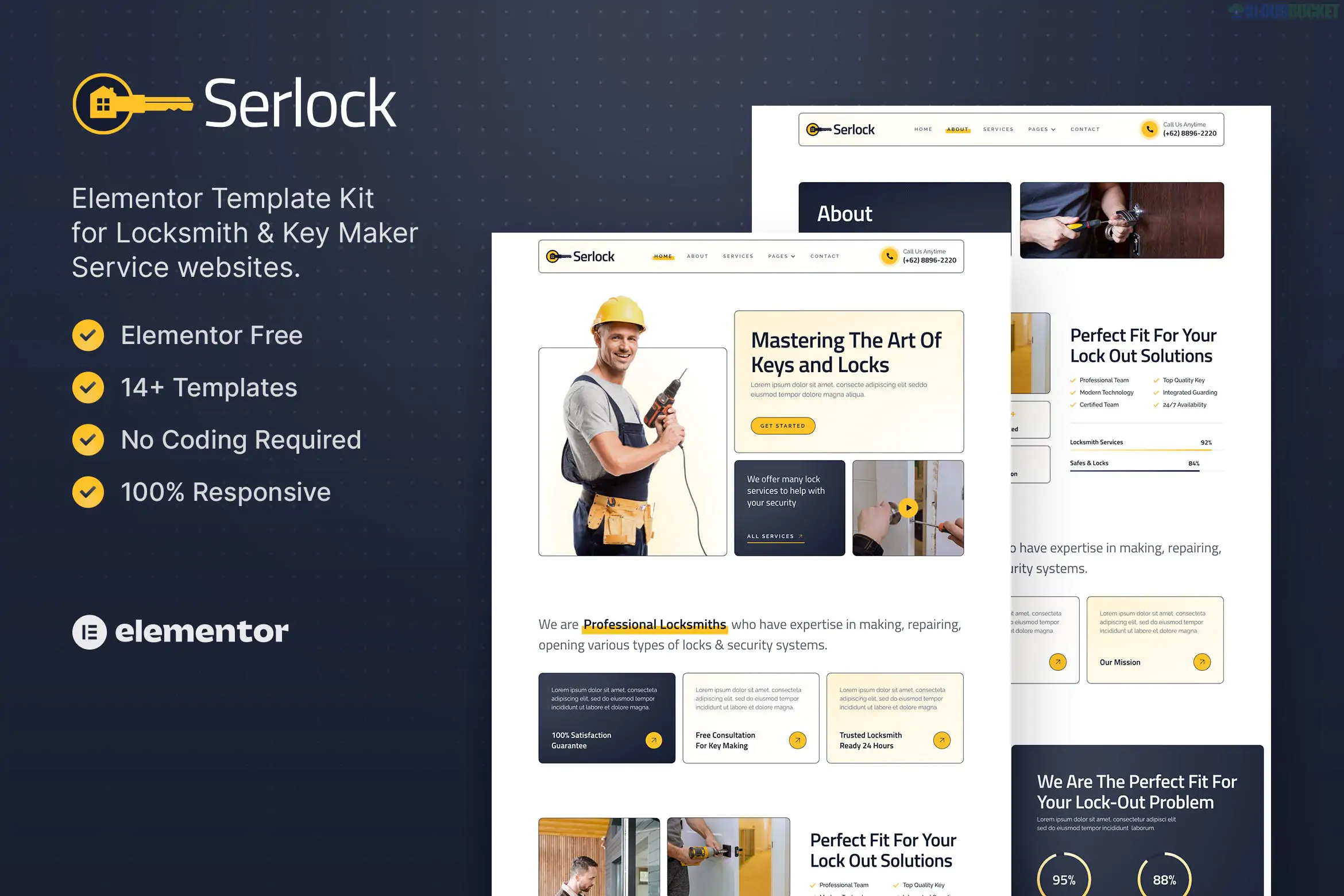
**Serlock** is a professional **Elementor Template Kit** specifically designed for locksmiths, key duplication services, and home security specialists. Created by **moxcreative**, it provides a sleek, modern aesthetic that emphasizes reliability and security—key traits for the service industry.
Like many of moxcreative’s kits, Serlock is built to be accessible, meaning it uses primarily **free plugins** to achieve its high-end look, making it a budget-friendly option for small businesses.
---
### Key Features
* **14+ Ready-to-Use Templates:** Includes pages for Home, About, Services, Service Detail, Team, FAQ, Blog, and Contact.
* **No Elementor Pro Required:** All layouts are designed to work with the free version of Elementor.
* **Retina Ready & Responsive:** The design is sharp on high-resolution screens and fully optimized for mobile users (crucial for customers locked out of their homes or cars).
* **Modern Service Sections:** Includes dedicated areas for emergency lockout calls, key duplication pricing, and smart lock installation.
---
### Technical Requirements
To get the exact look of the demo, you will need to install the following free plugins from the WordPress repository:
1. **Elementor (Free):** The core page builder.
2. **Jeg Elementor Kit:** Provides advanced widgets like stylized service boxes and carousels.
3. **MetForm:** Powering the "Request a Quote" and contact forms.
4. **ElementsKit Lite:** Used for specialized header/footer building and navigation.
---
### How to Install Serlock
1. **Foundation:** Install and activate the **Hello Elementor** theme.
2. **Importer Tool:** Install the **Envato Elements** plugin (or the "Template Kit Import" plugin).
3. **Upload:** Go to **Elements > Installed Kits** and upload your `serlock.zip` file.
4. **Install Requirements:** Click the orange **"Install Requirements"** banner to activate the 3-4 helper plugins listed above.
5. **Import Order:**
* **Global Kit Styles:** Import this first to set the site’s typography and dark/yellow color scheme.
* **Header & Footer:** Import these next so your navigation is ready.
* **Pages:** Import your Home page and Service pages one by one.
### Pro-Tip: Setting Up the Forms
Since Serlock uses **MetForm**, the forms won't work immediately after importing the page. You must:
* Import the specific **MetForm Block** template provided in the kit.
* Edit your Contact page with Elementor, select the MetForm widget, and choose the imported "Serlock Contact Form" from the dropdown.
**Would you like me to help you find the specific steps for setting up the header and footer using Jeg Elementor Kit, or do you need help customizing the "Emergency Service" sections?**
Subscribe to access unlimited downloads of themes, videos, graphics, plugins, and more premium assets for your creative needs.
.jpg) Help Us to Buy More New Theme/Plugin
Help Us to Buy More New Theme/Plugin
Published:
Dec 29, 2025 16:40 PM
Category:
Author:
OtherLicense:
GPL v2 or Later