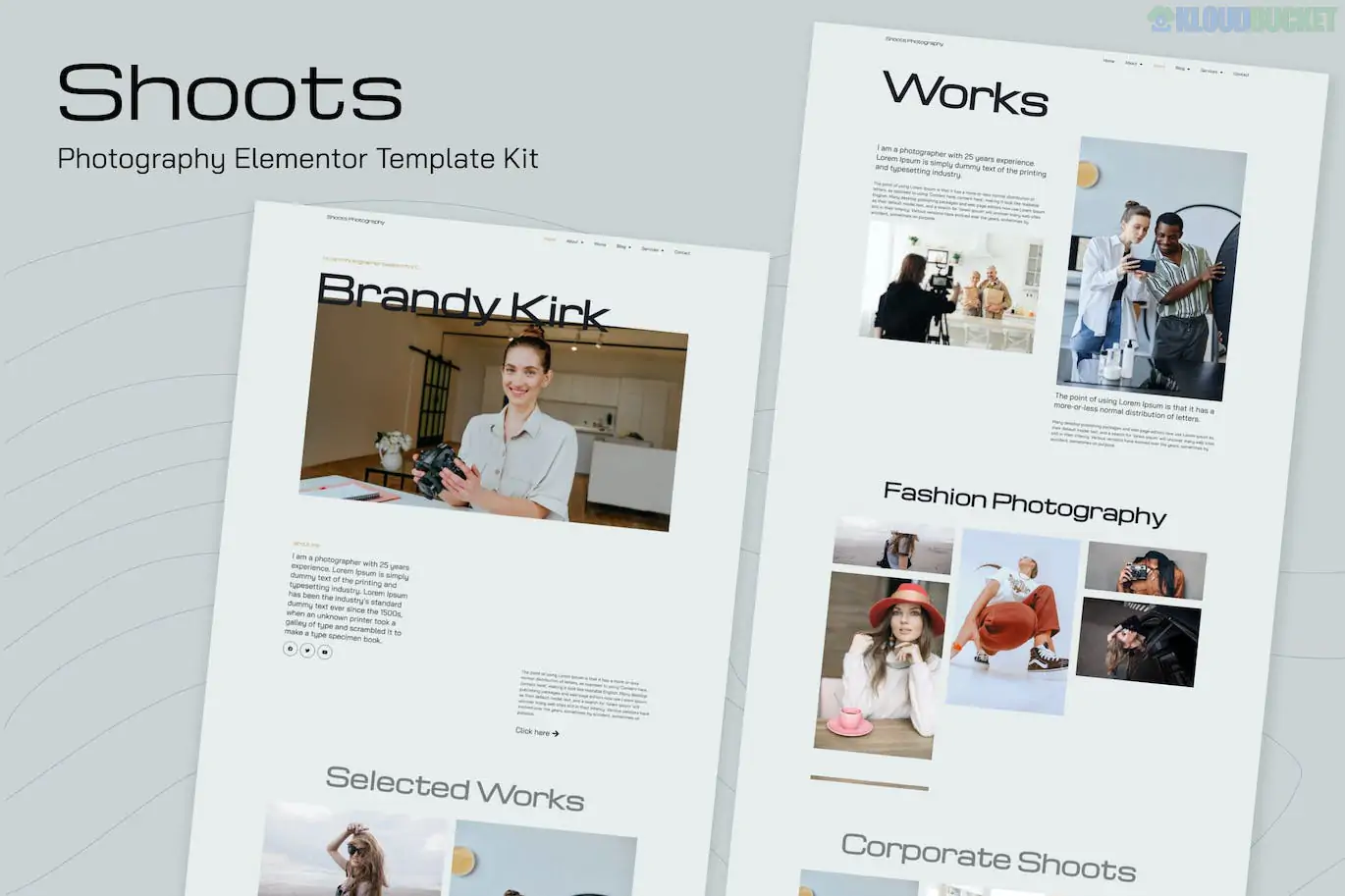
Shoots is a stylish and modern Elementor Template Kit specifically crafted for professional photographers, studios, and creative visual storytellers.1 It focuses on high-impact visual displays and a "minimalist-chic" aesthetic that allows your photography to take center stage.
Unlike a WordPress theme, this is a collection of pre-designed layouts that you import into your existing WordPress site using the Elementor page builder.2
Visual-First Design: Optimized for high-resolution imagery with sleek transitions and hover effects.
No-Code Customization: Fully editable via Elementor’s drag-and-drop interface.3
Responsive & Retina Ready: Ensures your portfolio looks sharp on 4K monitors, tablets, and mobile devices.4
Global Style Settings: Change your brand colors and typography once to update the entire kit.
Lightweight & Fast: Optimized for speed, which is crucial for media-heavy photography sites.
Page Type
Included Templates
Hero Pages
Home (Main), About Me/Us
Portfolio
Works (Portfolio Grid), Single Project/Work Detail
Services
Services List, Pricing Packages
Community
Blog/Journal Archive, Single Post Layout
Functional
Contact Page, Team/Staff, 404 Error Page
System
Header, Footer, Global Style Kit
While the design is premium, the kit is often optimized to keep costs low. However, note the following:
Elementor (Free Version): Required for general page building.
Elementor Pro (Recommended/Required): Some advanced features, such as the Header, Footer, and certain specialized gallery widgets, may require the Pro version of Elementor.
Envato Elements Plugin: Necessary to import the kit zip file into your WordPress backend.5
Hello Elementor Theme: The developer-recommended theme for maximum compatibility and performance.
Plugin Setup: Install the "Envato Elements" plugin.6
Upload: Go to Elements > Installed Kits and upload the shoots.zip file.7
Install Requirements: Click the orange "Install Requirements" button to ensure all supporting plugins (like MetForm or ElementsKit) are active.8
Import Global Styles: Always import the Global Kit Styles first.9 This prevents the templates from looking broken when you first load them.
Import Pages: Import your Home and Portfolio pages one at a time.
Pro Tip: Because photography kits rely on large files, always use a compression plugin like Imagify or ShortPixel after importing your own photos to ensure your site remains fast.
Would you like me to show you how to set up the Portfolio filtering for your different categories (e.g., Wedding vs. Portrait), or do you need help with the MetForm integration for your contact page?
Subscribe to access unlimited downloads of themes, videos, graphics, plugins, and more premium assets for your creative needs.
.jpg) Help Us to Buy More New Theme/Plugin
Help Us to Buy More New Theme/Plugin
Published:
Jan 17, 2026 12:31 PM
Category:
Author:
OtherLicense:
GPL v2 or Later