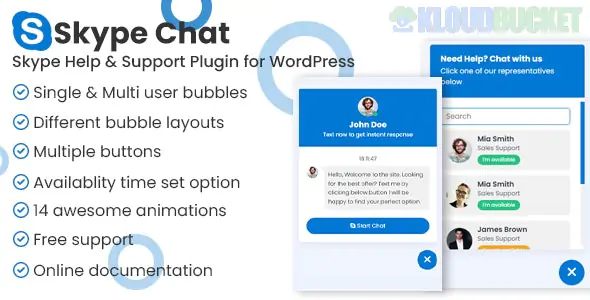
Skype Chat Support Pro is a premium WordPress plugin developed by ThemeAtelier that integrates Skype directly into your website. It allows visitors to start a chat or voice call with you or your support team with a single click, bridging the gap between your site and the Skype desktop/mobile app.
As of 2026, it remains a popular "niche" communication tool for businesses that prefer Skype over WhatsApp or standard browser-based live chats.
Multi-Agent Support: Unlike free versions, the Pro version allows you to add unlimited Skype IDs. You can categorize agents into departments (e.g., Sales, Tech Support, Billing).
Availability Scheduling: Set specific working hours and time zones for each agent. The widget will automatically show "Offline" or hide the agent when they are unavailable.
Customizable UI: * Choose from various floating bubble animations.
Multiple button styles and layouts (Centered, Left-aligned, etc.).
Customizable colors, gradients, and icons to match your brand.
Elementor & Gutenberg Ready: Includes a dedicated Elementor widget and a Gutenberg block, making it easy to drop support buttons anywhere on your site.
Device-Specific Visibility: You can choose to show the chat widget only on desktops, only on mobile, or across all devices.
Visitor Clicks: A user on your site clicks the floating Skype bubble or a "Chat Now" button.
App Trigger: The plugin triggers the "Deep Link" protocol, which automatically opens the Skype app on the user's device (phone or computer).
Direct Contact: The user is immediately placed into a chat or call window with your specified Skype ID.
Marketplace: Available on CodeCanyon (Envato Market).
Price: Typically $25 for a regular license.
Inclusions: One-time payment, lifetime updates, and 6 months of developer support from ThemeAtelier.
Subscription Option: It is also available via Envato Elements as part of their unlimited download subscription (around $16.50/month).
Installation: Upload the .zip file via Plugins > Add New > Upload Plugin.
Configuration: Access the "Chat Skype" menu in your WordPress dashboard.
Add Agents: * Enter your Skype Name (found in Skype Profile settings).
Set a display name and upload a profile picture.
Set Display Rules: Choose whether to show the widget on "All Pages" or select specific pages (e.g., only on the "Pricing" or "Contact" pages).
Styling: Use the visual editor in the plugin settings to choose your bubble animation and color scheme.
Comparison Tip: If you need a completely free alternative, there is a "Lite" version called Chat for Skype on the WordPress.org repository. However, it lacks the multi-agent support and availability scheduling found in the Pro version.
Would you like me to find the specific "Deep Link" URL structure for Skype if you'd prefer to create a custom manual button instead of using a plugin?
Subscribe to access unlimited downloads of themes, videos, graphics, plugins, and more premium assets for your creative needs.
.jpg) Help Us to Buy More New Theme/Plugin
Help Us to Buy More New Theme/Plugin
Published:
Jan 19, 2026 17:27 PM
Category:
Author:
OtherLicense:
GPL v2 or Later