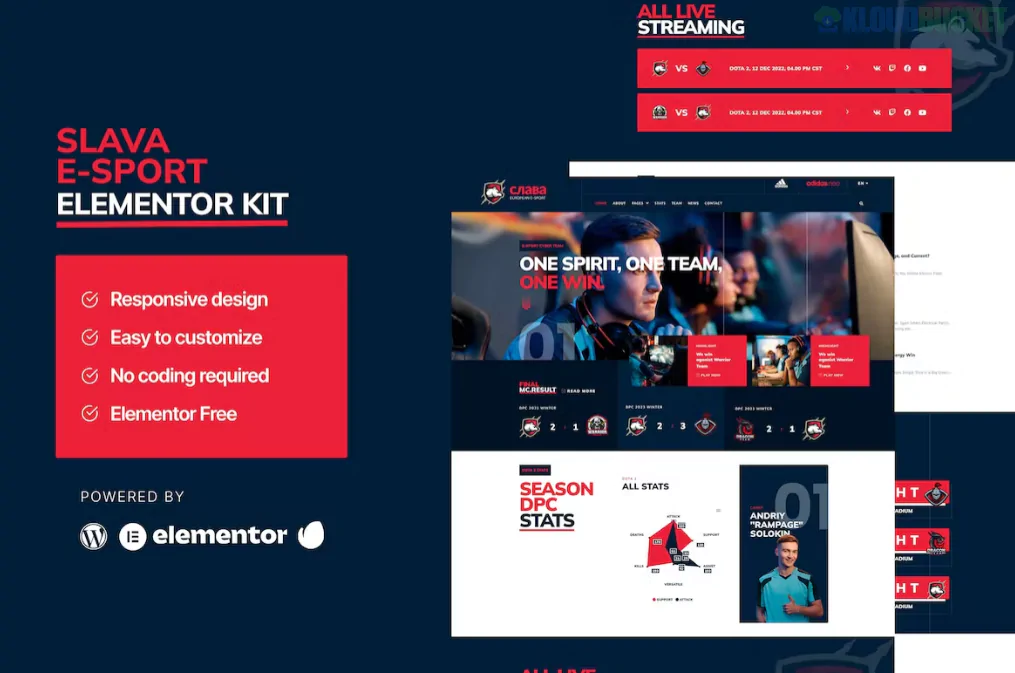
Slava is a high-energy, dark-themed Elementor Template Kit specifically crafted for e-sports teams, gaming communities, streamers, and tournament organizers.1 Developed by Design_8, it stands out for its bold typographic design and the fact that it is built entirely for the Free version of Elementor.2
This kit is perfect for showcasing player stats, match schedules, and team achievements with a sleek, professional "gamer" aesthetic.
No Elementor Pro Required: You can achieve a premium, high-tech look using only free plugins.
Modern Typographic Style: Uses large, bold fonts and high-contrast colors (typically neon accents on dark backgrounds) to match the gaming industry's vibe.
Data Visualization: Unlike many kits, Slava includes integration for charts and graphs, perfect for displaying player performance or team win/loss ratios.3
Responsive & Retina Ready: Designed to look razor-sharp on high-resolution gaming monitors and mobile devices alike.4
Slava provides a comprehensive set of layouts tailored for the e-sports niche:5
Core Pages: Home, About, Team List, and FAQ.
Gaming Specifics: Stat Page (to show overall team data) and Single Team/Stat pages (to highlight individual players or specific game rosters).6
Community & News: News Archive and Single News layouts for tournament updates and blog posts.7
Conversion: Contact Us page with integrated form styling.8
System: Global Header, Global Footer, and a custom 404 Error page.
To get the exact look of the Slava demo, you will need to install these free plugins:
Elementor (Free version)
Elementor Header & Footer Builder: Manages the site-wide navigation and footer without needing Pro.9
MetForm: Handles the contact and newsletter subscription forms.
Premium Addons for Elementor: Adds advanced widgets like fancy headings and carousels.10
Graphina: The key plugin used for the animated charts and data visualizations.11
Importing Styles: As with all Design_8 kits, use the Envato Elements plugin and always click "Import Global Kit Styles" first to set your typography and colors.12
Using Graphina: To customize the player stats, click on the Graphina widgets. You can input your own data manually to create those professional-looking performance bars and pie charts.
MetForm Configuration: When you import a page with a form, you'll need to "Edit" the MetForm widget and select the corresponding form template you imported to make it appear correctly.13
Dark Mode Assets: Since the kit is dark-themed, ensure any logos or custom images you upload are in PNG format with a transparent background to blend seamlessly into the design.
[!TIP]
Streamer Integration: If you are a streamer, you can easily add a "Live Now" section to the homepage by dragging in a standard Elementor Video widget or a third-party Twitch embed widget to keep your fans updated.
Would you like me to help you draft a "Player Bio" or "Team History" section for your new site, or should we look at how to set up the Graphina charts for your team stats?
Subscribe to access unlimited downloads of themes, videos, graphics, plugins, and more premium assets for your creative needs.
.jpg) Help Us to Buy More New Theme/Plugin
Help Us to Buy More New Theme/Plugin
Published:
Jan 20, 2026 12:14 PM
Category:
Author:
FunnelkitLicense:
GPL v2 or LaterTags: