Staff List Pro (by abcFolio) is a premium WordPress plugin designed to create and manage professional directories for employees, faculty, or team members. It is widely used by schools, medical practices, and businesses to display "Meet the Team" pages without needing to write code.
Unlike the free version (Staff List), the Pro edition adds advanced layout and filtering capabilities:
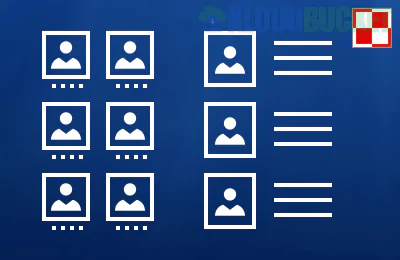
Multiple Layouts: Choose between List, Grid A, Grid B, and Grid C layouts to match your site's design.
Search & Multi-Filters: Users can filter the directory by categories (departments), A-Z menus, or custom text searches.
Single Profile Pages: Each staff member gets their own SEO-friendly URL and a detailed profile page for bios and contact info.
Advanced Customization: * Add up to 50 custom fields (e.g., Office Hours, Room Number, LinkedIn profile).
Over 30 field types (text, email, images, social icons).
CSV Import/Export: Essential for large organizations; you can manage your list in Excel or Google Sheets and sync it via CSV.
Shortcode Powered: Easily place a directory on any page or post using [stafflist].
According to recent developer updates (2025/2026), the developer abcFolio has moved toward a maintenance-only model for this specific plugin.
Cost: Usually around $49 for a one-time payment.
Support: They still provide premium one-on-one email support and bug fixes for current WordPress versions, but they are not currently adding major "new" features.
Install & Activate: Upload the Pro .zip file and activate it in your WordPress dashboard.
Configure Fields: Go to Staff List > Staff List Pro to define what information you want to collect (Name, Position, Email, etc.).
Add Members: Manually enter staff details under Add New or use the CSV Import extension to bulk upload.
Display: Create a new page and paste the shortcode:
Basic: [stafflist]
Specific Department: [stafflist subset="department:marketing"]
With Search: Use the Staff List Search add-on shortcode.
Use it if: You need a high-performance, lightweight directory that works well with Excel and doesn't slow down your site.
Look elsewhere if: You want a modern "Drag & Drop" visual builder interface. For that, you might prefer Team Members Pro or WP Team Pro.
Would you like me to help you write a CSV template to import your staff list, or do you need help with a specific shortcode?
Subscribe to access unlimited downloads of themes, videos, graphics, plugins, and more premium assets for your creative needs.
.jpg) Help Us to Buy More New Theme/Plugin
Help Us to Buy More New Theme/Plugin
Published:
Jan 04, 2026 15:48 PM
Version:
v4.0.5
Category:
Author:
OtherLicense:
GPL v2 or LaterTags: