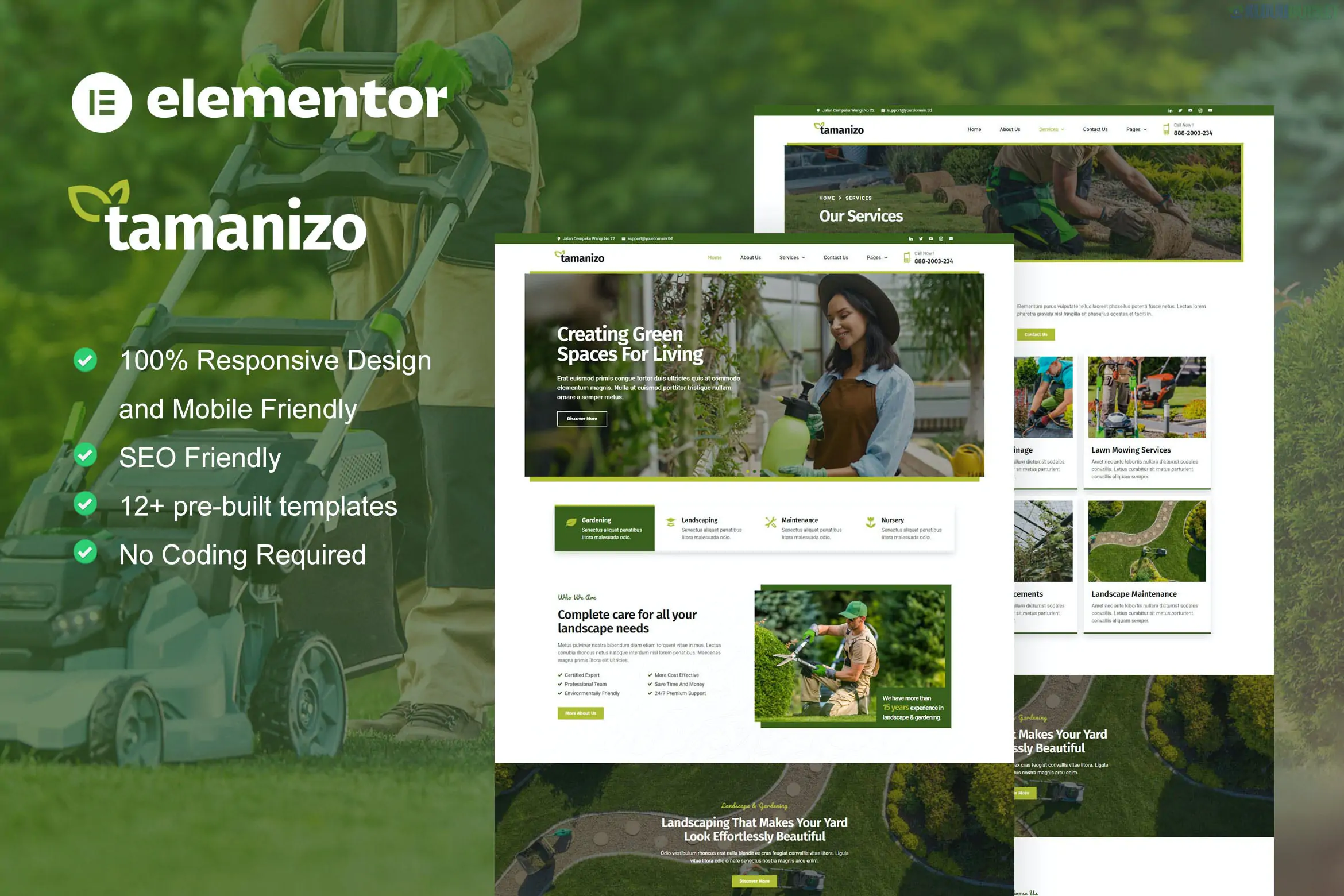
Tamanizo is a fresh, nature-inspired Elementor Template Kit specifically designed for gardening services, landscaping companies, lawn care, and arborists.1 Developed by juliusthemes, it features a vibrant green color palette and organic layouts that perfectly suit the outdoor service industry.
As a standard kit, it is designed to be highly accessible, using free plugins so you can achieve a professional look without requiring Elementor Pro.
Eco-Friendly Aesthetic: High-quality imagery and color schemes optimized for landscaping and environmental services.
Service-Oriented Sections: Pre-built areas for "Before & After" galleries, service lists, and maintenance plans.
Fully Responsive: Looks great on smartphones—essential for clients looking for local services on the go.
Drag-and-Drop: Built entirely with Elementor for easy text and image replacement.
Homepages: Typically includes a high-impact main home layout.
About & Team: Pages to showcase your landscaping crew and company history.
Services: Overview pages and Service Detail templates for specific tasks like "Lawn Mowing" or "Garden Design."2
Portfolio/Gallery: To display completed landscaping projects.
Utility Pages: FAQ, Pricing, Contact Us, and a 404 Error page.
Global Parts: Header, Footer, and Global Style settings.
Before importing, ensure these free plugins are installed from the WordPress repository:
Elementor: The base builder.
ElementsKit Lite: Used for the header, footer, and specialized widgets (like the menu).3
MetForm: Powering the quote request and contact forms.
Jeg Elementor Kit: Often used in these templates for advanced design blocks.
Start with the Style: After uploading via the Envato Elements plugin, import the Global Kit Styles first. This ensures all your buttons, greens, and fonts are consistent across all pages.
The "Request a Quote" Form: Since landscaping is a service business, customize the MetForm to include fields for "Service Type" (e.g., Garden Design, Lawn Care) and "Project Size." This helps you qualify leads better.
Gallery Optimization: Landscaping is a visual business. Replace the demo images with your own high-resolution project photos, but make sure to compress them first to keep the site loading fast.
Header Setup: Use the ElementsKit module to activate the Header and Footer. If the menu doesn't appear, make sure you have created a menu in Appearance > Menus first.
Pro Tip: Use the Before & After layout if available (or use an Elementor "Image Comparison" widget) to show the transformation of your gardening projects—this is one of the highest-converting elements for landscaping websites.
Would you like me to walk you through how to set up an "Image Comparison" slider to show off your landscaping results?
Subscribe to access unlimited downloads of themes, videos, graphics, plugins, and more premium assets for your creative needs.
.jpg) Help Us to Buy More New Theme/Plugin
Help Us to Buy More New Theme/Plugin
Published:
Jan 07, 2026 19:14 PM
Category:
Author:
OtherLicense:
GPL v2 or LaterTags: