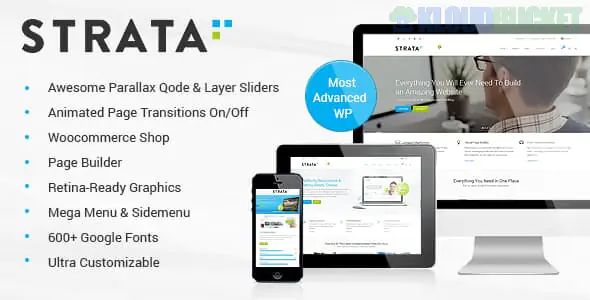
Techex is a high-performance, Corporate IT and Technology WordPress Theme designed for businesses that provide complex digital services. It is particularly well-suited for Managed Service Providers (MSPs), software development houses, cybersecurity firms, and IT consulting agencies.
Built with Elementor, Techex moves away from the "creative agency" look and focuses on a Technical Authority aesthetic—utilizing structured data layouts, professional blue/dark color palettes, and clear service hierarchies.
Service Blueprinting: Includes specialized sections to showcase "How We Work," using step-by-step process diagrams to explain complex IT workflows to non-technical clients.
Technology Stack Showcase: Dedicated icon sets and layouts to list the languages, frameworks, and hardware your firm specializes in (e.g., AWS, Azure, Python, Cisco).
Advanced Case Studies: Instead of just a "Portfolio," Techex offers detailed case study templates that allow you to highlight technical challenges, implemented solutions, and ROI metrics.
Lead Generation Forms: Optimized "Request a Quote" and "Free Consultation" pop-ups and forms integrated into the primary navigation.
Mega Menu for Large Catalogs: A robust menu system that can handle extensive service lists (Cloud, Security, Support, Hardware) without cluttering the UI.
Techex is engineered to be as reliable as the IT services it represents:
Feature
Details
Page Builder
Fully optimized for Elementor (and compatible with Elementor Pro).
Framework
Built on a modern, lightweight framework for maximum speed.
Performance
High GTMetrix/PageSpeed scores with built-in CSS/JS minification support.
Responsiveness
Fluid grid system that adapts complex technical tables to mobile screens.
One-Click Demo
Includes multiple specialized IT niches (Cybersecurity, SaaS, IT Consulting).
Industry-Specific Homepages: Tailored designs for "Cybersecurity," "Cloud Solutions," and "Software Engineering."
Pricing & Plans: Structured tables for managed IT tiers (e.g., "Bronze, Silver, Gold" support packages).
Team & Certifications: Layouts to display your staff's professional certifications (CompTIA, Microsoft, Google Cloud).
Technical Blog: A clean, sidebar-supported layout for whitepapers, tech news, and security alerts.
Contact & Helpdesk: Professional contact pages with integrated Google Maps and links to your client support portal.
Trust Signals: IT is a high-trust industry. Use the "Client Logo" and "Certification" carousels prominently on the homepage to establish credibility immediately.
Child Theme: Always activate the techex-child.zip. For IT agencies, you may eventually need to integrate a CRM (like HubSpot) or a ticketing system (like Zendesk), and a child theme ensures these integrations aren't lost during updates.
SVG Iconography: Techex supports SVG icons. Use them for your service icons to ensure they remain crisp on all screen sizes and don't slow down the page.
PHP Configuration: Set your max_execution_time to 300 and memory_limit to 512MB before importing the demo content to ensure all technical widgets load correctly.
The primary reason to choose Techex over a generic business theme is its UI logic. It includes specific elements—like "Data Center" infographics and "Cybersecurity Threat" lists—that are native to the IT world. It saves you dozens of hours of design time because the "Tech-first" structure is already built into the Elementor widgets.
Would you like me to help you set up the "Service Pricing" tables for your IT packages, or do you need assistance configuring the "Case Study" layouts for your recent projects?
Subscribe to access unlimited downloads of themes, videos, graphics, plugins, and more premium assets for your creative needs.
.jpg) Help Us to Buy More New Theme/Plugin
Help Us to Buy More New Theme/Plugin
Published:
Jan 18, 2026 18:05 PM
Version:
v1.0.5
Category:
Developer:
ThemeforestLicense:
GPL v2 or LaterTags: