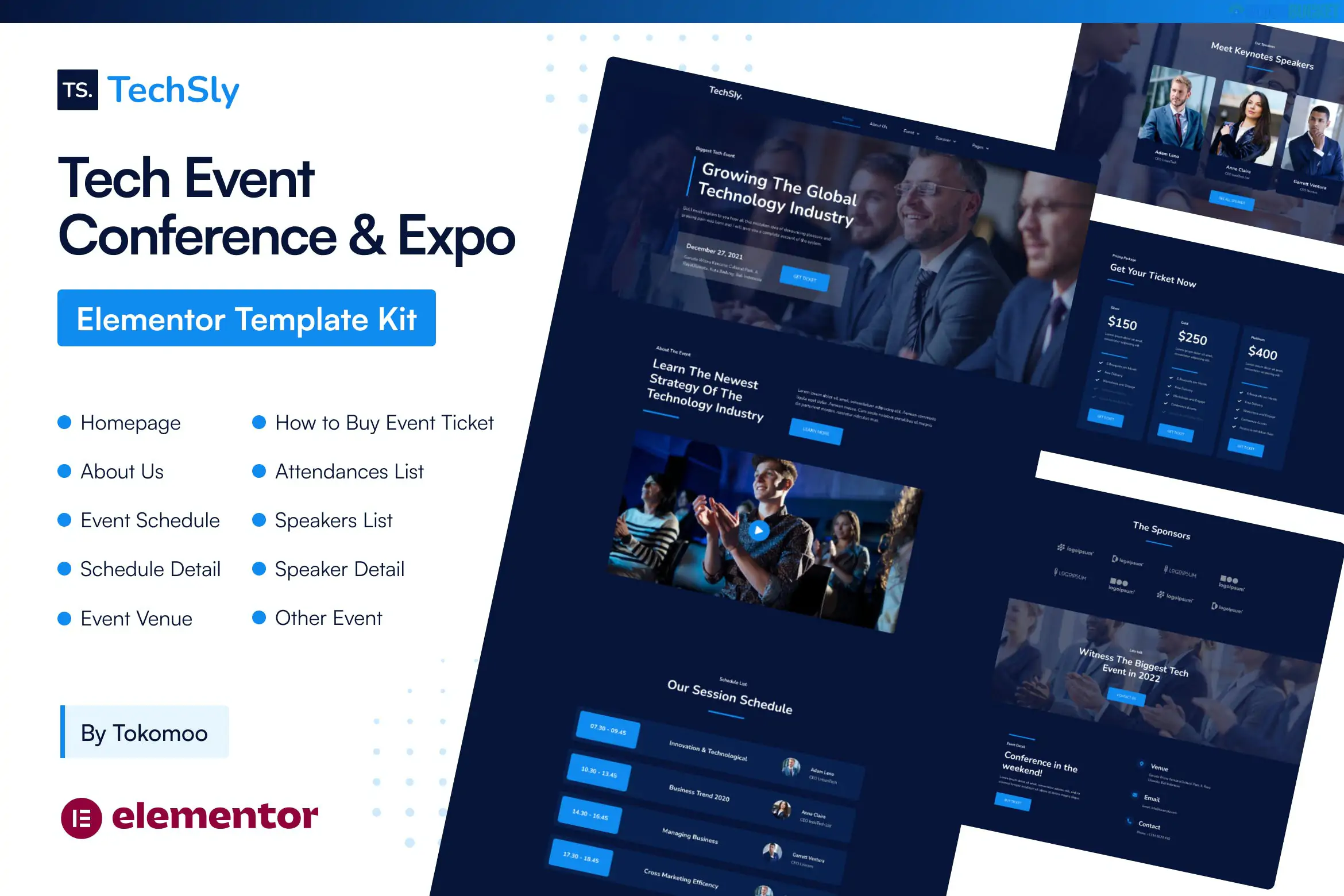
TechSly is a high-energy, modern Elementor Pro Template Kit specifically designed for technology conferences, software expos, webinars, and startup summits. Developed by Design_8, it features a "dark mode" aesthetic by default, using vibrant neon accents and bold typography to create a cutting-edge, futuristic feel.
Because it is a Pro kit, it leverages Elementor’s advanced Theme Builder, allowing for a seamless experience across headers, footers, and event-specific post types.
Event-Focused UI: Includes specialized sections for event countdowns, speaker lineups, and session schedules.
Elementor Pro Integration: Native support for Pro widgets like the Global Header/Footer, Forms, and Custom Post Type templates.
Modern "Dark Tech" Aesthetic: A high-contrast design that makes speaker photos and brand colors pop.
Fully Responsive: Specifically optimized for mobile users who will be browsing the event schedule on-site.
The kit covers everything needed for a multi-day tech event:
Homepage: A high-conversion landing page with a countdown timer and CTA buttons for ticket sales.
About & Venue: Information about the conference mission and location/hotel details.
Speakers: A dedicated Speaker Archive (grid) and a Speaker Detail page for bios and social links.
Schedule: Layouts for "Day 1, Day 2" timelines to help attendees navigate sessions.
Tickets & Pricing: Clean pricing tables to showcase Early Bird, Standard, and VIP passes.
Sponsors: Dedicated sections to highlight corporate partners and sponsors.
System Pages: Header, Footer, 404, and Search Results.
To achieve the exact look of the TechSly demo, you must have:
Elementor (Free version)
Elementor Pro (Paid license): Required for the Theme Builder and advanced countdown/form widgets.
MetForm: Used for attendee registration and newsletter signups.
Theme: Use the Hello Elementor theme for maximum performance.
Importing: Use the Envato Elements plugin to upload the kit. Always import the Global Kit Styles first.
The Countdown Timer: Ensure you set the "Due Date" in the Elementor Countdown widget on the homepage to your actual event date immediately after importing.
Speaker Single Page: If you are using a Custom Post Type (CPT) for speakers, you will need to assign the "Single Speaker" template to that specific post type under Display Conditions.
[!TIP]
Monetization & Tickets: While TechSly handles the design of the pricing tables, it does not include a payment system. To sell tickets, most users pair this kit with WooCommerce or an event-specific plugin like The Events Calendar.
Would you like me to help you draft the "Call for Speakers" copy for your event, or would you like to compare TechSly with a "Light Mode" event kit like Evently?
Subscribe to access unlimited downloads of themes, videos, graphics, plugins, and more premium assets for your creative needs.
.jpg) Help Us to Buy More New Theme/Plugin
Help Us to Buy More New Theme/Plugin
Published:
Jan 20, 2026 10:53 AM
Category:
Author:
OtherLicense:
GPL v2 or Later