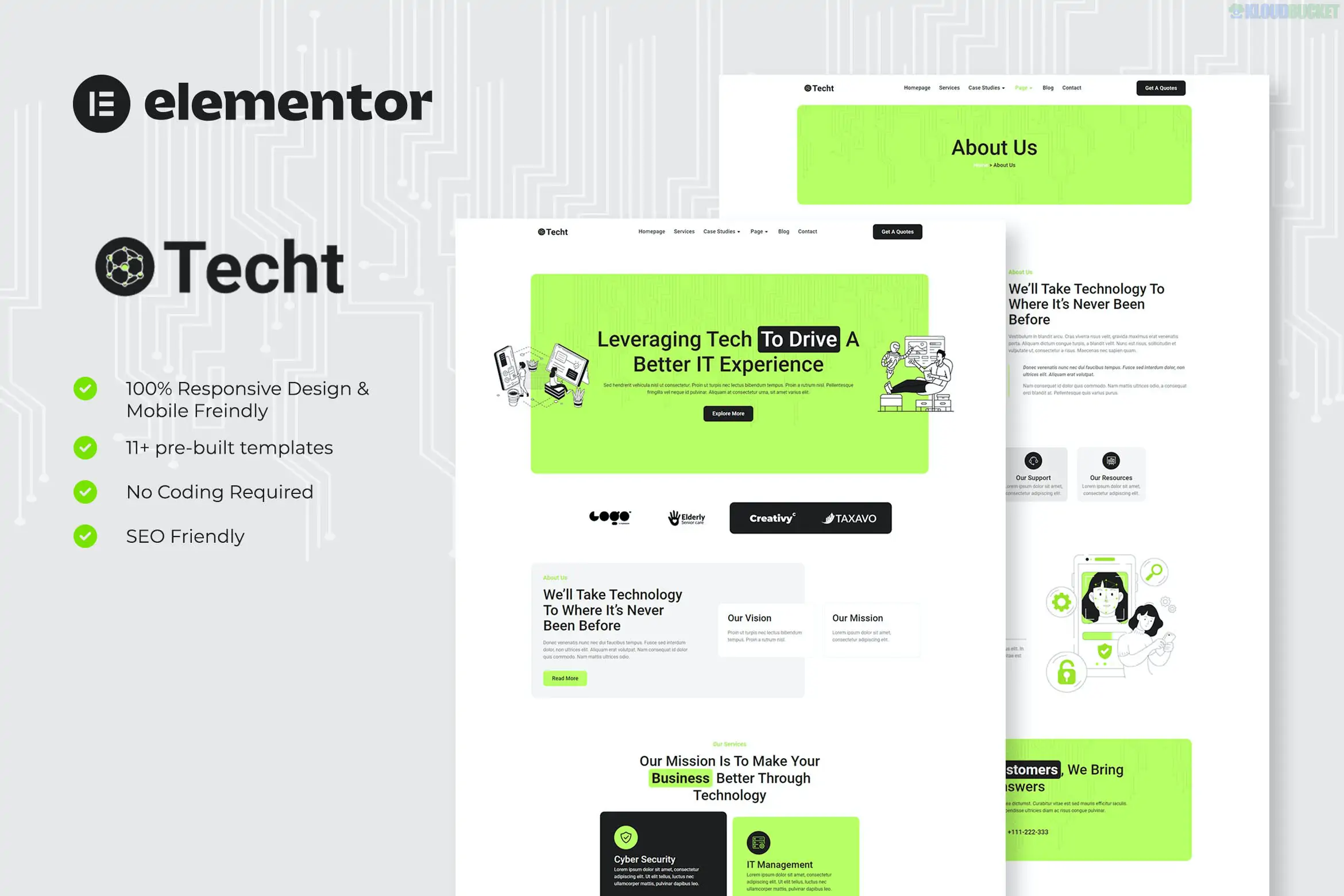
Techt is a professional and high-performance Elementor Template Kit specifically tailored for IT solutions companies, software developers, and technology startups. Developed by Fox_Creation, it is designed to project a "High-Tech Corporate" image that emphasizes technical expertise and digital transformation.
As of late 2025, it is a leading choice for agencies because it offers an enterprise-level aesthetic using entirely Free Plugins, making it highly cost-effective for new businesses.
Techt is built to address the specific trust-building needs of the technology sector:
11+ Pre-built Templates: Includes Home, About Us, Services, Service Detail (for deep dives into specialized tech), Projects, Project Details, Team, FAQ, and Contact.
Service Detail Templates: Ready-to-use pages to showcase complex offerings like Cyber Security, Cloud Computing, and Managed IT Services in a scannable, icon-rich format.
Portfolio & Case Studies: Specialized "Projects" layouts designed to prove your firm's capability by showcasing past deployments and technical success stories.
Clean & Authoritative Design: Features a professional blue-and-white palette with modern geometric accents that align with global IT industry standards.
MetForm Integration: Includes pre-styled forms for "Request a Tech Audit" or "Get a Quote," which are essential for converting B2B visitors into leads.
Techt is a Template Kit, not a theme. It is optimized for the Hello Elementor theme and uses free third-party add-ons to provide premium-level widgets.
Component
Requirement
Base Theme
Hello Elementor (Free, lightweight, and required).
Page Builder
Elementor (Free version is 100% compatible).
Header/Footer
ElementsKit Lite (Provides site-wide navigation control).
Form Builder
MetForm (Free; used for lead-capture and contact blocks).
Import Method
Envato Elements Plugin (Required to upload and activate the kit).
If you are comparing different technical agency kits:
Techt: Best for B2B IT Solutions. It has the most "corporate" and stable feel, making it perfect for firms targeting enterprise clients. (The Professional Standard)
Techtial: A very similar alternative that offers a slightly higher template count (17+). Choose this if you need more variety in your "About" or "Team" layouts. (The Expanded Choice)
Techee: Best for Software & SaaS Startups. It features a "lighter" and more vibrant design suited for apps and consumer-facing software. (The Modern Startup Choice)
Limma: Best for Web Agencies. It focuses more on creative portfolios and "digital agency" aesthetics rather than traditional IT infrastructure. (The Creative Choice)
The defining feature of Techt is its Global Design System. Because it uses Elementor’s Global Styles, you can change your firm's branding (e.g., from corporate blue to cybersecurity red) across all 11+ pages in one click. This makes it an ideal framework for agencies that need to deploy professional websites for multiple clients rapidly.
A common issue during the installation of Techt is that the contact forms may appear as empty boxes after import. To resolve this:
Import the MetForm block templates included in the kit ZIP.
Open the page in Elementor, click the MetForm widget, and select "Edit Form."
Choose "New," then click the Gray Folder Icon to select the form template from your "My Templates" library.
Click "Insert" and then "Update & Close."
Would you like me to find the specific guide for configuring the "Service Detail" icons in Techt, or do you need help setting up the "MetForm" to collect project requirements from your clients?
Subscribe to access unlimited downloads of themes, videos, graphics, plugins, and more premium assets for your creative needs.
.jpg) Help Us to Buy More New Theme/Plugin
Help Us to Buy More New Theme/Plugin
Published:
Dec 26, 2025 17:33 PM
Category:
Author:
OtherLicense:
GPL v2 or LaterTags: