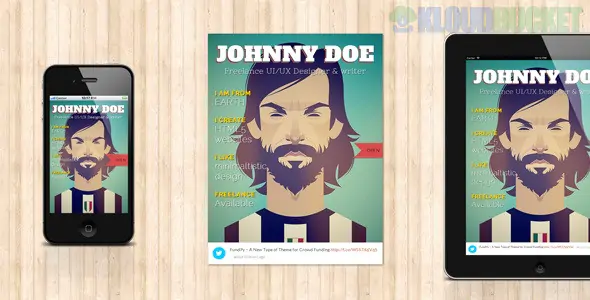
The Novelist is a premier, "distraction-free" WordPress theme crafted specifically for authors, novelists, and storytellers. While themes like "Real Expert" are built for data and transactions, The Novelist is a specialized portfolio theme designed to showcase the written word and the person behind the pen.
Its most striking feature is its book-like layout, which provides an immersive, tactile experience for readers.
Responsive Book Layout: The unique design mimics the opening of a book, with a "left-page/right-page" aesthetic that scales perfectly from desktop to mobile.
Serious Typography: Since the content is the main attraction, the theme uses highly readable, classic font pairings that prevent eye strain during long-form reading.
Ajax Pagination: This allows readers to "flip" through chapters or pages of your work without the browser having to reload, creating a smooth, app-like experience.
Custom Backgrounds: You can set unique background images for each page to set the mood—for example, a dark, foggy forest for a thriller chapter or a clean desk for an "About the Author" page.
Link to Purchase: Dedicated spots to link your work to Amazon, Barnes & Noble, or Apple Books, turning your portfolio into a sales funnel.
Feature
Benefit for Writers
Integrated "Works" Gallery
Showcase your book covers in a beautiful grid that reveals descriptions on hover.
Chapter Previews
A clean way to offer the first chapter of your novel as a "teaser" to potential buyers.
Distraction-Free Reading
No sidebars, no ads, and no clutter—just your text and the reader.
Social Links for Authors
Subtle icons to connect readers to your Goodreads, X (Twitter), or newsletter.
Focus on Narrative: Most WordPress themes are designed for "content creators" (videos/images). This is one of the few themes designed for writers. It treats text as art.
Minimalist Learning Curve: It doesn't rely on complex page builders. It uses the native WordPress functionality, making it easy to manage even if you aren't tech-savvy.
Personal Connection: The layout feels intimate, like a private library, which helps build a stronger emotional bond between the author and the reader.
Use High-Quality Book Cover Art: In the "Works" section, your cover art is the primary visual. Ensure you use high-resolution files (but compressed for speed) to make your "digital bookshelf" look professional.
The "Newsletter" is King: For authors, an email list is the most valuable asset. Use the footer or a dedicated "Contact" page to integrate a signup form for your upcoming releases.
Keep the Background Subtle: While you can use images for backgrounds, avoid "busy" photos that make the text hard to read. Textures (like paper or wood) or blurred photos work best.
Are you building a portfolio for a single upcoming novel, or are you an established author looking to organize a large back-catalog of books? I can help you set up your "Works" gallery or suggest the best way to link your chapters for a seamless reading experience!
Subscribe to access unlimited downloads of themes, videos, graphics, plugins, and more premium assets for your creative needs.
.jpg) Help Us to Buy More New Theme/Plugin
Help Us to Buy More New Theme/Plugin
Published:
Jan 14, 2026 20:37 PM
Version:
v1.5.0
Category:
Developer:
ThemeforestLicense:
GPL v2 or LaterTags: