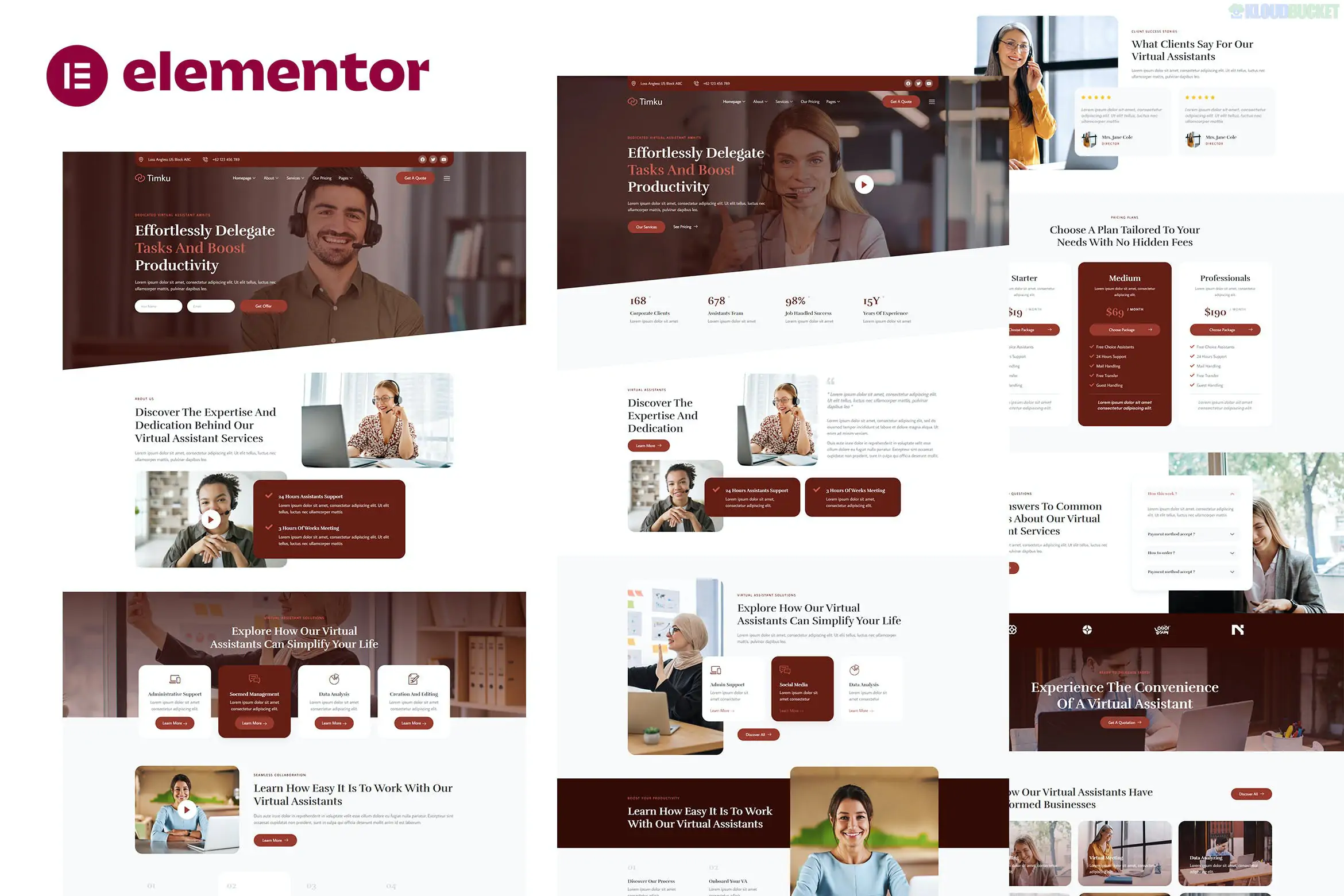
Timku – Virtual Assistant Business Elementor Template Kit is a modern, clean, and highly professional layout collection designed for virtual assistants, remote executive assistants, and administrative service agencies. Developed by Jegtheme, it uses a soft, trust-evoking color palette and a clean white-space layout to emphasize organization and efficiency.
No Pro Required: This kit is designed to work with the free version of Elementor, making it a great choice for freelancers and startups.
Modern & Minimalist: Uses a clean design language with professional typography (usually Plus Jakarta Sans or similar) to project an organized brand image.
Fully Responsive: Tested across all modern devices to ensure your portfolio looks perfect on mobile and desktop.
Ready-to-Use Pages: Includes over 10+ pre-designed templates that are ready to import and customize.
Home Page: A sleek landing page with service highlights, "How it Works" sections, and client testimonials.
About Me/Us: A dedicated page to showcase your experience, certifications, and background.
Services: Detailed layouts to list tasks like email management, scheduling, or social media support.
Pricing: Clear tables for hourly rates or monthly service packages.
Our Team: If you are an agency, this layout helps introduce your team of assistants.
Contact: Includes a form for potential clients to request a discovery call.
Blog: Main blog listing and single post templates to share productivity tips.
To get the exact look of the Timku demo, you will need to install these free plugins:
Elementor (Free)
Jeg Elementor Kit: Used for the Header/Footer builder and advanced content widgets.
MetForm: Used for building the appointment request and contact forms.
Efficiency Tip: Since Virtual Assistant businesses rely heavily on scheduling, consider integrating a third-party tool like Calendly into the "Contact" or "Pricing" pages after importing the templates.
Preparation: Install the Hello Elementor theme and the Envato Elements plugin.
Upload: Go to Elements > Installed Kits and upload your Timku Zip file.
Requirements: Click "Install Requirements" to activate the necessary free plugins.
Import Styles: Import the Global Kit Styles first.
Build Pages: Create your pages in WordPress, set them to "Elementor Full Width," and use the kit to import the corresponding layout.
Would you like me to help you brainstorm a "Services" list or write a professional bio to fill in your new Virtual Assistant website?
Subscribe to access unlimited downloads of themes, videos, graphics, plugins, and more premium assets for your creative needs.
.jpg) Help Us to Buy More New Theme/Plugin
Help Us to Buy More New Theme/Plugin
Published:
Dec 30, 2025 17:09 PM
Category:
Author:
OtherLicense:
GPL v2 or Later