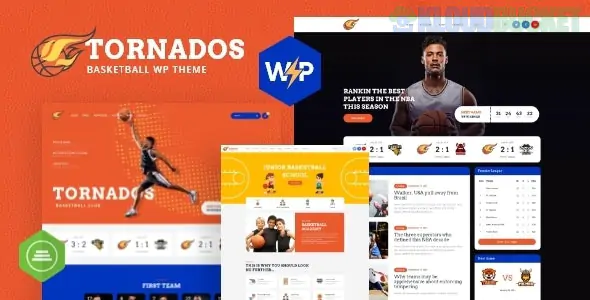
Tornados is a specialized, high-performance WordPress theme tailored for basketball teams, sports clubs, and NBA-style fan sites. It is designed to handle the fast-paced nature of sports news, player statistics, and high-energy game-day media.
Tornados focuses on "Sports Management" through integrated tools that go beyond standard blogging:
SportsPress Compatibility: Often works with or mimics SportsPress features to display league standings, player profiles, and game results.
Player & Staff Profiles: Dedicated templates to showcase player stats (height, weight, position, PPG) and coaching staff bios.
Match Schedules & Results: Built-in calendars to show upcoming games and the final scores of past matchups.
WooCommerce Merchandise Store: Ready-to-use layouts for selling team jerseys, hats, and basketball equipment.
Bold, "Team Spirit" Design: Uses aggressive typography and high-contrast color schemes (typically black, orange, and white) to match the energy of the court.
In sports, static images aren't enough—you need to capture the speed and intensity of the game. Envira Gallery is the perfect companion to Tornados for managing heavy game-day media.
Basketball photography involves fast shutter speeds and high-resolution files.
The Setup: Use Envira’s Masonry Layout to create "Game Recaps." This allows you to mix wide shots of the court with vertical "dunk" shots in a dynamic, energetic grid.
Performance: Enable Lazy Loading so that a gallery of 100+ game photos doesn't slow down your site's news feed.
A modern NBA-style site must have video.
Feature: Use the Envira Video Addon. You can host your game highlights on YouTube or Vimeo and display them in a unified gallery alongside your best action photos. Fans can click a "play" icon on a thumbnail to watch the winning shot in a full-screen lightbox.
If you are selling team gear through the Tornados theme, use the Zoom Addon.
The Benefit: Allow fans to hover over photos of jerseys to see the fabric texture, stitching, and high-quality team logos before they hit the "Buy" button.
Sports fans love to share. Enable the Social Sharing Addon so that when you post an incredible action shot of a player, fans can immediately Pin it to Pinterest or share it on Twitter/X, driving more traffic to your team's site.
Match the Team Colors: Go to Envira Gallery > Settings and change the Lightbox background to match your team’s primary color (e.g., a deep court-orange or team-black). This creates a branded "immersive" experience.
Enable Proofing for Scouts: If your site is used for a college or youth team, use the Proofing Addon. This allows recruiters or parents to "favorite" specific photos from a game to be sent to them later.
Mobile Optimization: Fans check scores on their phones. Ensure the Mobile Addon is active so they can swipe through game photos with their thumbs while at the arena.
Feature
Tornados Default
Envira Gallery
Media Handling
Basic WordPress Grid
Optimized for 4K Action Photography
Video Support
Separate Video Post
Integrated Video & Photo Grids
Speed
Can lag with large files
Ultra-Fast via Lazy Loading
Interaction
View Only
Social Sharing & Client Proofing
Would you like me to show you how to set up an Envira "Player Spotlight" gallery that highlights specific athletes with their season stats in the captions?
Subscribe to access unlimited downloads of themes, videos, graphics, plugins, and more premium assets for your creative needs.
.jpg) Help Us to Buy More New Theme/Plugin
Help Us to Buy More New Theme/Plugin
Published:
Dec 29, 2025 11:51 AM
Version:
v2.1
Category:
Developer:
ThemeforestLicense:
GPL v2 or Later