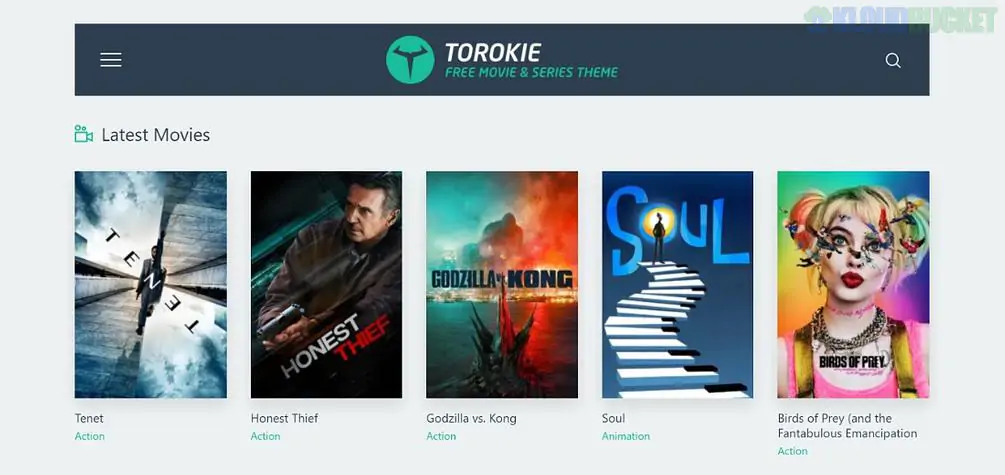
Torokie is a high-impact, media-centric WordPress theme designed for movie databases, film reviewers, streaming platforms, and TV show fan sites. It is built to mimic the user interface of major streaming services like Netflix or IMDb, prioritizing large posters, video trailers, and user ratings.
Torokie is engineered to handle massive libraries of video and image content:
Advanced Filter System: Allows users to sort content by genre, release year, director, or IMDB rating.
Episode & Season Management: Specifically designed for TV shows, allowing you to nest episodes within seasons beautifully.
Frontend Submission: Enables users or critics to submit their own reviews and ratings.
Watchlist & Favorites: Built-in functionality for logged-in users to save movies they want to watch later.
Video Player Integration: Supports self-hosted videos, YouTube, Vimeo, and various embeddable players for trailers or full content.
On a movie site, the visuals are the "hook." While Torokie handles the database, Envira Gallery elevates how you display promotional stills, behind-the-scenes content, and actor portfolios.
Movie fans love looking at high-quality production stills.
The Setup: Use Envira’s Masonry Layout to create a "Gallery of Stills" for each movie.
The Feature: Enable the Fullscreen Addon. When a user clicks a thumbnail, the image expands to fill their entire monitor—perfect for showcasing cinematic cinematography or 4K concept art.
Torokie is great for video, but Envira allows you to mix media in one place.
The Workflow: Use the Video Addon to create a single gallery that contains the official movie trailer as the first item, followed by a series of high-res photos. This keeps all the "Media Assets" for a specific film in one organized, beautiful grid.
Create a "Meet the Cast" section that feels professional.
The Feature: Use the Captions Addon to list the actor's name and their character in the movie.
The Pro Tip: Use the Deeplinking Addon. If a user is reading a review and wants to see photos of a specific actor, you can provide a link that opens the gallery directly to that actor's headshot.
For sites dedicated to "Classic Cinema" or "Poster Art," resolution is key.
The Setup: Use the Zoom Addon. This allows fans to hover over a movie poster to see the fine print, artist credits, and texture of the original print without needing to download the file.
Match the "Dark Mode" Vibe: Most movie themes are dark. In Envira Gallery > Settings, select the "Base" lightbox theme and set the background to 100% black. This creates a "movie theater" experience when a user clicks an image.
Protect Exclusive Leaks: If your site features "exclusive leaks" or rare production photos, use the Watermarking Addon. This ensures that if your images are shared on social media, your site gets the credit.
Speed is Crucial: Movie posters are large files. Enable Lazy Loading in Envira so your "Top 100 Movies" page doesn't lag, ensuring a smooth scroll for your visitors.
Feature
Torokie Default
Envira Gallery
Lightbox
Basic
Professional Cinematic Lightbox
Media Mix
Separate Blocks
Video & Photos in one seamless grid
Navigation
Click/Arrow
Touch-swiping & Keyboard shortcuts
Protection
None
Watermarking & Right-Click Disable
Would you like me to help you set up an Envira "Trailer Gallery" that opens YouTube videos in a sleek, branded lightbox that matches the Torokie aesthetic?
Subscribe to access unlimited downloads of themes, videos, graphics, plugins, and more premium assets for your creative needs.
.jpg) Help Us to Buy More New Theme/Plugin
Help Us to Buy More New Theme/Plugin
Published:
Dec 29, 2025 12:31 PM
Version:
v1.0.1
Category:
Developer:
ThemeforestLicense:
GPL v2 or LaterTags: