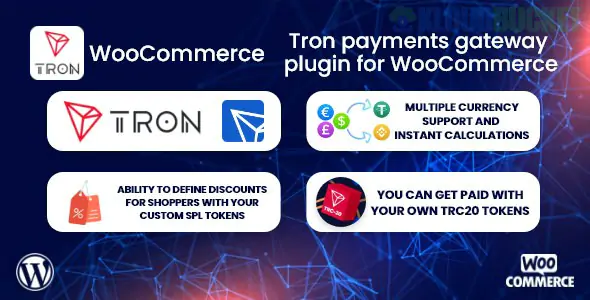
TronPay WooCommerce is a dedicated payment gateway plugin that allows WordPress store owners to accept TRON (TRX) and other TRC-10/TRC-20 tokens (like USDT-TRC20) directly at checkout.
As of late 2025, it is a preferred solution for merchants looking for the "TRON advantage": near-instant transaction speeds and significantly lower network fees compared to Ethereum (ERC-20) or Bitcoin.
Direct Wallet Payments: Unlike traditional processors, TronPay often allows for peer-to-peer transfers, meaning funds go directly from the customer’s wallet to yours without a middleman holding the funds.
Stablecoin Support: Full support for USDT (TRC-20), which is one of the most widely used stablecoins globally due to its low transfer costs on the TRON network.
Automatic Exchange Rates: The plugin fetches real-time TRX/USDT prices from major exchanges to ensure customers are charged the correct amount in crypto based on your store's fiat price (USD, EUR, etc.).
Transaction Verification: The plugin automatically monitors the TRON blockchain. Once the transaction is confirmed, it automatically moves the WooCommerce order status from "Pending" to "Processing."
No KYC (Often): Depending on the specific version or developer (such as MyCryptoCheckout or Heleket integrations), many TRON-specific plugins do not require a sign-up or identity verification (KYC), keeping with the decentralized philosophy of crypto.
Feature
Details
Network Support
TRON Mainnet (TRC-10, TRC-20)
Primary Tokens
TRX, USDT, USDC, BTT, JST
Confirmation Speed
~1 minute (Standard for TRON)
Fees
0% to 1% (Plus TRON network "Energy" or "Bandwidth" costs)
Compatibility
WooCommerce 9.x+ and WordPress 6.7+
Security
Supports Webhooks for real-time payment validation
Wallet Preparation: You must have a TRON wallet address (e.g., from TronLink or a hardware wallet like Ledger).
API/Merchant Key: If using a specific service like B2BinPay or CoinPayments, you will need to input your Merchant ID and API Secret into the plugin settings.
Currency Mapping: In WooCommerce > Settings > Payments, enable TronPay and ensure your "Base Currency" is supported by the exchange rate provider used by the plugin.
Network Fees: > Pro Tip: In 2026, TRON network fees (Energy/Bandwidth) can fluctuate. Ensure your plugin is set to account for these or advise customers to have a small amount of "frozen" TRX in their wallets to make the transaction free for them.
Digital Good Stores: Perfect for software, gaming assets, or digital art where users already operate in the crypto ecosystem.
High-Frequency/Low-Value Sales: Because TRC-20 transfers often cost less than $1, it is much more viable for small purchases than Ethereum-based tokens.
International E-commerce: Bypassing traditional banking restrictions in regions where credit card processing is difficult or expensive.
Always ensure you are downloading the plugin from a reputable source (WordPress.org or a verified developer's site). Because crypto plugins handle wallet addresses and payment data, they are high-value targets for hackers. Always use a security plugin like Wordfence or Solid Security to monitor for unauthorized changes to your payment gateway files.
Would you like me to find a comparison of transaction fees between USDT-TRC20 (Tron) and USDT-ERC20 (Ethereum) to see how much your customers could save?
Subscribe to access unlimited downloads of themes, videos, graphics, plugins, and more premium assets for your creative needs.
.jpg) Help Us to Buy More New Theme/Plugin
Help Us to Buy More New Theme/Plugin
Published:
Dec 17, 2025 16:37 PM
Version:
v1.0.2
Category:
Author:
OtherLicense:
GPL v2 or Later