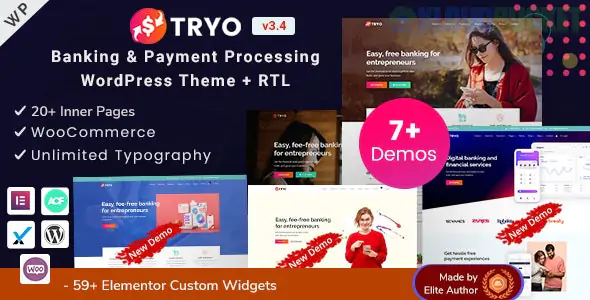
Tryo is a specialized, high-performance WordPress theme designed for FinTech, Banking, Money Transfer, and Currency Exchange businesses. Developed by EnvyTheme, it is built specifically to handle the complex requirements of financial institutions while maintaining a modern, trustworthy aesthetic.
Tryo is more than just a visual skin; it includes functional elements specifically for financial services:
Internal Banking System: Includes simulated or functional interfaces for customer sign-in/sign-up, account dashboards, and balance viewing.
Money Transfer & Exchange: Pre-built layouts and widgets for "Send & Receive" flows and live currency exchange rate displays.
13+ Professional Demos: Dedicated starter sites for Digital Wallets, Insurance, Credit Card providers, and Corporate Banking.
Elementor Powered: Includes over 134+ custom Elementor widgets, allowing you to build complex financial tables or service grids without code.
GDPR & Security: All built-in forms are GDPR compliant, and the theme is optimized for SSL and secure data handling.
For a banking or fintech site, high-quality imagery is essential for building trust (e.g., photos of your team, office, or security certificates). Here is how Envira Gallery complements Tryo:
You can use Envira to create a sleek gallery of your Regulatory Certificates or Security Badges.
Tip: Use the Lightbox feature so users can click a certificate (like an ISO or PCI-DSS badge) to see the full document in high resolution without leaving the page.
Building "Human" trust is vital in banking. Use Envira’s Masonry or Grid layouts to showcase your executive team or global office locations.
Advantage: Envira’s Lazy Loading ensures that even a large gallery of team headshots won't slow down the banking portal's load speed.
If your exchange service has a mobile app, use an Envira Gallery to create a Scrolling App Showcase. You can link individual gallery images directly to the Apple App Store or Google Play Store.
If you are integrating these two tools:
Import a Demo: Start with the Tryo "Digital Wallet" or "Online Bank" demo to get the core banking structure.
Add Your Gallery: Navigate to Envira Gallery > Add New, upload your trust assets or team photos, and copy the shortcode.
Place via Elementor: Since Tryo is built on Elementor, simply drag the Shortcode Widget or the Envira Gallery Widget into your page layout to display your images.
Would you like me to show you how to set up a "Trust & Security" gallery specifically for a banking site using Envira's Lightbox settings?
Subscribe to access unlimited downloads of themes, videos, graphics, plugins, and more premium assets for your creative needs.
.jpg) Help Us to Buy More New Theme/Plugin
Help Us to Buy More New Theme/Plugin
Published:
Dec 29, 2025 11:29 AM
Version:
v3.4
Category:
Developer:
ThemeforestLicense:
GPL v2 or Later