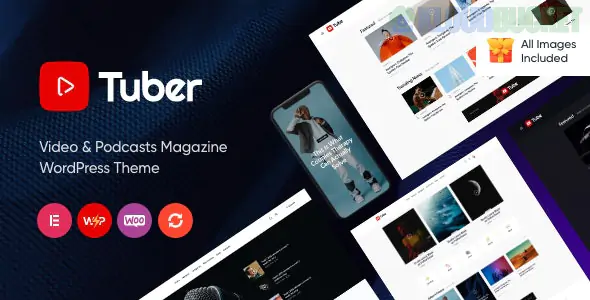
Tuber, developed by ProgressionStudios, is a high-performance WordPress theme designed specifically for content creators who balance multiple platforms, such as YouTube, Twitch, and Spotify. It acts as a centralized hub for your digital presence, allowing you to showcase video series and podcast episodes in a unified, professional interface.
Built for Elementor: The theme is deeply integrated with Elementor, providing custom widgets specifically for video players, episode lists, and "latest release" sliders.
Video Hosting Versatility: Supports self-hosted videos, as well as seamless embedding from YouTube, Vimeo, and Twitch. It includes a "Cinema Mode" for a distraction-free viewing experience.
Podcast Integration: Features a built-in audio player that supports self-hosted files or external links (like Libsyn or Anchor/Spotify for Podcasters).
Dark & Light Modes: Tuber comes with pre-configured Dark and Light skins, allowing you to match the aesthetic of popular streaming platforms.
Review & Rating System: Perfect for "Tech Tubers" or critics; it includes a built-in system to rate products or episodes with custom criteria.
Automated Video Thumbnails: Can automatically pull thumbnails from YouTube or Vimeo to save you time during the posting process.
Feature
Details
Builder
Elementor (Fully compatible with Free & Pro).
Plugins Bundled
Boosted Elements (adds extra functionality to Elementor).
Responsiveness
Mobile-first; features a "Mobile App" style navigation for smaller screens.
SEO
Schema.org markup included for video rich snippets in Google search results.
Support
Includes detailed video documentation for every feature.
The "Omnichannel" Advantage: Most themes focus either on video or audio. Tuber is unique because it treats both with equal importance, making it the best choice for creators who turn their YouTube videos into podcast episodes.
Subscription & Social Growth: The theme features dedicated "Subscribe" sections for various platforms (Patreon, YouTube, Apple Podcasts) to help convert site traffic into platform followers.
Installation: Upload the tuber.zip file via Appearance > Themes.
Required Plugins: Ensure you install the Progression Elements and Boosted Elements plugins to unlock the custom video/audio widgets.
Demo Content: Use the built-in importer to get the "Video Blog" or "Podcast Gallery" layout instantly.
Post Types: Use the "Video" post type for your vlogs to ensure the play button overlay and video schema are applied correctly.
Would you like me to find the specific settings to enable "Auto-Play" on your featured videos, or are you looking for a recommendation for a plugin to sync your YouTube channel posts automatically with Tuber?
Subscribe to access unlimited downloads of themes, videos, graphics, plugins, and more premium assets for your creative needs.
.jpg) Help Us to Buy More New Theme/Plugin
Help Us to Buy More New Theme/Plugin
Published:
Jan 29, 2026 14:11 PM
Version:
v1.3
Category:
Developer:
ThemeforestLicense:
GPL v2 or LaterTags: