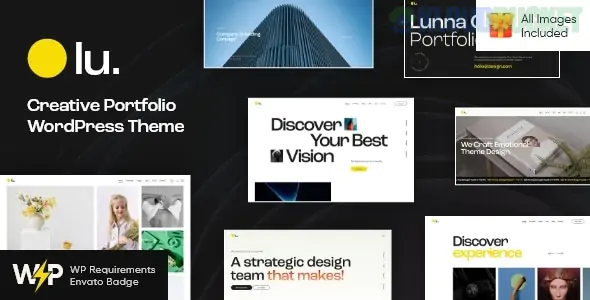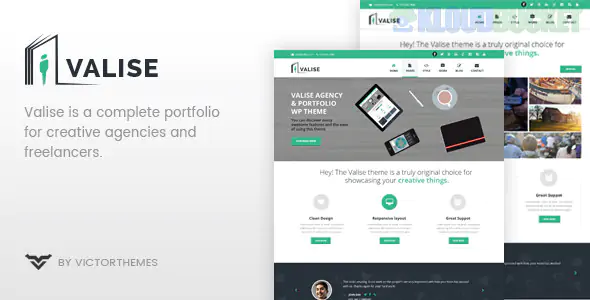
**Valise** is a high-end, contemporary **WordPress Theme** tailored for creative agencies, independent designers, photographers, and digital artists. It is characterized by its "Gallery-First" approach, utilizing bold layouts and sophisticated transitions to ensure that your work remains the central focus.
In **2026**, Valise is highly regarded for its **"Fluid Portfolio"** technology, which allows creative professionals to showcase high-resolution assets without compromising on site performance.
---
### 🎨 Key Portfolio Features
* **Multi-Style Galleries:** Includes Grid, Masonry, and Carousel layouts, all with adjustable "Gutter" (spacing) control to fit your specific aesthetic.
* **Project Case Studies:** Specialized templates that allow you to combine text, video, and imagery to explain the "Process" behind a final design.
* **Interactive Hover Effects:** Premium animations (like grayscale-to-color or zoom-on-hover) that give the site a high-budget, bespoke feel.
* **Client Proofing Galleries:** The ability to create password-protected pages where clients can review and approve work privately.
* **Filterable Categories:** Smooth, Ajax-powered filters that let visitors jump between "Branding," "Photography," and "UI/UX" without a page refresh.
---
### ✨ Design & Technical Highlights
* **Elementor & WPBakery Support:** While it features a strong native style, it is built to be "Builder-Agnostic," allowing you to use your preferred drag-and-drop tool.
* **Typography-Driven Design:** Features a selection of "Editor’s Choice" font pairings that lean toward bold sans-serifs and elegant serifs.
* **Adaptive Image Loading:** In 2026, Valise uses smart-cropping and adaptive delivery to serve the smallest possible image file size based on the visitor's screen resolution.
* **Dark & Light Mode Toggle:** Allows visitors to switch themes, which is particularly useful for showcasing how a design or photograph looks against different backgrounds.
---
### 📊 The Creative's Conversion Funnel
Valise is structured to move a visitor from "Impression" to "Inquiry" by building visual authority:
| Section | Content Strategy | Client Psychology |
| --- | --- | --- |
| **Hero Slider** | Your absolute best 3 projects. | "This person/agency has a distinct, high-quality style." |
| **Work Grid** | Diversified portfolio items. | "They have the range and experience to handle my project." |
| **The Process** | Behind-the-scenes or 'About' info. | "I like their thinking and can see myself working with them." |
| **Call to Action** | Simple, bold "Start a Project" button. | Low-friction path to getting a quote. |
---
### ⚙️ Implementation Checklist
To launch your portfolio with Valise, follow these steps:
1. **WordPress Hosting:** Use a host optimized for high-res imagery (Cloudways or WP Engine).
2. **Portfolio Organization:** Categorize your work *before* uploading to ensure the filtering system works correctly.
3. **Optimization Plugin:** Use a tool like **Imagify** or **ShortPixel** to ensure your high-res portfolio images don't slow down the site.
4. **Social Integration:** Link your Instagram or Behance feed to keep the "Fresh Work" section updated automatically.
---
### 💡 Pro Tip: The "Case Study" Advantage
In 2026, clients don't just buy a pretty picture; they buy a solution.
> **Recommendation:** Don't just post a single image of your work. Use Valise's **Case Study Template** to show "Before & After" or "Initial Sketches." Showing the *logic* behind your creative decisions is what allows you to charge premium prices compared to freelancers who only show the finished product.
**Would you like me to suggest a few "Project Category" structures that would help organize your specific type of work?**
Subscribe to access unlimited downloads of themes, videos, graphics, plugins, and more premium assets for your creative needs.
.jpg) Help Us to Buy More New Theme/Plugin
Help Us to Buy More New Theme/Plugin
Published:
Feb 09, 2026 16:39 PM
Version:
v3.2
Category:
Developer:
ThemeforestLicense:
GPL v2 or LaterTags: