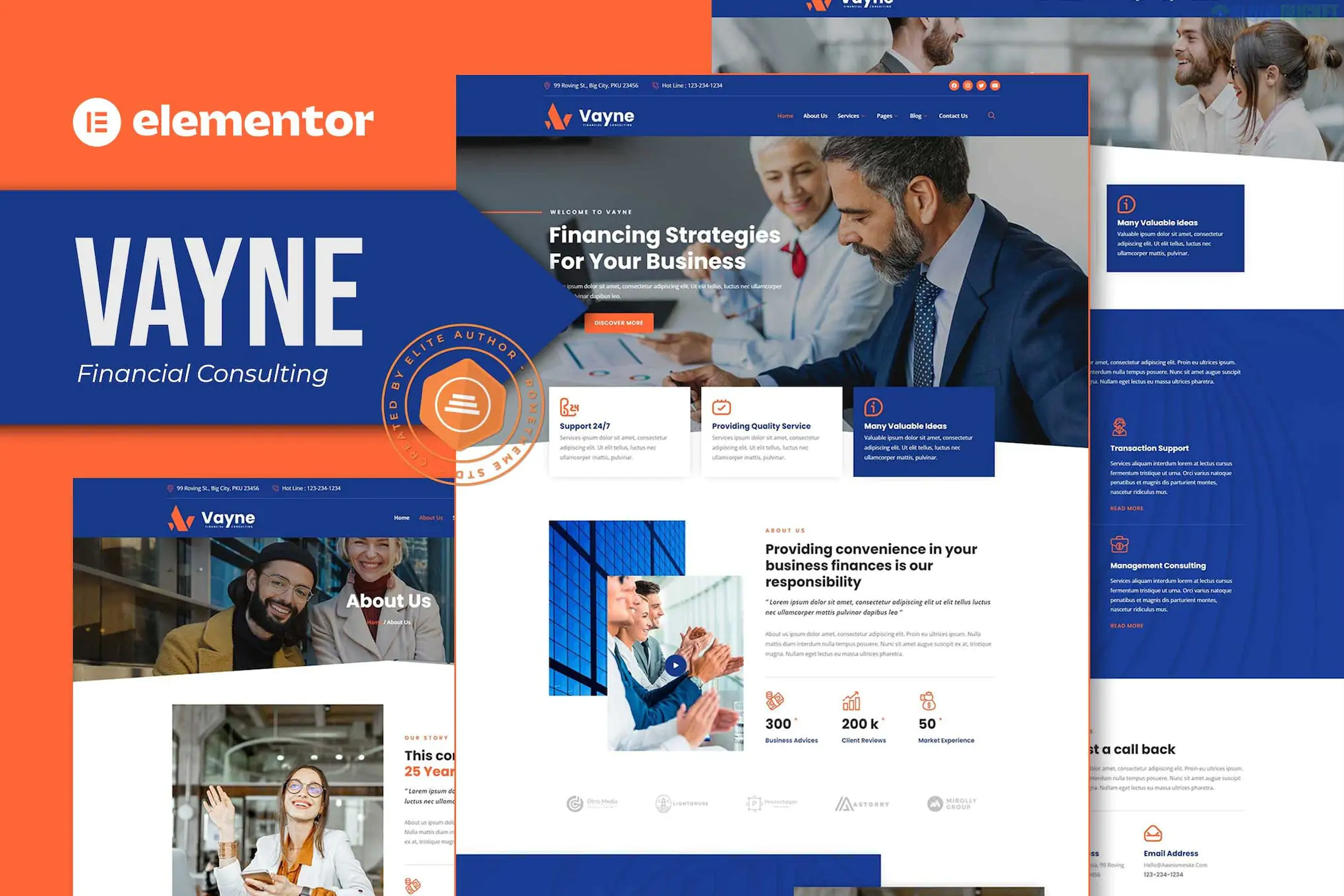
Vayne (developed by Rometheme) is a professional Elementor Template Kit tailored for financial advisors, investment consultants, and accounting firms. It features a clean, corporate aesthetic that balances blue and white tones to evoke a sense of stability and trust.
As a Template Kit, it is important to remember this is not a WordPress theme; it is a set of pre-designed page layouts that you import into the Elementor page builder.
The kit provides a complete site structure with specific attention to financial data and services:
Homepage: Professional hero section with trust indicators and service summaries.
About Us: Layouts for company mission and financial expertise.
Services & Service Detail: Dedicated pages to explain specific financial products or consulting tracks.
Project / Case Studies: A gallery-style layout to show successful client outcomes.
Team & Single Team: Professional bios for advisors and partners.
Pricing: Structured tables for different service tiers.
FAQ & Contact: Functional sections for addressing client concerns and generating leads.
Blog & Single Post: Clean typography for sharing market insights and news.
Vayne is designed to be "Pro-Free," meaning you don't need a paid Elementor Pro subscription. It uses free plugins to achieve high-end functionality:
Base Theme: Hello Elementor (recommended).
Required Plugins (Free):
Elementor: The core builder.
ElementsKit Lite: Used for the header, footer, and advanced navigation widgets.
MetForm: Handles the customized financial inquiry and contact forms.
Flexbox Container: Ensure this is active in Elementor > Settings > Features before importing, as Rometheme kits rely on the modern container system.
Import Steps: * Install the Envato Elements plugin.
Upload the kit ZIP file via Elements > Installed Kits.
Critical: Click "Import Global Kit Styles" first to apply the corporate color palette and typography site-wide.
Form Setup: When you import the contact page, the form may appear empty. Click on the MetForm widget, select "Edit Form," and "Insert" the specific Vayne Metform template that was included in the kit import.
Trust-Focused Aesthetic: Uses a classic corporate color scheme (Navy/White) and clear typography (typically sans-serif).
Data Presentation: Includes pre-designed blocks for statistics and service metrics.
Fully Responsive: Specifically optimized to look authoritative on mobile devices, which is where many clients first discover financial services.
Would you like me to help you draft some "Financial Services" descriptions for your new pages, or are you looking for tips on how to swap out the demo charts with your own data?
Subscribe to access unlimited downloads of themes, videos, graphics, plugins, and more premium assets for your creative needs.
.jpg) Help Us to Buy More New Theme/Plugin
Help Us to Buy More New Theme/Plugin
Published:
Jan 30, 2026 13:59 PM
Category:
Author:
OtherLicense:
GPL v2 or Later