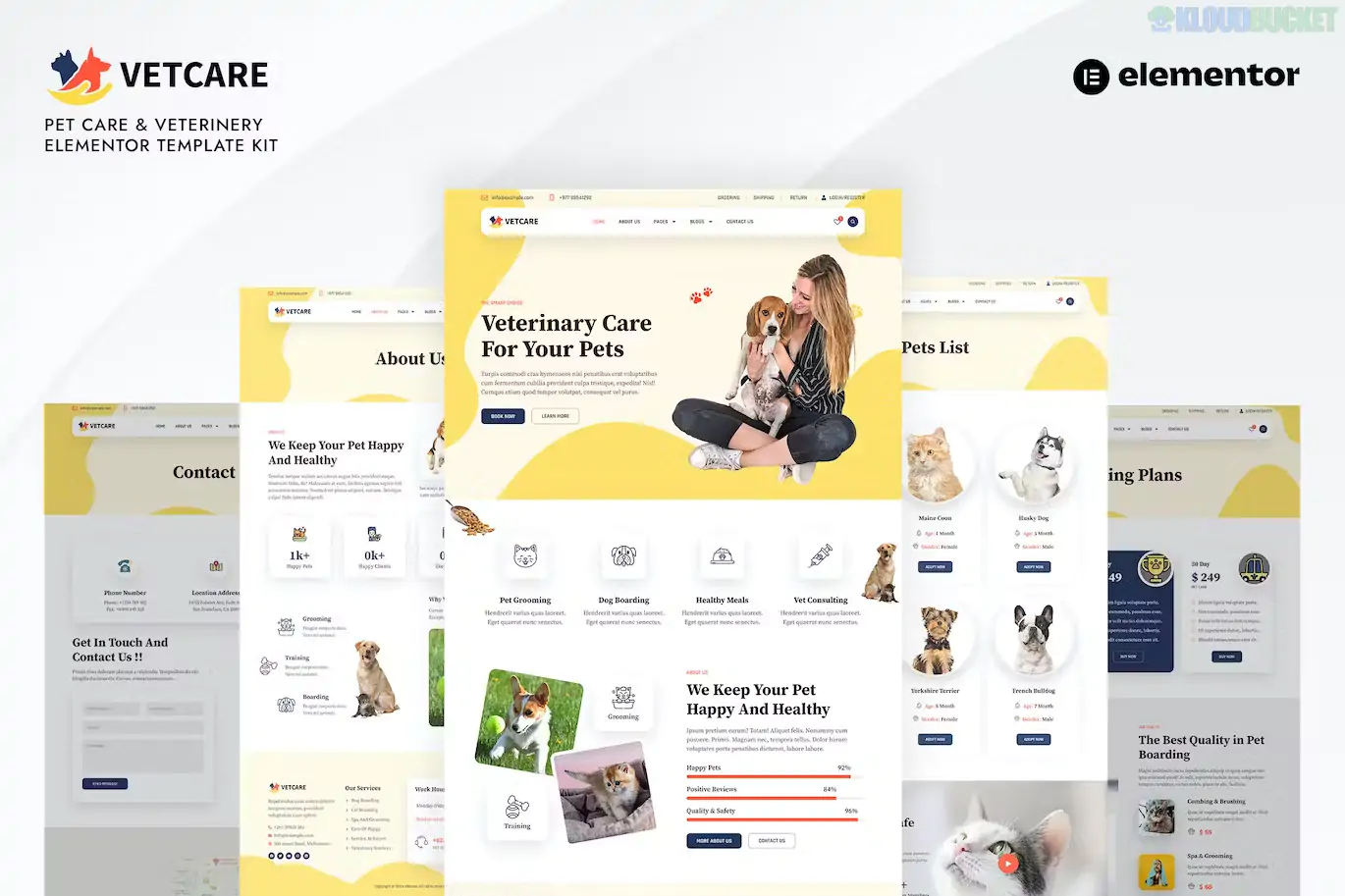
Vetcare is a comprehensive Elementor Pro Template Kit specifically designed for veterinary clinics, pet hospitals, grooming centers, and animal shelters.1 Developed by bosathemes, it combines a friendly, approachable design with professional-grade business layouts.2
As of late 2025, Vetcare is highly rated for its "Full Site" approach, including shop-ready templates and career pages that go beyond a simple landing page.3
20+ Professional Templates: One of the most extensive kits in the niche, featuring:4
Pet Profiles: Specialized layouts to list animals available for adoption or registered patients.
Service Details: Deep-dive pages for vaccinations, surgery, dental care, and grooming.
E-commerce Ready: Includes templates for Shop/Products, Cart, and Checkout, making it easy to sell pet food or accessories via WooCommerce.5
Career & Team: Sections to list open job positions and detailed profiles for your veterinary staff.
Elementor Pro Integration: Utilizes the Theme Builder to manage global headers, footers, 404 pages, and search results dynamically.6
Modern & Trustworthy Aesthetic: Uses a clean, high-contrast color palette with soft UI elements that appeal to pet owners while maintaining a medical/professional standard.7
Global Kit Styles: Allows you to sync your clinic's brand colors and typography across all 20+ templates instantly.
Performance Optimized: Built for speed, ensuring that mobile users (who make up the majority of emergency vet searches) can load the site in under 2 seconds.
Feature
Details
Developer
bosathemes
Type
Elementor Pro Template Kit
Required Foundation
Hello Elementor (Free)
Required Plugins
Elementor Free, Elementor Pro, ElementsKit Lite
WooCommerce
Fully supported (with shop-specific templates)
Latest Status
v1.0.3 (Maintained for WP 6.7+ & PHP 8.3)
Because Vetcare is a large kit, the import process should be handled carefully to avoid layout conflicts:
Preparation: Set your WordPress permalinks to "Post Name" and activate the Hello Elementor theme.8
Plugin Check: Ensure Elementor Pro is active and connected, along with ElementsKit Lite and WooCommerce.
Global Import: Go to Elements > Installed Kits and import the Global Kit Styles first.9 This ensures your fonts and colors are consistent before the pages arrive.10
Sequential Import: Import the Homepage first, followed by specialized pages like "Pet List" or "Career Detail."
Static Page Setup: Set your imported Homepage as the "Static Front Page" in Settings > Reading.11
Veterinary Hospitals: Showcasing high-tech medical facilities and 24/7 emergency services.12
Pet Grooming Salons: Using the "Pricing" and "Service Detail" templates to list different grooming packages.
Animal Shelters & Rescues: Leveraging the "Pet Profiles" and "Career" pages to manage adoptions and volunteer recruitment.
Pet Supply Stores: Utilizing the built-in WooCommerce shop templates to sell physical pet products.13
Pro Tip: In 2026, Online Appointment Booking is a standard expectation. While Vetcare provides the design for an "Appointment" page, you should pair it with a plugin like Amelia or Bookly. You can easily embed the booking shortcode into Vetcare’s pre-designed appointment section for a seamless client experience.
Would you like me to find a comparison between Vetcare and Purrfecta to see which one has a more intuitive "Pet Profile" management system?
How to Upload & Install Elementor Template Kits
This video is a critical resource for anyone using high-detail kits like Vetcare, as it demonstrates the exact steps to import global styles and templates without breaking the design.
Subscribe to access unlimited downloads of themes, videos, graphics, plugins, and more premium assets for your creative needs.
.jpg) Help Us to Buy More New Theme/Plugin
Help Us to Buy More New Theme/Plugin
Published:
Dec 17, 2025 16:12 PM
Category:
Author:
OtherLicense:
GPL v2 or Later