Vidopticon is a powerful, automated Video Search Engine plugin for WordPress that allows you to transform your website into a comprehensive video portal (similar to a niche version of YouTube or a video aggregation site).
Unlike a simple video player, Vidopticon acts as an aggregator, pulling content from various video-sharing platforms and creating a searchable database on your own domain.
Automated Content Import: Automatically fetches videos from platforms like YouTube, Vimeo, and Dailymotion based on keywords, channels, or specific playlists.
On-Demand Search: Allows users to search for videos directly on your site; if the video isn't in your database yet, the plugin can fetch and display it in real-time.
Auto-Post Generation: It can automatically create WordPress posts for every video it finds, including titles, descriptions, tags, and thumbnails.
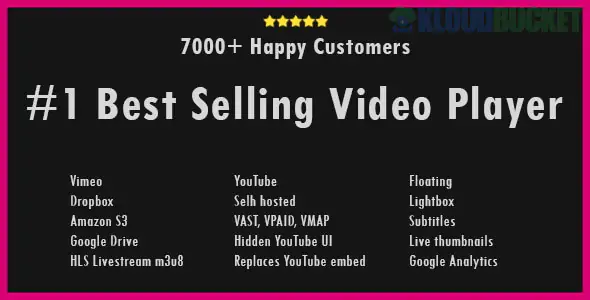
Video Player Integration: Supports various players and can often handle "self-hosted" video links alongside external ones.
Keyword-Based Filters: Fine-tune what videos are imported to ensure your search engine stays niche-specific (e.g., only "Cooking" or "Tech Reviews").
Monetization Ready: Since each video becomes a post, you can easily place ads (AdSense, banners) around the video player to generate revenue.
Bulk Import: Import hundreds of videos at once to populate a new site quickly.
SEO Optimized: Automatically fills in metadata from the source video to help your site rank in search engines.
Niche Video Portals: Creating a site dedicated to a specific hobby (e.g., a "Yoga Video Finder").
Affiliate Marketing: Curating product reviews and placing your affiliate links below the imported videos.
Content Curation: Building a "best of" gallery for your industry to keep users on your site longer.
Internal Video Libraries: Organizing company training videos from private YouTube/Vimeo channels into a searchable internal dashboard.
API Keys: To pull data from external platforms, you will need to generate free API keys (like a YouTube Data API v3 key) and enter them into the plugin settings.
Cron Jobs: To keep the search engine updated automatically, the plugin relies on WordPress Cron (or System Cron) to check for new videos periodically.
Storage: Since the videos are hosted on external platforms (YouTube/Vimeo), you don't need a massive server; your site only stores the "metadata" (text and thumbnails).
Pro Tip: When setting up Vidopticon, use the "Video Schema" settings if available. This helps Google understand that your pages contain video content, which can result in "Video Rich Snippets" (thumbnails) appearing in search results.
Feature
Manual Embedding
Vidopticon Plugin
Effort
High (one-by-one)
Low (Automated)
Updates
Manual
Automatic via Keywords
Searchability
Limited to your posts
Global search across platforms
Volume
Small scale
Thousands of videos
Would you like me to help you find the steps to generate a YouTube API key for this plugin, or are you looking for tips on how to monetize a video search engine site?
Subscribe to access unlimited downloads of themes, videos, graphics, plugins, and more premium assets for your creative needs.
.jpg) Help Us to Buy More New Theme/Plugin
Help Us to Buy More New Theme/Plugin
Published:
Dec 30, 2025 17:27 PM
Version:
v1.0.4
Category:
Author:
OtherLicense:
GPL v2 or Later