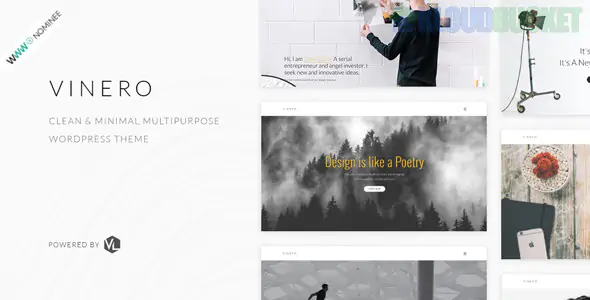
Vinero is a premium, ultra-minimalist WordPress theme designed specifically for creative agencies, photographers, and digital artists. It is widely regarded as one of the best themes for users who want their work to "speak for itself" without the distraction of heavy UI elements or cluttered layouts.
Vinero’s design philosophy is rooted in "Negative Space" and high-end typography:
Diverse Portfolio Grids: Offers multiple grid styles, including standard, masonry, and "metro" (asymmetrical) layouts.
Smooth Page Transitions: Features "fade" and "slide" animations between pages to maintain a seamless, high-end gallery feel.
ACF (Advanced Custom Fields) Integration: Highly customizable project pages that allow you to add technical details, client names, and project dates in a structured format.
Minimalist WooCommerce: For creatives selling prints or digital assets, Vinero offers a stripped-down shop experience that focuses on the product image.
Fully Responsive & Retina Ready: Specifically optimized to ensure that high-resolution creative work looks crisp on Apple's Pro Display XDR and mobile devices.
Because Vinero is so minimalist, the technical "heavy lifting" of image management should be handled by a dedicated plugin. Envira Gallery adds professional functionality while maintaining Vinero's clean aesthetic.
Vinero is famous for its "Metro" look. You can use Envira’s Masonry Addon to replicate this.
The Setup: Mix vertical and horizontal images. Envira will automatically calculate the pixel-perfect spacing, ensuring your portfolio has that "curated magazine" look without you needing to manually resize every image.
Vinero’s default lightbox is functional, but for a pro-level site, you need more control.
Feature: Use Envira’s Lightbox Themes. The "Base" theme with a white or light-grey background perfectly matches Vinero’s "Scandi" minimalism.
The Pro Tip: Enable the Fullscreen Addon so that when a visitor clicks a piece of art, it covers 100% of their screen, removing all browser distractions.
If you use Vinero as a photography portfolio, the Proofing Addon is a game-changer.
The Workflow: You can create a hidden gallery for a client. They can look through the high-res images on your beautiful Vinero site and "star" the ones they want to purchase or have edited. This turns your portfolio into a functional business tool.
Vinero uses clean typography. You can use Envira’s Caption Settings to ensure that text only appears when a user hovers over an image.
The Vibe: This keeps the initial page view 100% visual, only revealing the project title or "Click to View" when the user interacts with the image.
Match the Gutter Spacing: Vinero often uses very specific margins (like 30px or 50px) between elements. In Envira Gallery > Config, set your "Gutter" to match the theme's spacing exactly for a native feel.
Enable Lazy Loading: Creatives often have large, uncompressed files. Use Envira’s Lazy Loading to ensure the page scrolls smoothly without "hiccups" while the browser fetches the next set of images.
Social Sharing for Visibility: Enable the Social Sharing Addon. Since Vinero is a high-visibility theme, allowing users to "Pin" your work to Pinterest is the fastest way to gain new clients in the creative industry.
Feature
Vinero Default
Envira Gallery
Grid Logic
Fixed
Dynamic & Fluid (Masonry/Justified)
UX Performance
Standard
Lazy Loading & Hardware Acceleration
Security
None
Watermarking & Right-Click Disable
Client Interaction
View Only
Integrated Proofing & Starring
Would you like me to help you set up an Envira "Metro" gallery that mimics the award-winning layout of the Vinero creative demo?
Subscribe to access unlimited downloads of themes, videos, graphics, plugins, and more premium assets for your creative needs.
.jpg) Help Us to Buy More New Theme/Plugin
Help Us to Buy More New Theme/Plugin
Published:
Dec 29, 2025 12:30 PM
Version:
v2.2.1
Category:
Developer:
ThemeforestLicense:
GPL v2 or Later