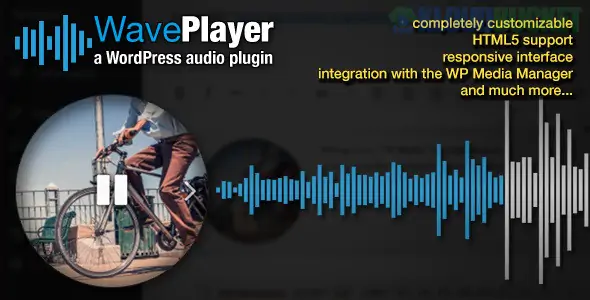
**WavePlayer** is a high-performance, responsive HTML5 audio player for WordPress that stands out for its sleek, real-time **waveform visualization**. Unlike standard audio players that only show a progress bar, WavePlayer generates a visual wave of the audio file, providing a modern and interactive experience for listeners.
It is particularly popular among musicians, podcasters, and digital store owners who want a "SoundCloud-style" aesthetic on their own self-hosted website.
---
### ## 1. Key Features
* **Waveform Generation:** Automatically creates a visual representation of your audio files. You can customize the wave's color, height, and "bar" style.
* **WooCommerce Integration:** Specifically built to help you sell audio. It can automatically replace the product image with a player or add a "Preview" player to your shop and product pages.
* **Elementor & Gutenberg Ready:** Includes a native Elementor widget and Gutenberg block, making it easy to drag and drop into your layouts without complex shortcodes.
* **Responsive Skins:** Comes with several built-in skins (Small, Medium, Large, etc.) that adapt to the container size, ensuring it looks great on mobile.
* **Dark Mode Support:** Automatically detects the user’s system settings or your theme’s mode to switch between light and dark versions.
---
### ## 2. How to Use with Elementor
WavePlayer makes it very simple to add audio to your custom designs:
1. **Drag and Drop:** Search for the "WavePlayer" widget in the Elementor side panel.
2. **Select Audio:** You can choose files directly from your WordPress Media Library.
3. **Styling:** In the "Content" and "Style" tabs of the widget, you can:
* Change the **Wave Mode** (e.g., solid wave or bars).
* Adjust the **Color Palette** (Primary, Secondary, and Background colors).
* Enable/Disable buttons like **Shuffle**, **Repeat**, or **Download**.
---
### ## 3. Comparison with Other Players
| Feature | WavePlayer | Sonaar MP3 | Compact WP Player |
| --- | --- | --- | --- |
| **Visuals** | Real-time Waveform | Waveform / List | Minimal Button |
| **WooCommerce** | Deep Integration | Strong Integration | Basic Support |
| **Customization** | Very High | High | Low |
| **Performance** | Lightweight | Medium | Ultra-Lightweight |
---
### ## 4. Important Security Note (2025)
If you are using WavePlayer in late 2025, ensure you are running **Version 3.7.1 or higher**. A critical vulnerability (**CVE-2025-12057**) was identified in older versions (3.7.0 and below) regarding unauthenticated file uploads. Always keep the plugin updated to protect your server.
### ### Implementation Tip: Selling Music
If you use WavePlayer with WooCommerce, use the **"Preview File"** option in the Product Data settings. This allows you to host a short, low-quality clip for public listening while keeping the full-quality "Purchasable" file secure and hidden until after the customer pays.
[Installing Waveform Audio Player for WordPress](https://www.youtube.com/watch?v=lEdGDhwUHlA)
This video demonstrates how to import and set up an audio player kit, which is the exact process you'll follow for the WavePlayer plugin.
**Would you like me to show you how to customize the CSS of the waveform to match a specific brand hex color?**
Subscribe to access unlimited downloads of themes, videos, graphics, plugins, and more premium assets for your creative needs.
.jpg) Help Us to Buy More New Theme/Plugin
Help Us to Buy More New Theme/Plugin
Published:
Dec 28, 2025 17:32 PM
Version:
v3.6.4
Category:
Author:
OtherLicense:
GPL v2 or LaterTags: