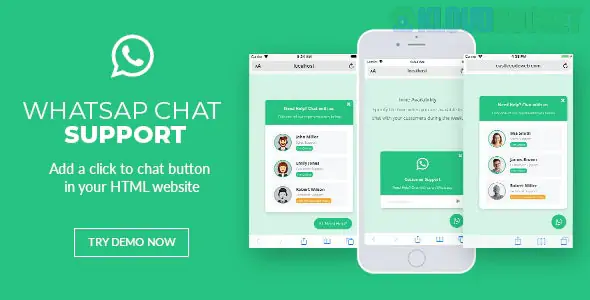
While the other items we discussed were WordPress Template Kits, a WhatsApp Chat Support jQuery Plugin is a functional tool used to add a floating chat button to any website (not just WordPress).
If you are using it with the kits we talked about (like Carper or Darmali), it’s an excellent way to capture leads because it skips the "contact form" hurdle and lets clients message you directly on their phones.
Most premium jQuery WhatsApp plugins (like the popular one by castleplugins or rafaelbotazini) offer:
Multi-Agent Support: You can list multiple people (e.g., "Sales," "Technical Support," "Emergency Repairs").
Availability Schedules: You can set "Office Hours." If it’s 2 AM, the button can hide itself or show an "Offline" message.
Pre-filled Messages: When a user clicks, their WhatsApp automatically types: "Hi, I'm interested in a quote for [Page Title]..."
Custom Styling: You can change the bubble color (usually WhatsApp green), the icon, and the "typing" animation.
If you aren't using a WordPress plugin version and want to manual-code it into your site, here is the standard process:
You need to link the jQuery library along with the plugin's CSS and JS files in your <head> or before the closing </body> tag.
HTML
<link rel="stylesheet" href="whatsapp-chat.css"> <script src="jquery.min.js"></script> <script src="whatsapp-chat.js"></script>
Place a simple div where you want the button to live (usually at the bottom of the body).
HTML
<div id="WAButton"></div>
Tell the plugin your phone number and your custom settings:
JavaScript
$(function () { $('#WAButton').floatingWhatsApp({ phone: '1234567890', // Your WhatsApp number headerTitle: 'Chat with us on WhatsApp!', popupMessage: 'Hello, how can we help you?', showPopup: true, buttonImage: '<img src="whatsapp.svg" />', headerColor: '#128C7E', // WhatsApp dark green backgroundColor: '#25D366', // WhatsApp light green position: "right" }); });
Speed: jQuery plugins are often much "lighter" than heavy WordPress plugins, meaning your site stays fast.
Portability: If you ever move your site away from WordPress to a different platform, you can take your custom-coded chat button with you.
Total Control: You aren't limited by a plugin's dashboard settings; you can tweak the code directly to match your branding perfectly.
Ensure the plugin you choose supports the WhatsApp Business API links. Modern plugins should use https://wa.me/number instead of the older api.whatsapp.com links to ensure they open seamlessly on both Desktop (WhatsApp Web) and Mobile apps.
Would you like me to help you configure the "Availability Schedule" code for your business hours, or are you looking for the specific WordPress version of this plugin?
Subscribe to access unlimited downloads of themes, videos, graphics, plugins, and more premium assets for your creative needs.
.jpg) Help Us to Buy More New Theme/Plugin
Help Us to Buy More New Theme/Plugin
Published:
Feb 02, 2026 10:02 AM
Version:
v1.1
Category:
Author:
OtherLicense:
GPL v2 or LaterTags: