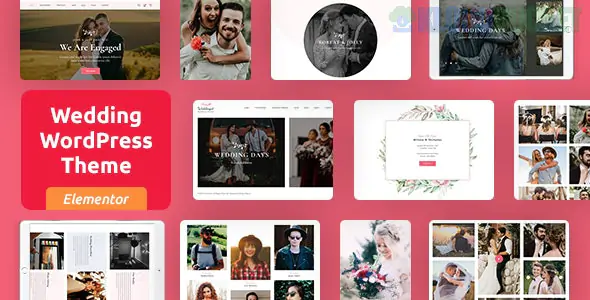
Weddingat is a romantic, elegant, and highly functional WordPress theme designed specifically for wedding planners, event coordinators, and couples looking to create a beautiful personal wedding website.
Built on the Elementor Page Builder, it combines high-end aesthetic appeal with practical features like RSVP management and event timelines, ensuring that your big day—or your client's business—is presented perfectly.
RSVP Form Integration: A built-in, stylized form that allows guests to confirm their attendance, select meal preferences, and leave notes for the couple directly from the site.
Countdown Timer: High-impact animated timers to build excitement as the wedding date approaches.
Guestbook & Photo Gallery: Dedicated sections for friends and family to leave digital messages and for you to showcase engagement or ceremony photos in high-resolution masonry grids.
Bridesmaids & Groomsmen Sections: Creative layouts to introduce the wedding party with photos and short bios.
Event Timeline: A vertical or horizontal "Our Story" or "Wedding Schedule" roadmap to help guests keep track of the day's events (Ceremony, Cocktail Hour, Reception).
Gift Registry: Integrated sections to link directly to registries at major retailers or provide bank details for a "Honeyfund."
Elementor Powered: All page designs are drag-and-drop. You can easily change floral motifs, colors, and fonts to match the specific wedding palette.
One-Click Demo Import: Get the "dream wedding" look in minutes by importing the pre-made demos.
Mobile Optimized: Since most guests will check the site for directions or times on their phones, Weddingat is fully responsive and loads quickly on mobile data.
Google Maps Integration: Easily pin the location of the ceremony and reception so guests can get one-touch directions.
To ensure your guests have a seamless experience, Weddingat is designed to follow this informational flow:
The Announcement (Hero): A stunning photo of the couple with the date and "Save the Date" call-to-action.
Our Story: A romantic section detailing the proposal or how the couple met.
The Details: Clear information on the venue, dress code, and local hotel recommendations.
The Action (RSVP): A clear, easy-to-use form to collect guest data.
Use High-Quality Photography: Since wedding themes are visually driven, ensure your photos are professionally shot. Use a plugin like ShortPixel to compress them so the site remains fast.
Password Protection: If you are building a personal wedding site, you may want to use a "Private Page" or "Password Protection" plugin to ensure only invited guests can see the venue details and registry.
Typography Matters: Weddingat supports Google Fonts. For a classic look, pair a Serif font (like Playfair Display) for headings with a Sans-Serif font (like Montserrat) for body text.
Lottie Animations: Use subtle "floral" or "heart" Lottie animations to add a touch of movement to your section transitions.
Are you building this for a professional wedding planning business or as a personal "Save the Date" site for your own wedding? I can help you customize your RSVP fields or show you how to integrate a live Instagram feed for your wedding hashtag!
Subscribe to access unlimited downloads of themes, videos, graphics, plugins, and more premium assets for your creative needs.
.jpg) Help Us to Buy More New Theme/Plugin
Help Us to Buy More New Theme/Plugin
Published:
Dec 25, 2025 11:41 AM
Version:
v1.2
Category:
Developer:
ThemeforestLicense:
GPL v2 or LaterTags: