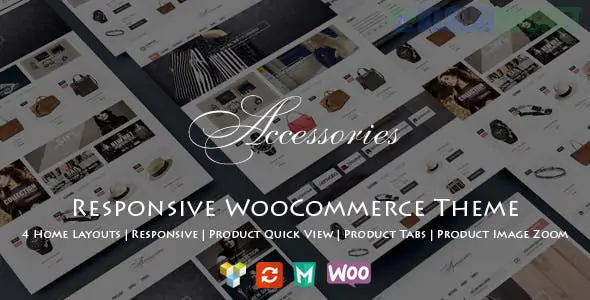
WooAccessories is a clean and feature-rich responsive WooCommerce WordPress theme designed primarily for accessory stores, gadget shops, jewelry boutiques, and niche electronics retailers.
It is built to provide a high-conversion shopping experience with a focus on product discoverability and mobile usability.
Niche-Specific Design: Optimized layouts for small-to-medium inventory stores where high-quality product imagery and "accessory" details are prioritized.
Product Quick View: Allows customers to see product details and add items to their cart without leaving the current archive or category page.
Ajax Search & Filtering: Features live search results as users type and dynamic sidebar filters (price, color, size) that refresh without reloading the page.
Wishlist & Compare: Built-in functionality for users to save products for later or compare technical specs across multiple items.
Mega Menu Support: Easily organize large categories of accessories (e.g., "iPhone Cases," "Charging Cables," "Screen Protectors") into a structured, visual dropdown.
100% Responsive & Mobile-First: The theme uses a fluid grid system (usually Bootstrap-based) ensuring that the shopping cart and checkout process are seamless on smartphones.
Elementor Integration: Most modern versions of the theme are built for Elementor, allowing you to customize the homepage and shop headers via a drag-and-drop interface.
Retina Ready: High-definition icon fonts and sharp image rendering for modern 4K and mobile displays.
One-Click Demo Import: Start with the "Accessories Store" demo content to save hours on initial design and configuration.
To run WooAccessories effectively in 2026, your server should meet these recommended specs:
WordPress: 6.5+
PHP: 8.0 or higher (for optimal security and speed).
Memory Limit: 256MB or higher (especially if using Elementor).
Core Plugins: * WooCommerce: The engine for all shop functionality.
Contact Form 7: For customer inquiries.
MailChimp for WP: For newsletter signups and marketing.
Since this theme is tailored for accessories, take advantage of the "Linked Products" feature in WooCommerce.
Go to a main product (e.g., a Camera).
Navigate to the Linked Products tab.
Add related items to the Cross-sells section.
WooAccessories is styled to display these prominently in the cart, encouraging customers to add a "lens cap" or "bag" just before they check out.
Would you like me to help you find the best "Product Filter" settings to make your accessories easier to browse by category?
Subscribe to access unlimited downloads of themes, videos, graphics, plugins, and more premium assets for your creative needs.
.jpg) Help Us to Buy More New Theme/Plugin
Help Us to Buy More New Theme/Plugin
Published:
Jan 27, 2026 14:29 PM
Category:
Developer:
ThemeforestLicense:
GPL v2 or Later