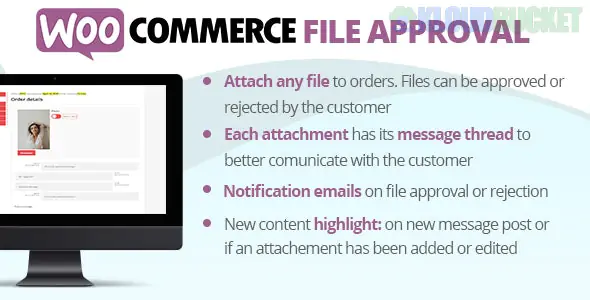
In WooCommerce, File Approval refers to a workflow where a customer uploads a file (artwork, legal documents, or design assets) during or after the ordering process, and the store admin must review and "Approve" or "Reject" it before the order proceeds.
This is common for print-on-demand stores, B2B wholesale portals, or medical sites requiring prescriptions.
A standard file approval system generally follows these four steps:
Customer Upload: The user attaches a file on the Product Page, Cart, or Checkout (e.g., a logo for a custom t-shirt).
Admin Notification: The store owner receives an email and sees the file attached to the order in the WordPress dashboard.
The Review: The admin opens the file to check for quality, dimensions, or validity.
Approval/Rejection:
Approve: The order status moves forward (e.g., to "Processing"), and the customer is notified.
Reject: The customer is notified via email to upload a new version, often with a reason provided by the admin.
This is the most specialized "workflow" plugin. It doesn't just take an upload; it creates a feedback loop.
Best For: Graphic designers or print shops.
Feature: You can upload a "proof" (revision) to the customer’s account. The customer then logs in to approve your design or request changes.
A very popular, stable option that integrates deeply with the WooCommerce account area.
Best For: General file collection.
Feature: Allows you to accept/reject files directly from the order edit screen. It sends automated emails when you change the file status.
A robust rule-based plugin.
Best For: Stores needing specific rules (e.g., only allow PDF for Product A, but JPEG for Product B).
Feature: Includes an "Approve/Disapprove" button in the backend and supports file size/type restrictions to prevent junk uploads.
Feature
YITH Uploads
Plugin Republic (Review & Approve)
KoalaApps Upload Files
Upload Location
Product, Cart, Checkout
Product Page
Product, Cart, Checkout
Approval System
Yes (Admin side)
Yes (Two-way interaction)
Yes (Admin side)
Email Alerts
Yes
Yes
Yes
Price (approx.)
$59/year
$59/year
$49/year
If you don't want to buy a plugin yet, you can create a "File Approval" system using Custom Order Statuses:
Use a free file upload plugin (like File Uploads Addon for WooCommerce).
Add a custom status called "Awaiting File Approval" using a plugin like Custom Order Status for WooCommerce.
Manually move orders to this status after the customer buys. Once you check the file, move it to "Processing".
Would you like me to help you set up a custom order status, or are you looking for a specific plugin recommendation for a certain type of file?
Subscribe to access unlimited downloads of themes, videos, graphics, plugins, and more premium assets for your creative needs.
.jpg) Help Us to Buy More New Theme/Plugin
Help Us to Buy More New Theme/Plugin
Published:
Dec 27, 2025 15:46 PM
Version:
v9.8
Category:
Author:
OtherLicense:
GPL v2 or LaterTags: