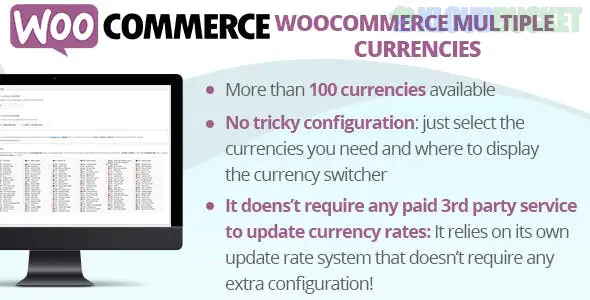
WooCommerce Multi Currency (often referred to by its plugin slug CURCY) is one of the most popular and highly-rated currency switcher plugins available on CodeCanyon. Developed by VillaTheme, it allows you to display prices and accept payments in various currencies, providing a localized shopping experience for global customers.
There is a free version on WordPress.org, but the Pro version on CodeCanyon unlocks essential features like unlimited currencies and automated checkout control.
Unlimited Currencies: Add as many currencies as your business requires (the free version is limited to two).
Auto-Detect Geolocation: Uses the customer's IP address to automatically display prices in their local currency the moment they land on your site.
Multi-Currency Checkout: Allow customers to pay in their selected currency rather than just viewing it.
Note: Your payment gateway (like Stripe or PayPal) must support the currency for this to work.
Automatic Exchange Rates: Automatically syncs with financial APIs (Google Finance, Yahoo Finance, or VillaTheme) to keep your rates updated every hour, day, or week.
Fixed Price per Product: Instead of relying on a conversion rate, you can manually set a specific price for a product in different currencies (e.g., $\$19.99$ for the US and $€18.50$ for Europe).
Price "Charming" (Rounding): Create rules to make converted prices look professional (e.g., $9.87 \rightarrow 9.99$).
The plugin is known for its highly customizable front-end "Currency Bar" and widgets:
Currency Bar: A floating bar on the left or right side of the screen that allows users to switch currencies instantly.
Switcher Styles: Choose from 5+ styles, including flags, currency codes, or symbols.
Shortcode Support: Use [woo_multi_currency] to place a switcher anywhere in your header, footer, or sidebar.
Conditional Tags: Choose specifically which pages the currency switcher should appear on.
WooCommerce: 4.x or higher (compatible with the latest WooCommerce 9.x/10.x versions).
PHP Version: $7.4$ or higher is recommended.
SSL (HTTPS): Required if you are processing payments in multiple currencies.
Session/Cookie Support: The plugin can use PHP Sessions instead of Cookies to remember the user's currency choice, which is better for caching compatibility.
Install & Activate: Upload the woo-multi-currency.zip file via Plugins > Add New.
General Settings: Go to Multi Currency > General.
Toggle "Enable" to On.
Select your Default Currency.
Add Currencies: Scroll to the "Currency Options" and click Add Currency.
Set the exchange rate manually or click Update Rate for an automatic fetch.
Add an "Exchange Fee" (e.g., 2%) if you want to cover your bank's conversion costs.
Checkout Settings: Go to the Checkout tab and enable "Multicurrency Payment" if you want to accept the actual currency at the bank level.
Location Settings: Go to the Location tab and enable "Auto Detect" to use GeoIP.
Design: Go to the Design tab to enable the floating Currency Bar and customize its colors to match your brand.
VillaTheme’s CURCY is favored because of its Bulk Fixed Price feature. If you have thousands of products, you can export a CSV, fill in the prices for each currency, and re-import them, which is much faster than editing products one by one. It also integrates perfectly with multilingual plugins like WPML and Polylang.
Would you like me to help you set up the "Price Format" rules for rounding your totals, or do you need help configuring specific payment gateways for each currency?
Subscribe to access unlimited downloads of themes, videos, graphics, plugins, and more premium assets for your creative needs.
.jpg) Help Us to Buy More New Theme/Plugin
Help Us to Buy More New Theme/Plugin
Published:
Dec 25, 2025 17:14 PM
Version:
v6.4
Category:
Author:
OtherLicense:
GPL v2 or Later