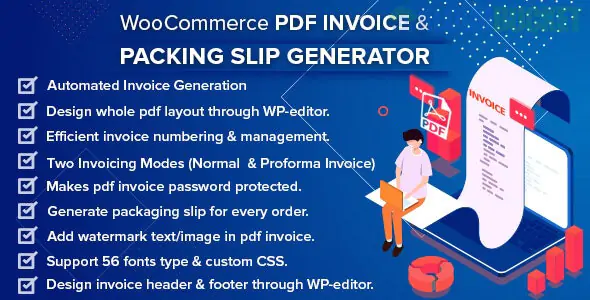
A WooCommerce PDF Invoice & Packing Slip Generator is a must-have extension for any professional online store. While WooCommerce handles orders, it does not natively generate the formal PDF documents required for accounting and physical shipping.
As of late 2025, there are several industry-standard plugins that handle this. Here is a breakdown of the top options and how they work.
Plugin
Best For
Key Edge
PDF Invoices & Packing Slips (by WP Overnight)
Reliability
The most popular choice. Extremely stable with a 2-minute setup wizard.
WebToffee PDF Invoices
Customization
Offers a visual drag-and-drop builder to design your invoice like a page.
Challan
Global Features
Excellent support for multilingual sites (WPML) and RTL languages (Arabic/Hebrew).
YITH PDF Invoices
Bulk Management
Best for high-volume stores needing cloud backups (Google Drive/Dropbox).
Automatic Email Attachment: Automatically attaches the PDF invoice to the "Completed Order" or "Processing" email sent to the customer.
Sequential Numbering: Allows you to set a custom invoice prefix (e.g., INV-2025-001) that is independent of the WooCommerce Order ID.
Bulk Actions: Select 50 orders at once and download all their packing slips as a single PDF for easy warehouse printing.
Legal Compliance: Fields for VAT, GST, and SSN are built-in to ensure your invoices meet tax requirements in the US, EU, and UK.
"Pay Now" Links: Premium versions can include a clickable link on the PDF that takes the customer directly back to your site to pay an unpaid invoice.
Installation: Search for "PDF Invoices & Packing Slips for WooCommerce" in your WordPress plugin dashboard.
Run the Wizard: Most plugins will trigger a setup wizard where you:
Upload your Company Logo.
Enter your Business Name and Address.
Select your Paper Size (A4 or Letter).
Choose Triggers: Decide which emails should have the PDF attached (usually "Completed Order").
Test: Go to an existing order in WooCommerce > Orders. On the right-hand side, you will now see buttons to "Download PDF Invoice" or "Download Packing Slip."
PDF Invoice: A financial document for the customer. Includes prices, tax breakdowns, payment methods, and your billing details.
Packing Slip: A logistics document for your warehouse. It excludes prices and focus on the list of items, quantities, and the shipping address to ensure the correct items are placed in the box.
Most of these plugins follow a "Freemium" model:
Free Version: Includes the "Simple" template, automatic emailing, and basic numbering.
Premium Version ($59 - $89/year): Unlocks Credit Notes (for refunds), Proforma Invoices, automatic cloud uploads, and advanced design tools.
Would you like me to help you find a specific CSS snippet to change the font or colors on your invoice, or do you need help setting up custom tax fields for your region?
Subscribe to access unlimited downloads of themes, videos, graphics, plugins, and more premium assets for your creative needs.
.jpg) Help Us to Buy More New Theme/Plugin
Help Us to Buy More New Theme/Plugin
Published:
Dec 27, 2025 16:13 PM
Version:
v2.5.0
Category:
Author:
OtherLicense:
GPL v2 or Later