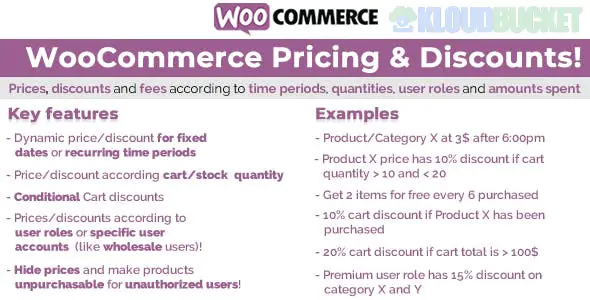
In 2026, WooCommerce Pricing & Discounts has evolved into a sophisticated field where store owners balance native functionality with AI-driven dynamic pricing. Whether you want to clear inventory with bulk deals or reward loyal VIPs, the setup typically falls into two categories: Native Coupons (Manual) and Dynamic Pricing (Automatic).
If you don't want to install extra plugins, WooCommerce includes a built-in system for basic discounts.
Activation: Go to WooCommerce > Settings > General and ensure "Enable the use of coupon codes" is checked.
Creation: Navigate to Marketing > Coupons > Add Coupon.
Discount Types:
Percentage Discount: (e.g., 20% off the whole cart).
Fixed Cart Discount: (e.g., $10 off the total).
Fixed Product Discount: (e.g., $5 off a specific t-shirt).
Restrictions: You can set a Minimum Spend (to increase Average Order Value) or Individual Use Only (to prevent coupon stacking).
Dynamic pricing is the "Set and Forget" method where prices change automatically based on specific rules without the customer needing a code. This requires a plugin like Disco, Flycart, or Advanced Dynamic Pricing.
Encourage customers to buy more by lowering the unit price as the quantity increases.
Example: Buy 1–5 items ($20 each), Buy 6–10 items ($18 each), Buy 11+ ($15 each).
Best For: Wholesale stores and consumable goods.
One of the highest-converting strategies in 2026.
Variations: "Buy 2 Get 1 Free" or "Buy a Laptop, Get a Case at 50% Off."
Offer different prices based on who is logged in.
Strategy: Create a "VIP" or "Wholesale" user role. When those users log in, the store automatically displays their exclusive discounted prices while guest users see the regular retail price.
Plugin
Best For
Standout Feature
Disco
All-in-One
Offers premium features (BOGO, Tiers) for free.
Flycart Discount Rules
Marketing Teams
Includes "You Saved" badges and strike-through pricing displays.
Wholesale Suite
B2B / Wholesale
Specialized in tiered tax handling and minimum order quantities.
Smart Coupons
Advanced Gifting
Allows customers to buy "Store Credit" or send Gift Cards to friends.
Strike-Through Pricing: Always show the original price crossed out next to the new price. Visualizing the "saving" triggers a faster purchase decision.
Dynamic Progress Bars: Use a "Spend $10 more to get 10% off" bar in the cart to reduce abandonment.
Urgency & Scarcity: Pair your discounts with a countdown timer (e.g., "Flash sale ends in 02:45:00").
Exclusion Rules: Ensure your most expensive "New Arrivals" are excluded from store-wide 50% off sales to protect your margins.
Pro Tip: In 2026, Cart Abandonment Discounts are key. If a customer leaves their cart, use an automation tool (like Omnisend or FunnelKit) to email them a unique, 24-hour expiring coupon code to bring them back.
Would you like me to help you set up a specific "Buy 2 Get 1 Free" rule using a particular plugin, or do you need the CSS to style your sale badges to make them pop?
Subscribe to access unlimited downloads of themes, videos, graphics, plugins, and more premium assets for your creative needs.
.jpg) Help Us to Buy More New Theme/Plugin
Help Us to Buy More New Theme/Plugin
Published:
Jan 05, 2026 18:46 PM
Version:
v15.3
Category:
Author:
OtherLicense:
GPL v2 or LaterTags: