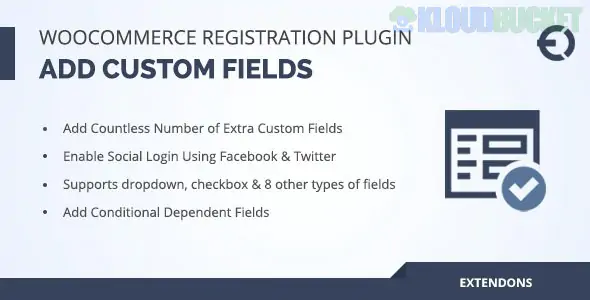
The WooCommerce Registration Fields plugin is a vital tool for store owners who need to collect more than just an email address during the signup process. While the standard WooCommerce registration is intentionally minimal, this plugin (and its popular variants from developers like Addify, Extendons, and Plugify) allows you to build a comprehensive "Know Your Customer" (KYC) onboarding flow.
By late 2025, these plugins have evolved to include advanced automation like manual user approvals and role-based registration forms.
17+ Custom Field Types: Add much more than text boxes. Support includes:
Advanced Pickers: Date, Time, and Color pickers.
Selection Tools: Multi-select boxes, Radio buttons, and Checkboxes.
File Uploads: Allow customers to upload IDs, tax certificates, or profile pictures during signup.
Conditional Logic: Show or hide fields based on previous answers. For example, if a user selects "Wholesale Customer," you can dynamically reveal a "Tax ID" field.
User Role Selection: Allow users to choose their own role (e.g., "Student" vs. "Teacher") from a dropdown, with the option to set specific roles for Manual Admin Approval.
Billing/Shipping Sync: Automatically map custom registration data to WooCommerce billing and shipping fields so customers don't have to enter the same info twice during checkout.
Social Login & Security: Built-in Google reCAPTCHA (v2 and v3) and hCaptcha support to block bot registrations, plus options for Google/Facebook one-click logins.
Editable Profiles: Decide if users can edit their custom field data later in their "My Account" section or if the data remains read-only for security.
Feature
Details
Compatibility
WordPress 6.7+ and WooCommerce 9.x
PHP Support
Fully optimized for PHP 8.3+
Field Management
Visual Drag-and-Drop builder
Approval System
Auto-approve, Admin-approve, or Email confirmation
Data Export
Export custom user data to CSV for CRM migrations
Wholesale (B2B) Stores: Use a "Company Name" and "VAT Number" field to verify business customers before granting them access to wholesale pricing.
Service Marketplaces: Require "Date of Birth" or "Industry Experience" for professional service providers.
Membership Clubs: Collect "Interests" or "Referral Sources" to segment your marketing emails from day one.
Charity & Non-Profits: Use a "Volunteer Interest" checkbox or file upload for background checks.
Use the "Manual Approval" feature for specific high-level user roles. This allows you to verify a customer's business credentials (like a reseller permit) before they can even log in to see your sensitive pricing. You can also customize the "Account Pending" email to guide them through the next steps of your verification process.
Note: If you enable "Registration at Checkout," make sure your custom fields are set to "Display on Checkout" in the plugin settings, otherwise, they may only appear on the "My Account" page.
Would you like me to find a comparison of the top 3 registration plugins (Addify vs. Extendons vs. User Registration) to see which one fits your specific budget?
Subscribe to access unlimited downloads of themes, videos, graphics, plugins, and more premium assets for your creative needs.
.jpg) Help Us to Buy More New Theme/Plugin
Help Us to Buy More New Theme/Plugin
Published:
Dec 17, 2025 15:58 PM
Version:
v3.2.3
Category:
Author:
OtherLicense:
GPL v2 or Later