To handle Contact Form 7 (CF7) submissions with PDF generation, Google Sheets syncing, and database storage, you have two main routes: using a single "all-in-one" premium plugin or combining a few lightweight free ones.
By default, CF7 does not save any data to your site; it only sends an email. Here is how to add these layers.
There are specific premium plugins designed to do all three things simultaneously.
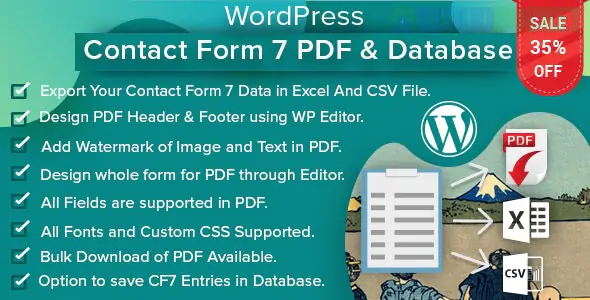
WordPress Contact Form 7 PDF, Google Sheet & Database (via CodeCanyon): This is a dedicated plugin that specifically targets your exact request. It saves entries to the WordPress DB, maps them to Google Sheets, and allows you to generate custom PDFs from the submissions.
Ultimate Addons for Contact Form 7: This is a large suite that includes modules for Database storage, Google Sheets, and PDF generation.
If you prefer not to use a single heavy plugin, you can combine these specific tools:
To ensure you never lose a lead if an email fails, install a database addon.
Contact Form 7 Database Addon (CFDB7): The most popular free choice. It creates a "Contact" menu in your dashboard where you can see every message sent.
Flamingo: Created by the author of CF7, it is very lightweight and reliable for basic message logging.
CF7 Google Sheets Connector: This plugin uses a simple access code to link your site to a specific spreadsheet. Every time a user hits "Submit," a new row is instantly added to your Google Sheet.
Uncanny Automator: If you want advanced logic (e.g., "only send to Google Sheets if the user selects 'Sales'"), this automation tool is excellent.
PDF Forms Filler for CF7: This allows you to attach a PDF to the email sent to the admin or the user. You can upload an existing PDF "template" and map the form fields to specific spots on the document.
Send PDF with Contact Form 7: A simpler version that converts the entire message into a basic PDF attachment automatically.
Feature
All-in-One Plugin
Modular (Free Plugins)
Setup Time
Very Fast
Moderate
Cost
Paid (Approx. $25–$49)
Free (mostly)
Customization
High (Internal settings)
Very High (Mix & Match)
Maintenance
1 Plugin to update
3 Plugins to update
If you are generating PDFs that contain sensitive user data, look for plugins that offer PDF Password Protection (like the Contact Form 7 PDF, Google Sheet & Database plugin). This ensures that even if an email is intercepted, the attachment remains encrypted.
Would you like me to find a step-by-step tutorial for the specific plugin you decide to use?
Subscribe to access unlimited downloads of themes, videos, graphics, plugins, and more premium assets for your creative needs.
.jpg) Help Us to Buy More New Theme/Plugin
Help Us to Buy More New Theme/Plugin
Published:
Jan 21, 2026 12:02 PM
Version:
v3.0.0
Category:
Author:
OtherLicense:
GPL v2 or LaterTags: