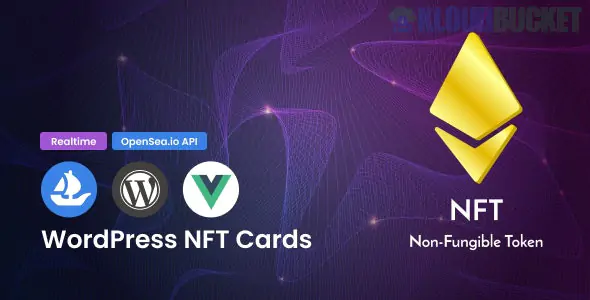
WordPress Live NFT Cards Affiliates with VueJS is a premium WordPress plugin (developed by ModelTheme) designed for affiliate marketers who want to showcase and earn commissions from NFTs listed on OpenSea.1
By leveraging VueJS for its frontend, the plugin provides a highly reactive, "app-like" experience where NFT data is pulled in real-time without slowing down the initial page load of your WordPress site.2
Real-time OpenSea Integration: Uses the OpenSea API to fetch live data, including current prices, high-resolution images, and collection details.3
VueJS Frontend: The "Live Cards" are built with VueJS, meaning they load asynchronously. This ensures your website stays fast even if you are displaying dozens of high-quality NFT assets.
Affiliate Ready: You can add your OpenSea affiliate/referral link to the "Buy Now" buttons, allowing you to earn commissions on secondary sales directed from your site.4
Multiple Layout Options:
Single Card: Highlight a specific "blue chip" NFT.
NFT Grid/List: Display entire collections or filtered results.
Carousels: Create a sliding showcase for your homepage or sidebar.
Shortcode Powered: Easily embed specific NFTs or collections into any post, page, or widget area using simple shortcodes.5
Compatibility: Works with all major page builders, including Elementor, WPBakery, and Visual Composer.6
Performance: The use of VueJS means that data fetching happens on the client side, significantly reducing the load on your WordPress server.
Responsive Design: The cards are "Retina Ready" and fully responsive, adapting perfectly to mobile and tablet screens.7
API Dependent: Requires an OpenSea API Key to function. You will need to apply for this through the OpenSea Developer portal.
Install & Activate: Upload the plugin zip file to your WordPress dashboard.
Enter API Key: Navigate to the plugin settings and input your OpenSea API Key.
Generate Shortcodes: * Go to the "Shortcode Generator" section.
Select your layout (Grid, Carousel, or Single Card).8
Enter the Collection Slug or Contract Address of the NFTs you want to show.
Add Affiliate ID: Ensure your affiliate referral parameter is added in the global settings so every "View on OpenSea" button is tracked to your account.
Publish: Paste the generated shortcode into your desired page.
In the NFT space, prices and ownership change in seconds. A traditional WordPress plugin would require a page refresh to show an updated price. Because this plugin uses VueJS, it can potentially update the data "live" or, at the very least, provide a much smoother, faster-loading interface than standard PHP-based templates.9
Would you like me to help you find the specific shortcode parameters for a certain OpenSea collection, or do you need assistance troubleshooting an API connection issue?
Subscribe to access unlimited downloads of themes, videos, graphics, plugins, and more premium assets for your creative needs.
.jpg) Help Us to Buy More New Theme/Plugin
Help Us to Buy More New Theme/Plugin
Published:
Dec 27, 2025 16:14 PM
Version:
v2.0.0
Category:
Author:
FunnelkitLicense:
GPL v2 or Later