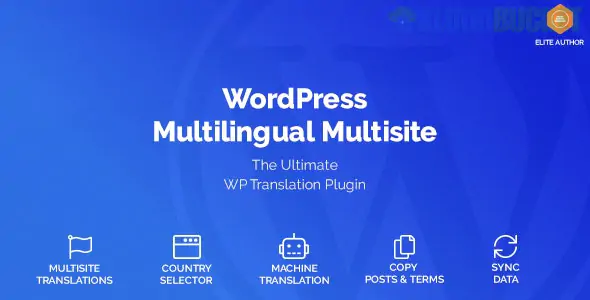
Creating a WordPress Multilingual Multisite network is an enterprise-grade approach to globalizing your web presence. Instead of storing all translations in a single database (which can slow down large sites), this method creates a separate site within your network for each language (e.g., site.com/en, site.com/fr).
There are two ways to handle translations within a Multisite environment, depending on how much "isolation" you want for each language.
Feature
Single-Site Plugins (WPML/Polylang)
Multisite-Native (MultilingualPress)
Architecture
All languages in one site/database.
One site per language (separate tables).
Performance
Can lag on massive sites with 10+ languages.
Fastest performance; only loads one language at a time.
Flexibility
Easier to sync design/layout changes.
Best for localizing designs (e.g., different themes for different regions).
Lock-in
If you disable the plugin, site structure breaks.
No lock-in; if disabled, sites remain as independent sites.
This is the only plugin built specifically for the WordPress Multisite core. It links independent sites in your network so that when you edit a post in English, you can see the linked "translation" fields for the French site right in the sidebar.
Key Pro Features:
AI Auto-Translation: Integrated with DeepL and OpenAI to translate entire sites instantly.
No Database Bloat: Does not add extra tables; uses WordPress native relationships.
Redirects: Automatically sends users to the correct language site based on their browser settings.
While WPML is a "single-site" plugin at its core, it supports Multisite. It is best if you want a centralized translation dashboard where you can send content to professional translation services.
Key Pro Features:
String Translation: Easily translate themes and plugins network-wide.
Media Translation: Shows different images or videos for different languages without duplicating files.
You must first convert your standard WordPress install into a Network.
Open your wp-config.php file and add:
define( 'WP_ALLOW_MULTISITE', true );
Go to Tools > Network Setup in your dashboard.
Choose Sub-directories (e.g., site.com/es/) or Sub-domains (e.g., es.site.com).
Follow the instructions to update your .htaccess and wp-config.php files.
Go to My Sites > Network Admin > Sites.
Click Add New for each language you need (e.g., "French Site," "German Site").
In Settings > General for each subsite, set the "Site Language" to the corresponding language.
If you use MultilingualPress:
Network Activate the plugin.
Go to the Site Settings for your English site.
Under the MultilingualPress tab, "connect" it to the French and German sites you created.
This creates the Language Switcher relationships automatically.
When using Multisite, it is vital to tell Google that site.com/en and site.com/fr are versions of the same page.
MultilingualPress and WPML handle this automatically by injecting <link rel="alternate" hreflang="x"> tags into your site headers.
Without these tags, Google may penalize you for "duplicate content" across your sub-sites.
Would you like me to help you compare the pricing for MultilingualPress vs. WPML Agency, or do you need a guide on how to migrate an existing single-site translation into a Multisite network?
Subscribe to access unlimited downloads of themes, videos, graphics, plugins, and more premium assets for your creative needs.
.jpg) Help Us to Buy More New Theme/Plugin
Help Us to Buy More New Theme/Plugin
Published:
Jan 06, 2026 17:53 PM
Version:
v1.2.11
Category:
Author:
OtherLicense:
GPL v2 or Later