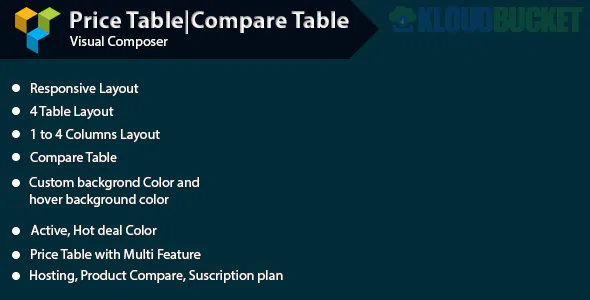
Creating a professional Pricing or Comparison Table in WPBakery Page Builder usually requires an addon, as the core builder includes basic row/column structures but lacks a dedicated "Compare" module.
Here are the best ways to implement these in 2026:
If you want tables that look like a professional SaaS site (with toggle switches for Monthly/Yearly billing), these are the top choices:
Go Pricing Tables: * Best For: Traditional, high-gloss pricing tables.
Features: Support for videos (YouTube/Vimeo), 90+ demo templates, and over 250+ unique styles. It includes "Ribbons" (e.g., "Best Value") and is highly responsive.
Price: ~$27 (Lifetime updates).
ARPrice: * Best For: Comparison tables with a "Real-time" editor.
Features: It features a unique Toggle Switch for switching between different pricing plans (e.g., Basic vs. Pro prices). It has 170+ templates and detailed analytics to see which plan users click on most.
Price: ~$27.
For "Feature Comparison" tables (where you have a list of features on the left and checkmarks/X's on the right), these tools are more effective:
Common Ninja (Compare Table):
How it works: You build the table in their cloud editor and embed it into WPBakery using a single line of code or a shortcode.
Key Feature: CSV Import. You can upload an Excel or CSV file, and it will automatically generate the comparison table for you.
wpDataTables:
Best For: Massive data sets or technical specs.
Features: If you need to compare 50+ products with filters and search bars, this is the industrial-strength choice. It integrates natively as a WPBakery element.
Pricing Table Pro (WPBean): Offers a very lightweight, clean design. It’s perfect if you don't want the "bloat" of 200+ templates and just need a simple 3-column layout.
Ultimate Addons for WPBakery: If you already own this (many themes bundle it), it has a built-in Price Box element. It’s not as complex as Go Pricing, but it’s great for basic needs without installing extra plugins.
Feature
Go Pricing
ARPrice
Common Ninja
Best Use
Visual Style/Animations
Toggle Pricing (Monthly/Yearly)
Data Comparison / CSV Import
Templates
250+
170+
Skins/Cloud-based
Difficulty
Moderate (Many settings)
Easy (Real-time editor)
Very Easy
Interactivity
Hover effects, Videos
Billing Toggles
Sorting, Search, Filtering
If you are using the default WPBakery columns to build a table:
Use the "Icon" element for your Checkmarks ($\checkmark$) and Crosses ($\times$).
Enable "Equal Height" in the Row settings so all your pricing boxes line up perfectly at the bottom.
Add a "CSS Animation" to the "Featured" column (like a slight zoom or pulse) to make it stand out.
Would you like me to help you find a CSS snippet to add a "Best Value" ribbon to a standard WPBakery column?
Subscribe to access unlimited downloads of themes, videos, graphics, plugins, and more premium assets for your creative needs.
.jpg) Help Us to Buy More New Theme/Plugin
Help Us to Buy More New Theme/Plugin
Published:
Jan 24, 2026 19:19 PM
Version:
v1.2.0
Category:
Author:
All In One PluginLicense:
GPL v2 or Later